mirror of
https://github.com/Anon-Planet/thgtoa.git
synced 2026-06-11 00:02:29 +02:00
Compare commits
28 Commits
| Author | SHA1 | Date | |
|---|---|---|---|
 nopeitsnothing nopeitsnothing
|
42d325df06 | ||
|
nopeitsnothing
|
bf00272811 | ||
|
github-actions[bot]
|
ae1c293c6b | ||
|
nopeitsnothing
|
45a8539a9e | ||
|
nopeitsnothing
|
cc5ad371a8 | ||
|
nopeitsnothing
|
84a7ccbdd9 | ||
|
nopeitsnothing
|
4eaca49a1c | ||
|
nopeitsnothing
|
c5e5ae48e1 | ||
|
nopeitsnothing
|
d1817e9049 | ||
|
nopeitsnothing
|
ede2a53437 | ||
|
github-actions[bot]
|
91a77ed552 | ||
|
nopeitsnothing
|
1c3cf75cf0 | ||
|
github-actions[bot]
|
121be79cd8 | ||
|
nopeitsnothing
|
3b550119a8 | ||
|
nopeitsnothing
|
c19389ce49 | ||
|
nopeitsnothing
|
aabcbac3d9 | ||
|
nopeitsnothing
|
e11a1eb1ce | ||
|
nopeitsnothing
|
df6cfbc94b | ||
|
github-actions[bot]
|
095bb0d8be | ||
|
nopeitsnothing
|
8b81081089 | ||
|
nopeitsnothing
|
ccc97461c9 | ||
|
github-actions[bot]
|
8d74635d49 | ||
|
nopeitsnothing
|
f71e5e2a28 | ||
|
nopeitsnothing
|
3e28ec19ad | ||
|
github-actions[bot]
|
192da89138 | ||
|
nopeitsnothing
|
c658c354ee | ||
|
nopeitsnothing
|
343ad7f037 | ||
|
nopeitsnothing
|
85ea1fee66 |
@@ -0,0 +1,9 @@
|
|||||||
|
[tool.commitizen]
|
||||||
|
name = "cz_conventional_commits"
|
||||||
|
|
||||||
|
# enforce sign-off below as well
|
||||||
|
extra_arguments = ["-S", "--signoff"]
|
||||||
|
|
||||||
|
# harmless redundancy
|
||||||
|
[tool.commitizen.customize]
|
||||||
|
schema_pattern = '^(feat|add|fix|bugfix|revert|security|perf|refactor|change|chore|ci|docs|style|test|build)(\(.+\))?(!)?: .{1,72}(\n.*)*\nSigned-off-by: .+ <.+@.+>'
|
||||||
@@ -1,3 +1,8 @@
|
|||||||
|
# 1. Push to main → 01-build.yml runs automatically → note the run ID
|
||||||
|
# 2. Manually trigger 02-sign.yml with that build run ID → note the sign run ID
|
||||||
|
# 3. Manually trigger 03-release.yml with: version=v1.2.5, sign_run_id=<id>
|
||||||
|
# 4. Manually trigger 04-changelog.yml with: version=v1.2.5
|
||||||
|
|
||||||
name: 📖 Build PDFs
|
name: 📖 Build PDFs
|
||||||
|
|
||||||
on:
|
on:
|
||||||
@@ -19,7 +24,7 @@ on:
|
|||||||
- "docs/**"
|
- "docs/**"
|
||||||
- "mkdocs.yml"
|
- "mkdocs.yml"
|
||||||
- "scripts/**"
|
- "scripts/**"
|
||||||
- ".github/workflows/build.yml"
|
- ".github/workflows/01-build.yml"
|
||||||
|
|
||||||
permissions:
|
permissions:
|
||||||
contents: read
|
contents: read
|
||||||
@@ -0,0 +1,256 @@
|
|||||||
|
name: 🔏 Sign PDFs
|
||||||
|
|
||||||
|
# Can be triggered:
|
||||||
|
# 1. Automatically after build.yml completes on main
|
||||||
|
# 2. Manually, pointing at a specific build run to pull PDFs from
|
||||||
|
on:
|
||||||
|
workflow_dispatch:
|
||||||
|
inputs:
|
||||||
|
build_run_id:
|
||||||
|
description: 'build.yml run ID to download PDFs from'
|
||||||
|
required: true
|
||||||
|
type: string
|
||||||
|
|
||||||
|
# Download artifacts from other runs + commit export/ files back to the repo
|
||||||
|
permissions:
|
||||||
|
actions: read
|
||||||
|
contents: write
|
||||||
|
|
||||||
|
jobs:
|
||||||
|
sign:
|
||||||
|
name: Hash & Sign PDFs
|
||||||
|
runs-on: ubuntu-latest
|
||||||
|
outputs:
|
||||||
|
light_sha256: ${{ steps.hashes.outputs.light_sha256 }}
|
||||||
|
dark_sha256: ${{ steps.hashes.outputs.dark_sha256 }}
|
||||||
|
light_b2: ${{ steps.hashes.outputs.light_b2 }}
|
||||||
|
dark_b2: ${{ steps.hashes.outputs.dark_b2 }}
|
||||||
|
|
||||||
|
steps:
|
||||||
|
- name: 🛠️ Checkout (for pgp/ key reference only)
|
||||||
|
uses: actions/checkout@v4
|
||||||
|
with:
|
||||||
|
sparse-checkout: pgp
|
||||||
|
|
||||||
|
- name: 📥 Download PDF artifacts
|
||||||
|
uses: actions/download-artifact@v4
|
||||||
|
with:
|
||||||
|
name: pdfs
|
||||||
|
path: export/
|
||||||
|
run-id: ${{ inputs.build_run_id }}
|
||||||
|
github-token: ${{ secrets.GITHUB_TOKEN }}
|
||||||
|
|
||||||
|
- name: 📋 List downloaded files
|
||||||
|
run: ls -lh export/
|
||||||
|
|
||||||
|
# Hash - extensions match export/ conventions: .sha256, .b2sum
|
||||||
|
- name: "#️⃣ Hash PDFs"
|
||||||
|
id: hashes
|
||||||
|
run: |
|
||||||
|
cd export
|
||||||
|
|
||||||
|
for f in thgtoa.pdf thgtoa-dark.pdf; do
|
||||||
|
[ -f "$f" ] || continue
|
||||||
|
sha256sum "$f" | awk '{print $1}' > "${f}.sha256"
|
||||||
|
b2sum "$f" | awk '{print $1}' > "${f}.b2sum"
|
||||||
|
done
|
||||||
|
|
||||||
|
# Combined summary files
|
||||||
|
sha256sum thgtoa.pdf thgtoa-dark.pdf 2>/dev/null > sha256sums.txt || \
|
||||||
|
sha256sum thgtoa.pdf 2>/dev/null > sha256sums.txt
|
||||||
|
b2sum thgtoa.pdf thgtoa-dark.pdf 2>/dev/null > b2sums.txt || \
|
||||||
|
b2sum thgtoa.pdf 2>/dev/null > b2sums.txt
|
||||||
|
|
||||||
|
light_sha256=$(cat thgtoa.pdf.sha256 2>/dev/null || echo "")
|
||||||
|
dark_sha256=$(cat thgtoa-dark.pdf.sha256 2>/dev/null || echo "")
|
||||||
|
light_b2=$(cat thgtoa.pdf.b2sum 2>/dev/null || echo "")
|
||||||
|
dark_b2=$(cat thgtoa-dark.pdf.b2sum 2>/dev/null || echo "")
|
||||||
|
|
||||||
|
echo "light_sha256=$light_sha256" >> $GITHUB_OUTPUT
|
||||||
|
echo "dark_sha256=$dark_sha256" >> $GITHUB_OUTPUT
|
||||||
|
echo "light_b2=$light_b2" >> $GITHUB_OUTPUT
|
||||||
|
echo "dark_b2=$dark_b2" >> $GITHUB_OUTPUT
|
||||||
|
|
||||||
|
echo "--- SHA-256 ---"
|
||||||
|
cat sha256sums.txt
|
||||||
|
echo "--- BLAKE2b ---"
|
||||||
|
cat b2sums.txt
|
||||||
|
|
||||||
|
# GPG sign — detached ASCII-armor signatures use .asc extension
|
||||||
|
- name: 🔑 Install GPG
|
||||||
|
run: |
|
||||||
|
sudo apt-get update -qq
|
||||||
|
sudo apt-get install -y gnupg
|
||||||
|
|
||||||
|
- name: 🔏 Import GPG signing key
|
||||||
|
env:
|
||||||
|
GPG_PRIVATE_KEY: ${{ secrets.GPG_PRIVATE_KEY }}
|
||||||
|
GPG_PASSPHRASE: ${{ secrets.GPG_PASSPHRASE }}
|
||||||
|
run: |
|
||||||
|
echo "$GPG_PRIVATE_KEY" | gpg --batch --import
|
||||||
|
echo "$GPG_PASSPHRASE" | gpg --batch --yes --passphrase-fd 0 \
|
||||||
|
--pinentry-mode loopback --list-secret-keys
|
||||||
|
|
||||||
|
- name: 🔏 Sign PDFs and hash files
|
||||||
|
env:
|
||||||
|
GPG_PASSPHRASE: ${{ secrets.GPG_PASSPHRASE }}
|
||||||
|
run: |
|
||||||
|
sign() {
|
||||||
|
local file="$1"
|
||||||
|
[ -f "$file" ] || return 0
|
||||||
|
echo "$GPG_PASSPHRASE" | gpg --batch --yes --passphrase-fd 0 \
|
||||||
|
--pinentry-mode loopback \
|
||||||
|
--detach-sign --armor --output "${file}.asc" "$file"
|
||||||
|
echo "Signed: $file → ${file}.asc"
|
||||||
|
}
|
||||||
|
sign export/thgtoa.pdf
|
||||||
|
sign export/thgtoa-dark.pdf
|
||||||
|
sign export/sha256sums.txt
|
||||||
|
sign export/b2sums.txt
|
||||||
|
|
||||||
|
# Commit export/ back to main
|
||||||
|
- name: 📦 Checkout full repo for commit
|
||||||
|
uses: actions/checkout@v4
|
||||||
|
with:
|
||||||
|
ref: main
|
||||||
|
fetch-depth: 0
|
||||||
|
path: repo
|
||||||
|
|
||||||
|
- name: 📂 Copy export files into repo
|
||||||
|
run: cp -v export/* repo/export/
|
||||||
|
|
||||||
|
- name: 🔏 Configure SSH commit signing
|
||||||
|
run: |
|
||||||
|
mkdir -p ~/.ssh
|
||||||
|
echo "${{ secrets.ACTIONS_SSH_SIGNING_KEY }}" > ~/.ssh/signing_key
|
||||||
|
chmod 600 ~/.ssh/signing_key
|
||||||
|
git config --global gpg.format ssh
|
||||||
|
git config --global user.signingKey ~/.ssh/signing_key
|
||||||
|
git config --global commit.gpgSign true
|
||||||
|
git config --global user.name "github-actions[bot]"
|
||||||
|
git config --global user.email "github-actions[bot]@users.noreply.github.com"
|
||||||
|
|
||||||
|
# If no change in git diff, do nothing
|
||||||
|
- name: 📤 Commit and push export/ to main
|
||||||
|
working-directory: repo
|
||||||
|
run: |
|
||||||
|
git add export/
|
||||||
|
if git diff --cached --quiet; then
|
||||||
|
echo "Nothing to commit — export/ is already up to date."
|
||||||
|
else
|
||||||
|
git commit -S -m "chore(export): update PDFs, hashes and signatures [skip ci]"
|
||||||
|
git push origin main
|
||||||
|
fi
|
||||||
|
|
||||||
|
# Upload artifacts for 03-release.yml and verify job to consume
|
||||||
|
- name: 📤 Upload signatures artifact
|
||||||
|
uses: actions/upload-artifact@v4
|
||||||
|
with:
|
||||||
|
name: signatures
|
||||||
|
path: |
|
||||||
|
export/sha256sums.txt
|
||||||
|
export/b2sums.txt
|
||||||
|
export/thgtoa.pdf.sha256
|
||||||
|
export/thgtoa-dark.pdf.sha256
|
||||||
|
export/thgtoa.pdf.b2sum
|
||||||
|
export/thgtoa-dark.pdf.b2sum
|
||||||
|
export/thgtoa.pdf.asc
|
||||||
|
export/thgtoa-dark.pdf.asc
|
||||||
|
export/sha256sums.txt.asc
|
||||||
|
export/b2sums.txt.asc
|
||||||
|
if-no-files-found: error
|
||||||
|
retention-days: 90
|
||||||
|
compression-level: 0
|
||||||
|
|
||||||
|
- name: 📤 Upload signed PDFs artifact
|
||||||
|
uses: actions/upload-artifact@v4
|
||||||
|
with:
|
||||||
|
name: pdfs-signed
|
||||||
|
path: |
|
||||||
|
export/thgtoa.pdf
|
||||||
|
export/thgtoa-dark.pdf
|
||||||
|
if-no-files-found: warn
|
||||||
|
retention-days: 90
|
||||||
|
compression-level: 0
|
||||||
|
|
||||||
|
# Verify — runs after sign, surfaces results as a job summary
|
||||||
|
verify:
|
||||||
|
name: Verify hashes & signatures
|
||||||
|
runs-on: ubuntu-latest
|
||||||
|
needs: sign
|
||||||
|
# Always run so the summary is visible even if sign partially failed
|
||||||
|
if: always()
|
||||||
|
|
||||||
|
steps:
|
||||||
|
- name: 🛠️ Checkout scripts and public key
|
||||||
|
uses: actions/checkout@v4
|
||||||
|
with:
|
||||||
|
sparse-checkout: |
|
||||||
|
scripts/verify_pdf.py
|
||||||
|
pgp
|
||||||
|
|
||||||
|
- name: 📥 Download signatures artifact
|
||||||
|
uses: actions/download-artifact@v4
|
||||||
|
with:
|
||||||
|
name: signatures
|
||||||
|
path: export/
|
||||||
|
github-token: ${{ secrets.GITHUB_TOKEN }}
|
||||||
|
|
||||||
|
- name: 📥 Download signed PDFs artifact
|
||||||
|
uses: actions/download-artifact@v4
|
||||||
|
with:
|
||||||
|
name: pdfs-signed
|
||||||
|
path: export/
|
||||||
|
github-token: ${{ secrets.GITHUB_TOKEN }}
|
||||||
|
|
||||||
|
- name: 🔑 Install GPG and import public key
|
||||||
|
run: |
|
||||||
|
sudo apt-get update -qq
|
||||||
|
sudo apt-get install -y gnupg
|
||||||
|
gpg --import pgp/anonymousplanet-release.asc
|
||||||
|
|
||||||
|
- name: 🐍 Set up Python
|
||||||
|
uses: actions/setup-python@v5
|
||||||
|
with:
|
||||||
|
python-version: "3.13"
|
||||||
|
|
||||||
|
- name: 🔍 Run verify_pdf.py
|
||||||
|
id: verify
|
||||||
|
run: |
|
||||||
|
# Capture output and exit code separately so we can write the
|
||||||
|
# summary regardless of whether verification passed or failed.
|
||||||
|
set +e
|
||||||
|
output=$(python scripts/verify_pdf.py --hashes --signatures --export-dir export 2>&1)
|
||||||
|
exit_code=$?
|
||||||
|
set -e
|
||||||
|
|
||||||
|
echo "exit_code=$exit_code" >> $GITHUB_OUTPUT
|
||||||
|
|
||||||
|
# ── Job summary ──────────────────────────────────────────────
|
||||||
|
{
|
||||||
|
if [ "$exit_code" -eq 0 ]; then
|
||||||
|
echo "## ✅ Verification passed"
|
||||||
|
else
|
||||||
|
echo "## ❌ Verification failed"
|
||||||
|
fi
|
||||||
|
|
||||||
|
echo ""
|
||||||
|
echo "**Run:** [\`${{ github.run_id }}\`](${{ github.server_url }}/${{ github.repository }}/actions/runs/${{ github.run_id }}) · **Commit:** [\`${GITHUB_SHA::7}\`](${{ github.server_url }}/${{ github.repository }}/commit/${{ github.sha }}) · **By:** \`${{ github.actor }}\`"
|
||||||
|
echo ""
|
||||||
|
echo "### Script output"
|
||||||
|
echo '```'
|
||||||
|
echo "$output"
|
||||||
|
echo '```'
|
||||||
|
echo ""
|
||||||
|
echo "### Hashes"
|
||||||
|
echo '```'
|
||||||
|
echo "── SHA-256 ──────────────────────────────────────────────────────"
|
||||||
|
cat export/sha256sums.txt 2>/dev/null || echo "(not found)"
|
||||||
|
echo ""
|
||||||
|
echo "── BLAKE2b ──────────────────────────────────────────────────────"
|
||||||
|
cat export/b2sums.txt 2>/dev/null || echo "(not found)"
|
||||||
|
echo '```'
|
||||||
|
} >> $GITHUB_STEP_SUMMARY
|
||||||
|
|
||||||
|
# Propagate failure so the job is marked red if verification fails
|
||||||
|
exit $exit_code
|
||||||
@@ -0,0 +1,191 @@
|
|||||||
|
name: 🚀 Release
|
||||||
|
|
||||||
|
# Manual only — run this deliberately after build and sign are confirmed good.
|
||||||
|
# Provide the 02-sign.yml run ID to pull artifacts from. The release tag is
|
||||||
|
# automatically passed to the tag input. Exports "inputs.version" to $TAG.
|
||||||
|
on:
|
||||||
|
workflow_dispatch:
|
||||||
|
inputs:
|
||||||
|
sign_run_id:
|
||||||
|
description: '02-sign.yml run ID to pull signatures and PDFs from'
|
||||||
|
required: true
|
||||||
|
type: string
|
||||||
|
prerelease:
|
||||||
|
description: 'Mark as pre-release?'
|
||||||
|
required: false
|
||||||
|
default: false
|
||||||
|
type: boolean
|
||||||
|
version:
|
||||||
|
description: 'Version string to record (e.g. v1.2.4) — required'
|
||||||
|
required: true
|
||||||
|
type: string
|
||||||
|
|
||||||
|
permissions:
|
||||||
|
contents: write # create releases and tags
|
||||||
|
actions: read # download artifacts from other runs
|
||||||
|
|
||||||
|
jobs:
|
||||||
|
release:
|
||||||
|
name: Publish GitHub Release
|
||||||
|
runs-on: ubuntu-latest
|
||||||
|
|
||||||
|
steps:
|
||||||
|
- name: 🛠️ Checkout (for pgp/)
|
||||||
|
uses: actions/checkout@v4
|
||||||
|
with:
|
||||||
|
fetch-depth: 0
|
||||||
|
sparse-checkout: pgp
|
||||||
|
|
||||||
|
# Download artifacts from the specified sign run
|
||||||
|
- name: 📥 Download signatures artifact
|
||||||
|
uses: actions/download-artifact@v4
|
||||||
|
with:
|
||||||
|
name: signatures
|
||||||
|
path: release/
|
||||||
|
run-id: ${{ inputs.sign_run_id }}
|
||||||
|
github-token: ${{ secrets.GITHUB_TOKEN }}
|
||||||
|
|
||||||
|
- name: 📥 Download signed PDFs artifact
|
||||||
|
uses: actions/download-artifact@v4
|
||||||
|
with:
|
||||||
|
name: pdfs-signed
|
||||||
|
path: release/
|
||||||
|
run-id: ${{ inputs.sign_run_id }}
|
||||||
|
github-token: ${{ secrets.GITHUB_TOKEN }}
|
||||||
|
|
||||||
|
- name: 📋 List release assets
|
||||||
|
run: ls -lh release/
|
||||||
|
|
||||||
|
# Read hashes for the release body
|
||||||
|
- name: "#️⃣ Read hashes"
|
||||||
|
id: hashes
|
||||||
|
run: |
|
||||||
|
read_hash() { cat "release/$1" 2>/dev/null || echo "(not built)"; }
|
||||||
|
echo "light_sha256=$(read_hash thgtoa.pdf.sha256)" >> $GITHUB_OUTPUT
|
||||||
|
echo "dark_sha256=$(read_hash thgtoa-dark.pdf.sha256)" >> $GITHUB_OUTPUT
|
||||||
|
echo "light_b2=$(read_hash thgtoa.pdf.b2sum)" >> $GITHUB_OUTPUT
|
||||||
|
echo "dark_b2=$(read_hash thgtoa-dark.pdf.b2sum)" >> $GITHUB_OUTPUT
|
||||||
|
|
||||||
|
# VirusTotal
|
||||||
|
- name: 🦠 Upload PDFs to VirusTotal
|
||||||
|
id: vt
|
||||||
|
uses: crazy-max/ghaction-virustotal@v5
|
||||||
|
with:
|
||||||
|
vt_api_key: ${{ secrets.VT_API_KEY }}
|
||||||
|
files: |
|
||||||
|
release/thgtoa.pdf
|
||||||
|
release/thgtoa-dark.pdf
|
||||||
|
|
||||||
|
- name: 🔗 Build VT report URLs
|
||||||
|
id: vt_urls
|
||||||
|
run: |
|
||||||
|
light_hash=$(cat release/thgtoa.pdf.sha256 2>/dev/null || echo "")
|
||||||
|
dark_hash=$(cat release/thgtoa-dark.pdf.sha256 2>/dev/null || echo "")
|
||||||
|
if [ -n "$light_hash" ]; then
|
||||||
|
echo "light_vt=https://www.virustotal.com/gui/file/${light_hash}" >> $GITHUB_OUTPUT
|
||||||
|
else
|
||||||
|
echo "light_vt=(not built)" >> $GITHUB_OUTPUT
|
||||||
|
fi
|
||||||
|
if [ -n "$dark_hash" ]; then
|
||||||
|
echo "dark_vt=https://www.virustotal.com/gui/file/${dark_hash}" >> $GITHUB_OUTPUT
|
||||||
|
else
|
||||||
|
echo "dark_vt=(not built)" >> $GITHUB_OUTPUT
|
||||||
|
fi
|
||||||
|
|
||||||
|
# Generate release tag — timestamp + short SHA, always unique
|
||||||
|
- name: 🏷️ Generate release tag
|
||||||
|
id: tag
|
||||||
|
run: |
|
||||||
|
SHORT_SHA=$(echo "${{ github.sha }}" | cut -c1-7)
|
||||||
|
DATE=$(date -u +'%Y%m%d')
|
||||||
|
TAG="${{ inputs.version }}"
|
||||||
|
NAME="Release ${DATE} (${SHORT_SHA})"
|
||||||
|
echo "tag=$TAG" >> $GITHUB_OUTPUT
|
||||||
|
echo "name=$NAME" >> $GITHUB_OUTPUT
|
||||||
|
echo "Tag: $TAG"
|
||||||
|
|
||||||
|
# Create GitHub Release
|
||||||
|
- name: 🚀 Create GitHub Release
|
||||||
|
uses: softprops/action-gh-release@v2
|
||||||
|
with:
|
||||||
|
tag_name: ${{ steps.tag.outputs.tag }}
|
||||||
|
name: ${{ steps.tag.outputs.name }}
|
||||||
|
prerelease: ${{ inputs.prerelease || false }}
|
||||||
|
draft: true
|
||||||
|
fail_on_unmatched_files: false
|
||||||
|
body: |
|
||||||
|
## 📖 The Hitchhiker's Guide to Online Anonymity
|
||||||
|
|
||||||
|
Built from [`${{ inputs.version }}`](${{ github.server_url }}/${{ github.repository }}/releases/tag/${{ inputs.version }}).
|
||||||
|
|
||||||
|
---
|
||||||
|
|
||||||
|
### 📄 Release assets
|
||||||
|
|
||||||
|
| File | Description |
|
||||||
|
|------|-------------|
|
||||||
|
| `thgtoa.pdf` | Light mode PDF |
|
||||||
|
| `thgtoa-dark.pdf` | Dark mode PDF (hacker theme) |
|
||||||
|
| `sha256sums.txt` | SHA-256 checksums (both files) |
|
||||||
|
| `b2sums.txt` | BLAKE2b checksums (both files) |
|
||||||
|
| `thgtoa.pdf.sha256` | SHA-256 — light PDF |
|
||||||
|
| `thgtoa-dark.pdf.sha256` | SHA-256 — dark PDF |
|
||||||
|
| `thgtoa.pdf.b2sum` | BLAKE2b — light PDF |
|
||||||
|
| `thgtoa-dark.pdf.b2sum` | BLAKE2b — dark PDF |
|
||||||
|
| `*.asc` | GPG detached signatures (ASCII armor) |
|
||||||
|
|
||||||
|
---
|
||||||
|
|
||||||
|
### #️⃣ Hashes
|
||||||
|
|
||||||
|
**thgtoa.pdf** (light)
|
||||||
|
```text
|
||||||
|
SHA-256 ${{ steps.hashes.outputs.light_sha256 }}
|
||||||
|
BLAKE2b ${{ steps.hashes.outputs.light_b2 }}
|
||||||
|
```
|
||||||
|
|
||||||
|
**thgtoa-dark.pdf** (dark)
|
||||||
|
```text
|
||||||
|
SHA-256 ${{ steps.hashes.outputs.dark_sha256 }}
|
||||||
|
BLAKE2b ${{ steps.hashes.outputs.dark_b2 }}
|
||||||
|
```
|
||||||
|
|
||||||
|
---
|
||||||
|
|
||||||
|
### 🔏 Verifying GPG signatures
|
||||||
|
|
||||||
|
```bash
|
||||||
|
# Import the release signing key
|
||||||
|
gpg --import pgp/anonymousplanet-release.asc
|
||||||
|
|
||||||
|
# Verify PDFs
|
||||||
|
gpg --verify thgtoa.pdf.asc thgtoa.pdf
|
||||||
|
gpg --verify thgtoa-dark.pdf.asc thgtoa-dark.pdf
|
||||||
|
|
||||||
|
# Verify hash files
|
||||||
|
gpg --verify sha256sums.txt.asc sha256sums.txt
|
||||||
|
gpg --verify b2sums.txt.asc b2sums.txt
|
||||||
|
```
|
||||||
|
|
||||||
|
---
|
||||||
|
|
||||||
|
### 🦠 VirusTotal scans
|
||||||
|
|
||||||
|
| File | Report |
|
||||||
|
|------|--------|
|
||||||
|
| `thgtoa.pdf` | ${{ steps.vt_urls.outputs.light_vt }} |
|
||||||
|
| `thgtoa-dark.pdf` | ${{ steps.vt_urls.outputs.dark_vt }} |
|
||||||
|
|
||||||
|
files: |
|
||||||
|
release/thgtoa.pdf
|
||||||
|
release/thgtoa-dark.pdf
|
||||||
|
release/sha256sums.txt
|
||||||
|
release/b2sums.txt
|
||||||
|
release/thgtoa.pdf.sha256
|
||||||
|
release/thgtoa-dark.pdf.sha256
|
||||||
|
release/thgtoa.pdf.b2sum
|
||||||
|
release/thgtoa-dark.pdf.b2sum
|
||||||
|
release/thgtoa.pdf.asc
|
||||||
|
release/thgtoa-dark.pdf.asc
|
||||||
|
release/sha256sums.txt.asc
|
||||||
|
release/b2sums.txt.asc
|
||||||
@@ -1,17 +1,14 @@
|
|||||||
name: 📝 Update Changelog
|
name: 📝 Update Changelog
|
||||||
|
|
||||||
# Runs after build.yml completes on main — at that point we know what changed.
|
# Manual only — run after a release is published. Provide the exact version
|
||||||
# Can also be triggered manually to backfill a missing entry.
|
# string (e.g. v1.2.4) to prepend to the changelog. Version is required to
|
||||||
|
# prevent silent auto-increment drift from release tags.
|
||||||
on:
|
on:
|
||||||
workflow_run:
|
|
||||||
workflows: ["📖 Build PDFs"]
|
|
||||||
types: [completed]
|
|
||||||
branches: [main]
|
|
||||||
workflow_dispatch:
|
workflow_dispatch:
|
||||||
inputs:
|
inputs:
|
||||||
version:
|
version:
|
||||||
description: 'Version string (e.g. v1.2.4) — leave blank to auto-increment'
|
description: 'Version string to record (e.g. v1.2.4) — required'
|
||||||
required: false
|
required: true
|
||||||
type: string
|
type: string
|
||||||
dry_run:
|
dry_run:
|
||||||
description: 'Dry run — print entry without committing'
|
description: 'Dry run — print entry without committing'
|
||||||
@@ -20,14 +17,11 @@ on:
|
|||||||
type: boolean
|
type: boolean
|
||||||
|
|
||||||
permissions:
|
permissions:
|
||||||
contents: write # commit changelog back to main
|
contents: write # commit changelog back to main
|
||||||
|
|
||||||
jobs:
|
jobs:
|
||||||
changelog:
|
changelog:
|
||||||
name: Prepend changelog entry
|
name: Prepend changelog entry
|
||||||
if: >
|
|
||||||
github.event_name == 'workflow_dispatch' ||
|
|
||||||
github.event.workflow_run.conclusion == 'success'
|
|
||||||
runs-on: ubuntu-latest
|
runs-on: ubuntu-latest
|
||||||
|
|
||||||
steps:
|
steps:
|
||||||
@@ -46,7 +40,7 @@ jobs:
|
|||||||
- name: 📝 Generate and prepend changelog entry
|
- name: 📝 Generate and prepend changelog entry
|
||||||
env:
|
env:
|
||||||
DRY_RUN: ${{ inputs.dry_run || 'false' }}
|
DRY_RUN: ${{ inputs.dry_run || 'false' }}
|
||||||
MANUAL_VERSION: ${{ inputs.version || '' }}
|
MANUAL_VERSION: ${{ inputs.version }}
|
||||||
GH_SHA: ${{ github.sha }}
|
GH_SHA: ${{ github.sha }}
|
||||||
GH_REF: ${{ github.ref_name }}
|
GH_REF: ${{ github.ref_name }}
|
||||||
TRIGGERING_SHA: ${{ github.event.workflow_run.head_sha || github.sha }}
|
TRIGGERING_SHA: ${{ github.event.workflow_run.head_sha || github.sha }}
|
||||||
@@ -1,218 +0,0 @@
|
|||||||
# DEPRECATED — replaced by build.yml, sign.yml, and release.yml
|
|
||||||
# This file is kept temporarily so in-flight runs are not broken.
|
|
||||||
#
|
|
||||||
# name: 📖 Build & Sign PDFs
|
|
||||||
|
|
||||||
on:
|
|
||||||
workflow_dispatch: # manual only — no automatic triggers (deprecated)
|
|
||||||
|
|
||||||
permissions:
|
|
||||||
contents: write
|
|
||||||
id-token: write
|
|
||||||
|
|
||||||
jobs:
|
|
||||||
build-sign-release:
|
|
||||||
name: Build, Sign & Release PDFs
|
|
||||||
runs-on: ubuntu-latest
|
|
||||||
steps:
|
|
||||||
- name: 🛠️ Checkout
|
|
||||||
uses: actions/checkout@v4
|
|
||||||
|
|
||||||
- name: 🐍 Set up Python
|
|
||||||
uses: actions/setup-python@v5
|
|
||||||
with:
|
|
||||||
python-version: "3.13"
|
|
||||||
|
|
||||||
- name: 📦 Install Python dependencies
|
|
||||||
run: pip install mkdocs-material pillow numpy
|
|
||||||
|
|
||||||
- name: 🖼️ Install poppler (pdftoppm) and qpdf
|
|
||||||
run: |
|
|
||||||
sudo apt-get update
|
|
||||||
sudo apt-get install -y poppler-utils qpdf
|
|
||||||
|
|
||||||
- name: Setup Chrome
|
|
||||||
uses: browser-actions/setup-chrome@v2
|
|
||||||
with:
|
|
||||||
chrome-version: 120
|
|
||||||
install-dependencies: true
|
|
||||||
install-chromedriver: true
|
|
||||||
|
|
||||||
- name: 🔑 Install GPG tools
|
|
||||||
run: sudo apt-get install -y gnupg
|
|
||||||
|
|
||||||
# ------------------------------------------------------------------ #
|
|
||||||
# Build PDFs
|
|
||||||
# ------------------------------------------------------------------ #
|
|
||||||
- name: 🖨️ Build PDFs
|
|
||||||
env:
|
|
||||||
CI: true
|
|
||||||
run: python scripts/build_guide_pdf.py --${{ inputs.build_mode || 'both' }}
|
|
||||||
|
|
||||||
# ------------------------------------------------------------------ #
|
|
||||||
# Hash (SHA-256 + BLAKE2b)
|
|
||||||
# ------------------------------------------------------------------ #
|
|
||||||
- name: #️⃣ Hash PDFs
|
|
||||||
id: hashes
|
|
||||||
run: |
|
|
||||||
mkdir -p export
|
|
||||||
|
|
||||||
sha256sum export/thgtoa.pdf | awk '{print $1}' > export/thgtoa.pdf.sha256
|
|
||||||
sha256sum export/thgtoa-dark.pdf | awk '{print $1}' > export/thgtoa-dark.pdf.sha256
|
|
||||||
b2sum export/thgtoa.pdf | awk '{print $1}' > export/thgtoa.pdf.b2
|
|
||||||
b2sum export/thgtoa-dark.pdf | awk '{print $1}' > export/thgtoa-dark.pdf.b2
|
|
||||||
|
|
||||||
# Also write combined human-readable files
|
|
||||||
sha256sum export/thgtoa.pdf export/thgtoa-dark.pdf > export/sha256sums.txt
|
|
||||||
b2sum export/thgtoa.pdf export/thgtoa-dark.pdf > export/b2sums.txt
|
|
||||||
|
|
||||||
# Expose hashes as step outputs for the release body
|
|
||||||
echo "light_sha256=$(cat export/thgtoa.pdf.sha256)" >> $GITHUB_OUTPUT
|
|
||||||
echo "dark_sha256=$(cat export/thgtoa-dark.pdf.sha256)" >> $GITHUB_OUTPUT
|
|
||||||
echo "light_b2=$(cat export/thgtoa.pdf.b2)" >> $GITHUB_OUTPUT
|
|
||||||
echo "dark_b2=$(cat export/thgtoa-dark.pdf.b2)" >> $GITHUB_OUTPUT
|
|
||||||
|
|
||||||
# ------------------------------------------------------------------ #
|
|
||||||
# GPG sign (detached .sig for each PDF + each hash file)
|
|
||||||
# ------------------------------------------------------------------ #
|
|
||||||
- name: 🔏 Import GPG key
|
|
||||||
env:
|
|
||||||
GPG_PRIVATE_KEY: ${{ secrets.GPG_PRIVATE_KEY }}
|
|
||||||
GPG_PASSPHRASE: ${{ secrets.GPG_PASSPHRASE }}
|
|
||||||
run: |
|
|
||||||
echo "$GPG_PRIVATE_KEY" | gpg --batch --import
|
|
||||||
# Pre-cache the passphrase so signing doesn't prompt
|
|
||||||
echo "$GPG_PASSPHRASE" | gpg --batch --yes --passphrase-fd 0 \
|
|
||||||
--pinentry-mode loopback --list-secret-keys
|
|
||||||
|
|
||||||
- name: 🔏 GPG sign PDFs and hash files
|
|
||||||
env:
|
|
||||||
GPG_PASSPHRASE: ${{ secrets.GPG_PASSPHRASE }}
|
|
||||||
run: |
|
|
||||||
sign() {
|
|
||||||
echo "$GPG_PASSPHRASE" | gpg --batch --yes --passphrase-fd 0 \
|
|
||||||
--pinentry-mode loopback \
|
|
||||||
--detach-sign --armor --output "${1}.sig" "$1"
|
|
||||||
}
|
|
||||||
sign export/thgtoa.pdf
|
|
||||||
sign export/thgtoa-dark.pdf
|
|
||||||
sign export/sha256sums.txt
|
|
||||||
sign export/b2sums.txt
|
|
||||||
|
|
||||||
# ------------------------------------------------------------------ #
|
|
||||||
# VirusTotal
|
|
||||||
# ------------------------------------------------------------------ #
|
|
||||||
- name: 🦠 Upload PDFs to VirusTotal
|
|
||||||
id: vt
|
|
||||||
uses: crazy-max/ghaction-virustotal@v5
|
|
||||||
with:
|
|
||||||
vt_api_key: ${{ secrets.VT_API_KEY }}
|
|
||||||
files: |
|
|
||||||
export/thgtoa.pdf
|
|
||||||
export/thgtoa-dark.pdf
|
|
||||||
|
|
||||||
- name: 🔗 Build VT report URLs
|
|
||||||
id: vt_urls
|
|
||||||
run: |
|
|
||||||
light_hash=$(cat export/thgtoa.pdf.sha256)
|
|
||||||
dark_hash=$(cat export/thgtoa-dark.pdf.sha256)
|
|
||||||
echo "light_vt=https://www.virustotal.com/gui/file/${light_hash}" >> $GITHUB_OUTPUT
|
|
||||||
echo "dark_vt=https://www.virustotal.com/gui/file/${dark_hash}" >> $GITHUB_OUTPUT
|
|
||||||
|
|
||||||
# ------------------------------------------------------------------ #
|
|
||||||
# Create GitHub Release
|
|
||||||
# ------------------------------------------------------------------ #
|
|
||||||
- name: 🏷️ Generate release tag
|
|
||||||
id: tag
|
|
||||||
run: |
|
|
||||||
TAG="release-$(date -u +'%Y%m%d-%H%M%S')"
|
|
||||||
echo "tag=$TAG" >> $GITHUB_OUTPUT
|
|
||||||
echo "name=Release $(date -u +'%Y-%m-%d %H:%M UTC')" >> $GITHUB_OUTPUT
|
|
||||||
|
|
||||||
- name: 🚀 Create GitHub Release
|
|
||||||
uses: softprops/action-gh-release@v2
|
|
||||||
with:
|
|
||||||
tag_name: ${{ steps.tag.outputs.tag }}
|
|
||||||
name: ${{ steps.tag.outputs.name }}
|
|
||||||
body: |
|
|
||||||
## 📖 The Hitchhiker's Guide to Online Anonymity
|
|
||||||
|
|
||||||
Built from commit ${{ github.sha }} on `${{ github.ref_name }}`.
|
|
||||||
|
|
||||||
---
|
|
||||||
|
|
||||||
### 📄 Files
|
|
||||||
|
|
||||||
| File | Description |
|
|
||||||
|------|-------------|
|
|
||||||
| `thgtoa.pdf` | Light mode PDF |
|
|
||||||
| `thgtoa-dark.pdf` | Dark mode PDF (hacker theme) |
|
|
||||||
| `sha256sums.txt` | SHA-256 checksums |
|
|
||||||
| `b2sums.txt` | BLAKE2b checksums |
|
|
||||||
| `*.sig` | GPG detached signatures (ASCII armor) |
|
|
||||||
|
|
||||||
---
|
|
||||||
|
|
||||||
### #️⃣ Hashes
|
|
||||||
|
|
||||||
#### thgtoa.pdf (Light)
|
|
||||||
```
|
|
||||||
SHA-256: ${{ steps.hashes.outputs.light_sha256 }}
|
|
||||||
BLAKE2b: ${{ steps.hashes.outputs.light_b2 }}
|
|
||||||
```
|
|
||||||
|
|
||||||
#### thgtoa-dark.pdf (Dark)
|
|
||||||
```
|
|
||||||
SHA-256: ${{ steps.hashes.outputs.dark_sha256 }}
|
|
||||||
BLAKE2b: ${{ steps.hashes.outputs.dark_b2 }}
|
|
||||||
```
|
|
||||||
|
|
||||||
---
|
|
||||||
|
|
||||||
### 🔏 GPG Signatures
|
|
||||||
|
|
||||||
Detached signatures (`.sig`) are included in the release assets.
|
|
||||||
Verify with:
|
|
||||||
```bash
|
|
||||||
gpg --verify thgtoa.pdf.sig thgtoa.pdf
|
|
||||||
gpg --verify thgtoa-dark.pdf.sig thgtoa-dark.pdf
|
|
||||||
```
|
|
||||||
The signing key is published at `pgp/anonymousplanet-release.asc`.
|
|
||||||
|
|
||||||
---
|
|
||||||
|
|
||||||
### 🦠 VirusTotal Scans
|
|
||||||
|
|
||||||
| File | Report |
|
|
||||||
|------|--------|
|
|
||||||
| `thgtoa.pdf` | ${{ steps.vt_urls.outputs.light_vt }} |
|
|
||||||
| `thgtoa-dark.pdf` | ${{ steps.vt_urls.outputs.dark_vt }} |
|
|
||||||
|
|
||||||
files: |
|
|
||||||
export/thgtoa.pdf
|
|
||||||
export/thgtoa-dark.pdf
|
|
||||||
export/sha256sums.txt
|
|
||||||
export/b2sums.txt
|
|
||||||
export/thgtoa.pdf.sha256
|
|
||||||
export/thgtoa-dark.pdf.sha256
|
|
||||||
export/thgtoa.pdf.b2
|
|
||||||
export/thgtoa-dark.pdf.b2
|
|
||||||
export/thgtoa.pdf.sig
|
|
||||||
export/thgtoa-dark.pdf.sig
|
|
||||||
export/sha256sums.txt.sig
|
|
||||||
export/b2sums.txt.sig
|
|
||||||
draft: false
|
|
||||||
prerelease: false
|
|
||||||
fail_on_unmatched_files: true
|
|
||||||
|
|
||||||
# ------------------------------------------------------------------ #
|
|
||||||
# Upload everything as a workflow artifact (90-day archive)
|
|
||||||
# ------------------------------------------------------------------ #
|
|
||||||
- name: 📤 Upload export as workflow artifact
|
|
||||||
uses: actions/upload-artifact@v4
|
|
||||||
with:
|
|
||||||
name: pdf-release-${{ steps.tag.outputs.tag }}
|
|
||||||
path: export/*
|
|
||||||
if-no-files-found: error
|
|
||||||
retention-days: 90
|
|
||||||
compression-level: 0
|
|
||||||
@@ -14,7 +14,6 @@ jobs:
|
|||||||
|
|
||||||
- name: Deploy docs
|
- name: Deploy docs
|
||||||
uses: mhausenblas/mkdocs-deploy-gh-pages@master
|
uses: mhausenblas/mkdocs-deploy-gh-pages@master
|
||||||
# Or use mhausenblas/mkdocs-deploy-gh-pages@nomaterial to build without the mkdocs-material theme
|
|
||||||
env:
|
env:
|
||||||
GITHUB_TOKEN: ${{ secrets.GITHUB_TOKEN }}
|
GITHUB_TOKEN: ${{ secrets.GITHUB_TOKEN }}
|
||||||
CUSTOM_DOMAIN: anonymousplanet.org
|
CUSTOM_DOMAIN: anonymousplanet.net
|
||||||
|
|||||||
@@ -1,215 +0,0 @@
|
|||||||
name: 🚀 Release
|
|
||||||
|
|
||||||
# Can be triggered:
|
|
||||||
# 1. Automatically after sign.yml completes on main
|
|
||||||
# 2. Manually, pointing at specific build/sign runs to pull artifacts from
|
|
||||||
on:
|
|
||||||
workflow_run:
|
|
||||||
workflows: ["🔏 Sign PDFs"]
|
|
||||||
types: [completed]
|
|
||||||
branches: [main]
|
|
||||||
workflow_dispatch:
|
|
||||||
inputs:
|
|
||||||
sign_run_id:
|
|
||||||
description: 'sign.yml run ID to pull signatures from'
|
|
||||||
required: true
|
|
||||||
type: string
|
|
||||||
build_run_id:
|
|
||||||
description: 'build.yml run ID to pull PDFs from (leave blank to use pdfs-signed from sign run)'
|
|
||||||
required: false
|
|
||||||
type: string
|
|
||||||
prerelease:
|
|
||||||
description: 'Mark as pre-release?'
|
|
||||||
required: false
|
|
||||||
default: false
|
|
||||||
type: boolean
|
|
||||||
|
|
||||||
permissions:
|
|
||||||
contents: write # create releases and tags
|
|
||||||
actions: read # download artifacts from other runs
|
|
||||||
|
|
||||||
jobs:
|
|
||||||
release:
|
|
||||||
name: Publish GitHub Release
|
|
||||||
if: >
|
|
||||||
github.event_name == 'workflow_dispatch' ||
|
|
||||||
github.event.workflow_run.conclusion == 'success'
|
|
||||||
runs-on: ubuntu-latest
|
|
||||||
|
|
||||||
steps:
|
|
||||||
- name: 🛠️ Checkout (for commit metadata only)
|
|
||||||
uses: actions/checkout@v4
|
|
||||||
with:
|
|
||||||
sparse-checkout: pgp
|
|
||||||
|
|
||||||
# ------------------------------------------------------------------ #
|
|
||||||
# Resolve which run IDs to pull artifacts from
|
|
||||||
# ------------------------------------------------------------------ #
|
|
||||||
- name: 🔍 Resolve run IDs
|
|
||||||
id: runs
|
|
||||||
run: |
|
|
||||||
if [ "${{ github.event_name }}" = "workflow_dispatch" ]; then
|
|
||||||
SIGN_RUN="${{ inputs.sign_run_id }}"
|
|
||||||
BUILD_RUN="${{ inputs.build_run_id }}"
|
|
||||||
else
|
|
||||||
SIGN_RUN="${{ github.event.workflow_run.id }}"
|
|
||||||
BUILD_RUN=""
|
|
||||||
fi
|
|
||||||
echo "sign_run=$SIGN_RUN" >> $GITHUB_OUTPUT
|
|
||||||
echo "build_run=$BUILD_RUN" >> $GITHUB_OUTPUT
|
|
||||||
echo "Sign run: $SIGN_RUN"
|
|
||||||
echo "Build run: ${BUILD_RUN:-'(using pdfs-signed from sign run)'}"
|
|
||||||
|
|
||||||
# ------------------------------------------------------------------ #
|
|
||||||
# Download artifacts
|
|
||||||
# ------------------------------------------------------------------ #
|
|
||||||
- name: 📥 Download signatures artifact
|
|
||||||
uses: actions/download-artifact@v4
|
|
||||||
with:
|
|
||||||
name: signatures
|
|
||||||
path: release/
|
|
||||||
run-id: ${{ steps.runs.outputs.sign_run }}
|
|
||||||
github-token: ${{ secrets.GITHUB_TOKEN }}
|
|
||||||
|
|
||||||
- name: 📥 Download PDFs (from sign run)
|
|
||||||
uses: actions/download-artifact@v4
|
|
||||||
with:
|
|
||||||
name: pdfs-signed
|
|
||||||
path: release/
|
|
||||||
run-id: ${{ steps.runs.outputs.sign_run }}
|
|
||||||
github-token: ${{ secrets.GITHUB_TOKEN }}
|
|
||||||
|
|
||||||
- name: 📋 List release assets
|
|
||||||
run: ls -lh release/
|
|
||||||
|
|
||||||
# ------------------------------------------------------------------ #
|
|
||||||
# Read hashes for the release body
|
|
||||||
# ------------------------------------------------------------------ #
|
|
||||||
- name: #️⃣ Read hashes
|
|
||||||
id: hashes
|
|
||||||
run: |
|
|
||||||
read_hash() { cat "release/$1" 2>/dev/null || echo "(not built)"; }
|
|
||||||
|
|
||||||
echo "light_sha256=$(read_hash thgtoa.pdf.sha256)" >> $GITHUB_OUTPUT
|
|
||||||
echo "dark_sha256=$(read_hash thgtoa-dark.pdf.sha256)" >> $GITHUB_OUTPUT
|
|
||||||
echo "light_b2=$(read_hash thgtoa.pdf.b2)" >> $GITHUB_OUTPUT
|
|
||||||
echo "dark_b2=$(read_hash thgtoa-dark.pdf.b2)" >> $GITHUB_OUTPUT
|
|
||||||
|
|
||||||
# ------------------------------------------------------------------ #
|
|
||||||
# VirusTotal — upload whichever PDFs are present
|
|
||||||
# ------------------------------------------------------------------ #
|
|
||||||
- name: 🦠 Upload PDFs to VirusTotal
|
|
||||||
id: vt
|
|
||||||
uses: crazy-max/ghaction-virustotal@v5
|
|
||||||
with:
|
|
||||||
vt_api_key: ${{ secrets.VT_API_KEY }}
|
|
||||||
files: |
|
|
||||||
release/thgtoa.pdf
|
|
||||||
release/thgtoa-dark.pdf
|
|
||||||
|
|
||||||
- name: 🔗 Build VT report URLs
|
|
||||||
id: vt_urls
|
|
||||||
run: |
|
|
||||||
light_hash=$(cat release/thgtoa.pdf.sha256 2>/dev/null || echo "")
|
|
||||||
dark_hash=$(cat release/thgtoa-dark.pdf.sha256 2>/dev/null || echo "")
|
|
||||||
[ -n "$light_hash" ] && \
|
|
||||||
echo "light_vt=https://www.virustotal.com/gui/file/${light_hash}" >> $GITHUB_OUTPUT || \
|
|
||||||
echo "light_vt=(not built)" >> $GITHUB_OUTPUT
|
|
||||||
[ -n "$dark_hash" ] && \
|
|
||||||
echo "dark_vt=https://www.virustotal.com/gui/file/${dark_hash}" >> $GITHUB_OUTPUT || \
|
|
||||||
echo "dark_vt=(not built)" >> $GITHUB_OUTPUT
|
|
||||||
|
|
||||||
# ------------------------------------------------------------------ #
|
|
||||||
# Tag + Release
|
|
||||||
# ------------------------------------------------------------------ #
|
|
||||||
- name: 🏷️ Generate release tag
|
|
||||||
id: tag
|
|
||||||
run: |
|
|
||||||
TAG="v$(date -u +'%Y.%m.%d')-$(echo ${{ github.sha }} | cut -c1-7)"
|
|
||||||
echo "tag=$TAG" >> $GITHUB_OUTPUT
|
|
||||||
echo "name=Release $(date -u +'%Y-%m-%d') (${TAG})" >> $GITHUB_OUTPUT
|
|
||||||
|
|
||||||
- name: 🚀 Create GitHub Release
|
|
||||||
uses: softprops/action-gh-release@v2
|
|
||||||
with:
|
|
||||||
tag_name: ${{ steps.tag.outputs.tag }}
|
|
||||||
name: ${{ steps.tag.outputs.name }}
|
|
||||||
prerelease: ${{ inputs.prerelease || false }}
|
|
||||||
draft: false
|
|
||||||
fail_on_unmatched_files: false
|
|
||||||
body: |
|
|
||||||
## 📖 The Hitchhiker's Guide to Online Anonymity
|
|
||||||
|
|
||||||
Built from [`${{ github.sha }}`](${{ github.server_url }}/${{ github.repository }}/commit/${{ github.sha }}) on `${{ github.ref_name }}`.
|
|
||||||
|
|
||||||
---
|
|
||||||
|
|
||||||
### 📄 Release assets
|
|
||||||
|
|
||||||
| File | Description |
|
|
||||||
|------|-------------|
|
|
||||||
| `thgtoa.pdf` | Light mode PDF |
|
|
||||||
| `thgtoa-dark.pdf` | Dark mode PDF (hacker theme) |
|
|
||||||
| `sha256sums.txt` | SHA-256 checksums (both files) |
|
|
||||||
| `b2sums.txt` | BLAKE2b checksums (both files) |
|
|
||||||
| `thgtoa.pdf.sha256` | SHA-256 — light PDF |
|
|
||||||
| `thgtoa-dark.pdf.sha256` | SHA-256 — dark PDF |
|
|
||||||
| `thgtoa.pdf.b2` | BLAKE2b — light PDF |
|
|
||||||
| `thgtoa-dark.pdf.b2` | BLAKE2b — dark PDF |
|
|
||||||
| `*.sig` | GPG detached signatures (ASCII armor) |
|
|
||||||
|
|
||||||
---
|
|
||||||
|
|
||||||
### #️⃣ Hashes
|
|
||||||
|
|
||||||
**thgtoa.pdf** (light)
|
|
||||||
```
|
|
||||||
SHA-256 ${{ steps.hashes.outputs.light_sha256 }}
|
|
||||||
BLAKE2b ${{ steps.hashes.outputs.light_b2 }}
|
|
||||||
```
|
|
||||||
|
|
||||||
**thgtoa-dark.pdf** (dark)
|
|
||||||
```
|
|
||||||
SHA-256 ${{ steps.hashes.outputs.dark_sha256 }}
|
|
||||||
BLAKE2b ${{ steps.hashes.outputs.dark_b2 }}
|
|
||||||
```
|
|
||||||
|
|
||||||
---
|
|
||||||
|
|
||||||
### 🔏 Verifying GPG signatures
|
|
||||||
|
|
||||||
```bash
|
|
||||||
# Import the release signing key
|
|
||||||
gpg --import pgp/anonymousplanet-release.asc
|
|
||||||
|
|
||||||
# Verify PDFs
|
|
||||||
gpg --verify thgtoa.pdf.sig thgtoa.pdf
|
|
||||||
gpg --verify thgtoa-dark.pdf.sig thgtoa-dark.pdf
|
|
||||||
|
|
||||||
# Verify hash files
|
|
||||||
gpg --verify sha256sums.txt.sig sha256sums.txt
|
|
||||||
gpg --verify b2sums.txt.sig b2sums.txt
|
|
||||||
```
|
|
||||||
|
|
||||||
---
|
|
||||||
|
|
||||||
### 🦠 VirusTotal scans
|
|
||||||
|
|
||||||
| File | Report |
|
|
||||||
|------|--------|
|
|
||||||
| `thgtoa.pdf` | ${{ steps.vt_urls.outputs.light_vt }} |
|
|
||||||
| `thgtoa-dark.pdf` | ${{ steps.vt_urls.outputs.dark_vt }} |
|
|
||||||
|
|
||||||
files: |
|
|
||||||
release/thgtoa.pdf
|
|
||||||
release/thgtoa-dark.pdf
|
|
||||||
release/sha256sums.txt
|
|
||||||
release/b2sums.txt
|
|
||||||
release/thgtoa.pdf.sha256
|
|
||||||
release/thgtoa-dark.pdf.sha256
|
|
||||||
release/thgtoa.pdf.b2
|
|
||||||
release/thgtoa-dark.pdf.b2
|
|
||||||
release/thgtoa.pdf.sig
|
|
||||||
release/thgtoa-dark.pdf.sig
|
|
||||||
release/sha256sums.txt.sig
|
|
||||||
release/b2sums.txt.sig
|
|
||||||
@@ -1,165 +0,0 @@
|
|||||||
name: 🔏 Sign PDFs
|
|
||||||
|
|
||||||
# Can be triggered:
|
|
||||||
# 1. Automatically after build.yml completes on main
|
|
||||||
# 2. Manually, pointing at a specific build run to pull PDFs from
|
|
||||||
on:
|
|
||||||
workflow_run:
|
|
||||||
workflows: ["📖 Build PDFs"]
|
|
||||||
types: [completed]
|
|
||||||
branches: [main]
|
|
||||||
workflow_dispatch:
|
|
||||||
inputs:
|
|
||||||
build_run_id:
|
|
||||||
description: 'build.yml run ID to download PDFs from (leave blank for latest)'
|
|
||||||
required: false
|
|
||||||
type: string
|
|
||||||
|
|
||||||
permissions:
|
|
||||||
actions: read # download artifacts from other runs
|
|
||||||
contents: read
|
|
||||||
|
|
||||||
jobs:
|
|
||||||
sign:
|
|
||||||
name: Hash & Sign PDFs
|
|
||||||
# On workflow_run, only proceed if the build actually succeeded
|
|
||||||
if: >
|
|
||||||
github.event_name == 'workflow_dispatch' ||
|
|
||||||
github.event.workflow_run.conclusion == 'success'
|
|
||||||
runs-on: ubuntu-latest
|
|
||||||
outputs:
|
|
||||||
light_sha256: ${{ steps.hashes.outputs.light_sha256 }}
|
|
||||||
dark_sha256: ${{ steps.hashes.outputs.dark_sha256 }}
|
|
||||||
light_b2: ${{ steps.hashes.outputs.light_b2 }}
|
|
||||||
dark_b2: ${{ steps.hashes.outputs.dark_b2 }}
|
|
||||||
|
|
||||||
steps:
|
|
||||||
- name: 🛠️ Checkout (for pgp/ key reference only)
|
|
||||||
uses: actions/checkout@v4
|
|
||||||
with:
|
|
||||||
sparse-checkout: pgp
|
|
||||||
|
|
||||||
- name: 🔑 Install GPG
|
|
||||||
run: |
|
|
||||||
sudo apt-get update -qq
|
|
||||||
sudo apt-get install -y gnupg
|
|
||||||
|
|
||||||
# Download PDFs from the triggering build run, or a manually specified one
|
|
||||||
- name: 📥 Resolve source run ID
|
|
||||||
id: src
|
|
||||||
run: |
|
|
||||||
if [ -n "${{ inputs.build_run_id }}" ]; then
|
|
||||||
echo "run_id=${{ inputs.build_run_id }}" >> $GITHUB_OUTPUT
|
|
||||||
else
|
|
||||||
echo "run_id=${{ github.event.workflow_run.id }}" >> $GITHUB_OUTPUT
|
|
||||||
fi
|
|
||||||
|
|
||||||
- name: 📥 Download PDF artifacts
|
|
||||||
uses: actions/download-artifact@v4
|
|
||||||
with:
|
|
||||||
name: pdfs
|
|
||||||
path: export/
|
|
||||||
run-id: ${{ steps.src.outputs.run_id }}
|
|
||||||
github-token: ${{ secrets.GITHUB_TOKEN }}
|
|
||||||
|
|
||||||
- name: 📋 List downloaded files
|
|
||||||
run: ls -lh export/
|
|
||||||
|
|
||||||
# ------------------------------------------------------------------ #
|
|
||||||
# Hash
|
|
||||||
# ------------------------------------------------------------------ #
|
|
||||||
- name: #️⃣ Hash PDFs
|
|
||||||
id: hashes
|
|
||||||
run: |
|
|
||||||
cd export
|
|
||||||
|
|
||||||
for f in thgtoa.pdf thgtoa-dark.pdf; do
|
|
||||||
[ -f "$f" ] || continue
|
|
||||||
sha256sum "$f" | awk '{print $1}' > "${f}.sha256"
|
|
||||||
b2sum "$f" | awk '{print $1}' > "${f}.b2"
|
|
||||||
done
|
|
||||||
|
|
||||||
# Combined files (only include files that exist)
|
|
||||||
sha256sum thgtoa.pdf thgtoa-dark.pdf 2>/dev/null > sha256sums.txt || \
|
|
||||||
sha256sum thgtoa.pdf 2>/dev/null > sha256sums.txt
|
|
||||||
b2sum thgtoa.pdf thgtoa-dark.pdf 2>/dev/null > b2sums.txt || \
|
|
||||||
b2sum thgtoa.pdf 2>/dev/null > b2sums.txt
|
|
||||||
|
|
||||||
# Expose individual hashes as outputs (empty string if file absent)
|
|
||||||
light_sha256=$(cat thgtoa.pdf.sha256 2>/dev/null || echo "")
|
|
||||||
dark_sha256=$(cat thgtoa-dark.pdf.sha256 2>/dev/null || echo "")
|
|
||||||
light_b2=$(cat thgtoa.pdf.b2 2>/dev/null || echo "")
|
|
||||||
dark_b2=$(cat thgtoa-dark.pdf.b2 2>/dev/null || echo "")
|
|
||||||
|
|
||||||
echo "light_sha256=$light_sha256" >> $GITHUB_OUTPUT
|
|
||||||
echo "dark_sha256=$dark_sha256" >> $GITHUB_OUTPUT
|
|
||||||
echo "light_b2=$light_b2" >> $GITHUB_OUTPUT
|
|
||||||
echo "dark_b2=$dark_b2" >> $GITHUB_OUTPUT
|
|
||||||
|
|
||||||
echo "--- SHA-256 ---"
|
|
||||||
cat sha256sums.txt
|
|
||||||
echo "--- BLAKE2b ---"
|
|
||||||
cat b2sums.txt
|
|
||||||
|
|
||||||
# ------------------------------------------------------------------ #
|
|
||||||
# GPG sign
|
|
||||||
# ------------------------------------------------------------------ #
|
|
||||||
- name: 🔏 Import GPG signing key
|
|
||||||
env:
|
|
||||||
GPG_PRIVATE_KEY: ${{ secrets.GPG_PRIVATE_KEY }}
|
|
||||||
GPG_PASSPHRASE: ${{ secrets.GPG_PASSPHRASE }}
|
|
||||||
run: |
|
|
||||||
echo "$GPG_PRIVATE_KEY" | gpg --batch --import
|
|
||||||
# Pre-cache passphrase to prevent interactive prompt
|
|
||||||
echo "$GPG_PASSPHRASE" | gpg --batch --yes --passphrase-fd 0 \
|
|
||||||
--pinentry-mode loopback --list-secret-keys
|
|
||||||
|
|
||||||
- name: 🔏 Sign PDFs and hash files
|
|
||||||
env:
|
|
||||||
GPG_PASSPHRASE: ${{ secrets.GPG_PASSPHRASE }}
|
|
||||||
run: |
|
|
||||||
sign() {
|
|
||||||
local file="$1"
|
|
||||||
[ -f "$file" ] || return 0
|
|
||||||
echo "$GPG_PASSPHRASE" | gpg --batch --yes --passphrase-fd 0 \
|
|
||||||
--pinentry-mode loopback \
|
|
||||||
--detach-sign --armor --output "${file}.sig" "$file"
|
|
||||||
echo "Signed: $file"
|
|
||||||
}
|
|
||||||
sign export/thgtoa.pdf
|
|
||||||
sign export/thgtoa-dark.pdf
|
|
||||||
sign export/sha256sums.txt
|
|
||||||
sign export/b2sums.txt
|
|
||||||
|
|
||||||
# ------------------------------------------------------------------ #
|
|
||||||
# Upload — PDFs + all signatures and hashes together
|
|
||||||
# ------------------------------------------------------------------ #
|
|
||||||
- name: 📤 Upload signatures artifact
|
|
||||||
uses: actions/upload-artifact@v4
|
|
||||||
with:
|
|
||||||
name: signatures
|
|
||||||
path: |
|
|
||||||
export/sha256sums.txt
|
|
||||||
export/b2sums.txt
|
|
||||||
export/thgtoa.pdf.sha256
|
|
||||||
export/thgtoa-dark.pdf.sha256
|
|
||||||
export/thgtoa.pdf.b2
|
|
||||||
export/thgtoa-dark.pdf.b2
|
|
||||||
export/thgtoa.pdf.sig
|
|
||||||
export/thgtoa-dark.pdf.sig
|
|
||||||
export/sha256sums.txt.sig
|
|
||||||
export/b2sums.txt.sig
|
|
||||||
if-no-files-found: error
|
|
||||||
retention-days: 90
|
|
||||||
compression-level: 0
|
|
||||||
|
|
||||||
- name: 📤 Upload signed PDFs artifact
|
|
||||||
uses: actions/upload-artifact@v4
|
|
||||||
with:
|
|
||||||
name: pdfs-signed
|
|
||||||
path: |
|
|
||||||
export/thgtoa.pdf
|
|
||||||
export/thgtoa-dark.pdf
|
|
||||||
if-no-files-found: warn
|
|
||||||
retention-days: 90
|
|
||||||
compression-level: 0
|
|
||||||
+4
-4
@@ -21,9 +21,9 @@ _site/
|
|||||||
_site_test/
|
_site_test/
|
||||||
build/
|
build/
|
||||||
|
|
||||||
# Export directory - but track hash files and signatures
|
# Export directory — track only hashes and signatures, not the PDFs themselves
|
||||||
export/thgtoa.pdf.sha256
|
export/thgtoa.pdf.sha256
|
||||||
export/thgtoa-dark.pdf.sha256
|
export/thgtoa-dark.pdf.sha256
|
||||||
export/thgtoa.pdf.b2
|
export/thgtoa.pdf.b2sum
|
||||||
export/thgtoa-dark.pdf.b2
|
export/thgtoa-dark.pdf.b2sum
|
||||||
*.sig
|
export/*.asc
|
||||||
|
|||||||
+1
-18
@@ -62,24 +62,7 @@ MD012:
|
|||||||
# Consecutive blank lines
|
# Consecutive blank lines
|
||||||
maximum: 1
|
maximum: 1
|
||||||
# MD013/line-length - Line length
|
# MD013/line-length - Line length
|
||||||
#
|
MD013: false
|
||||||
MD013:
|
|
||||||
# Number of characters
|
|
||||||
line_length: 80
|
|
||||||
# Number of characters for headings
|
|
||||||
heading_line_length: 80
|
|
||||||
# Number of characters for code blocks
|
|
||||||
code_block_line_length: 160
|
|
||||||
# Include code blocks
|
|
||||||
code_blocks: false
|
|
||||||
# Include tables
|
|
||||||
tables: false
|
|
||||||
# Include headings
|
|
||||||
headings: true
|
|
||||||
# Strict length checking (e.g. allow for longer URLs)
|
|
||||||
strict: false
|
|
||||||
# Stern length checking
|
|
||||||
stern: false
|
|
||||||
|
|
||||||
# MD014/commands-show-output - Dollar signs used before commands without showing output
|
# MD014/commands-show-output - Dollar signs used before commands without showing output
|
||||||
# TODO: set false for now but we should consider enabling it
|
# TODO: set false for now but we should consider enabling it
|
||||||
|
|||||||
+12
-5
@@ -10,14 +10,21 @@ repos:
|
|||||||
- id: check-added-large-files
|
- id: check-added-large-files
|
||||||
- id: check-merge-conflict
|
- id: check-merge-conflict
|
||||||
- id: check-symlinks
|
- id: check-symlinks
|
||||||
- id: detect-private-key
|
|
||||||
- id: end-of-file-fixer
|
- id: end-of-file-fixer
|
||||||
- id: trailing-whitespace
|
- id: trailing-whitespace
|
||||||
- id: mixed-line-ending
|
- id: mixed-line-ending
|
||||||
args: [--fix=lf]
|
args: [--fix=lf]
|
||||||
|
|
||||||
- repo: https://github.com/igorshubovych/markdownlint-cli
|
- repo: https://github.com/commitizen-tools/commitizen
|
||||||
rev: v0.41.0
|
rev: v4.8.3
|
||||||
hooks:
|
hooks:
|
||||||
- id: markdownlint
|
- id: commitizen
|
||||||
- id: markdownlint-fix
|
stages: [commit-msg]
|
||||||
|
|
||||||
|
- repo: local
|
||||||
|
hooks:
|
||||||
|
- id: require-commit-body
|
||||||
|
name: Avoid bad commits
|
||||||
|
language: script
|
||||||
|
entry: scripts/hooks/require-commit-body.sh
|
||||||
|
stages: [commit-msg]
|
||||||
|
|||||||
@@ -1,5 +1,9 @@
|
|||||||
Welcome.
|
Welcome.
|
||||||
|
|
||||||
|
## Star History
|
||||||
|
|
||||||
|
[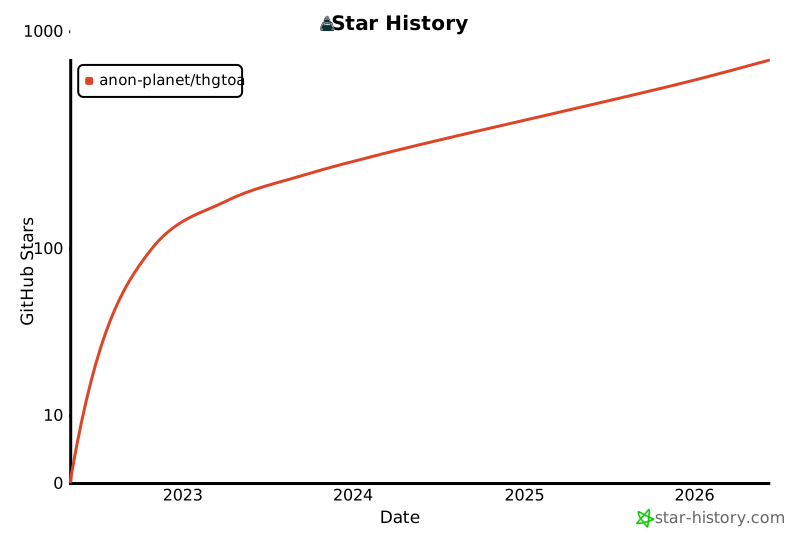](https://www.star-history.com/?repos=Anon-Planet%2Fthgtoa&type=date&logscale=&legend=bottom-right)
|
||||||
|
|
||||||
This is a guide with the aim of providing an introduction to various online tracking techniques, online ID verification techniques, and detailed guidance to creating and maintaining (truly) anonymous online identities. <span style="color: red">**It is written with hope for activists, journalists, scientists, lawyers, whistle-blowers, and good people being oppressed, censored, harassed anywhere!**</span> This guide has no affiliation with the [Anonymous](https://en.wikipedia.org/wiki/Anonymous_(hacker_group)) <sup>[[Wikiless]](https://wikiless.com/wiki/Anonymous_(hacker_group))</sup> <sup>[[Archive.org]](https://web.archive.org/web/https://en.wikipedia.org/wiki/Anonymous_(hacker_group))</sup> collective/movement.
|
This is a guide with the aim of providing an introduction to various online tracking techniques, online ID verification techniques, and detailed guidance to creating and maintaining (truly) anonymous online identities. <span style="color: red">**It is written with hope for activists, journalists, scientists, lawyers, whistle-blowers, and good people being oppressed, censored, harassed anywhere!**</span> This guide has no affiliation with the [Anonymous](https://en.wikipedia.org/wiki/Anonymous_(hacker_group)) <sup>[[Wikiless]](https://wikiless.com/wiki/Anonymous_(hacker_group))</sup> <sup>[[Archive.org]](https://web.archive.org/web/https://en.wikipedia.org/wiki/Anonymous_(hacker_group))</sup> collective/movement.
|
||||||
|
|
||||||
This guide is an open-source non-profit initiative, [licensed](LICENSE.html) under **Creative Commons Attribution-NonCommercial 4.0 International** ([cc-by-nc-4.0](https://creativecommons.org/licenses/by-nc/4.0/) <sup>[[Archive.org]](https://web.archive.org/web/https://creativecommons.org/licenses/by-nc/4.0/)</sup>) and is **not sponsored/endorsed by any commercial/governmental entity**. This means that you are free to use our guide for pretty much any purpose **excluding commercially** as long as you do attribute it. There are no ads or any affiliate links.
|
This guide is an open-source non-profit initiative, [licensed](LICENSE.html) under **Creative Commons Attribution-NonCommercial 4.0 International** ([cc-by-nc-4.0](https://creativecommons.org/licenses/by-nc/4.0/) <sup>[[Archive.org]](https://web.archive.org/web/https://creativecommons.org/licenses/by-nc/4.0/)</sup>) and is **not sponsored/endorsed by any commercial/governmental entity**. This means that you are free to use our guide for pretty much any purpose **excluding commercially** as long as you do attribute it. There are no ads or any affiliate links.
|
||||||
@@ -8,5 +12,5 @@ This guide is an open-source non-profit initiative, [licensed](LICENSE.html) und
|
|||||||
|
|
||||||
**Ways to read or export the guide**
|
**Ways to read or export the guide**
|
||||||
|
|
||||||
- **In your browser:** [Hitchhiker's Guide](https://www.anonymousplanet.org/guide/) (hosted site). After a local build you can also open `site/guide/index.html` directly.
|
- **In your browser:** [Hitchhiker's Guide](https://www.anonymousplanet.net/) (hosted site). After a local build you can also open `site/guide/index.html` directly.
|
||||||
- **Local HTML preview:** from the repository root, with Python 3 and [MkDocs Material](https://squidfunk.github.io/mkdocs-material/getting-started/) installed (`pip install mkdocs-material`), run `mkdocs serve` and open the URL printed in the terminal (for example `http://127.0.0.1:8000`).
|
- **Local HTML preview:** from the repository root, with Python 3 and [MkDocs Material](https://squidfunk.github.io/mkdocs-material/getting-started/) installed (`pip install mkdocs-material`), run `mkdocs serve` and open the URL printed in the terminal (for example `http://127.0.0.1:8000`).
|
||||||
|
|||||||
+1
-1
@@ -1 +1 @@
|
|||||||
anonymousplanet.org
|
anonymousplanet.net
|
||||||
|
|||||||
+113
-114
@@ -1,114 +1,113 @@
|
|||||||
---
|
---
|
||||||
title: "Anonymous Planet"
|
title: "Anonymous Planet"
|
||||||
description: We are the maintainers of the Hitchhiker's Guide and the PSA Matrix space.
|
description: We are the maintainers of the Hitchhiker's Guide and the PSA Matrix space.
|
||||||
schema:
|
schema:
|
||||||
"@context": https://schema.org
|
"@context": https://schema.org
|
||||||
"@type": Organization
|
"@type": Organization
|
||||||
"@id": https://www.anonymousplanet.org/
|
"@id": https://www.anonymousplanet.net/
|
||||||
name: Anonymous Planet
|
name: Anonymous Planet
|
||||||
url: https://www.anonymousplanet.org/about/
|
url: https://www.anonymousplanet.net/about/
|
||||||
logo: ../media/profile.png
|
logo: ../media/profile.png
|
||||||
sameAs:
|
sameAs:
|
||||||
- https://github.com/Anon-Planet
|
- https://github.com/Anon-Planet
|
||||||
- https://opencollective.com/anonymousplanetorg
|
- https://opencollective.com/anonymousplanetorg
|
||||||
- https://mastodon.social/@anonymousplanet
|
- https://mastodon.social/@anonymousplanet
|
||||||
---
|
---
|
||||||
{ align=right }
|
{ align=right }
|
||||||
|
|
||||||
**Anonymous Planet** are the maintainers of the [_Hitchhiker's Guide_](../guide/index.md) and the [_PSA Community_](https://psa.anonymousplanet.org). It is responsible for maintaining the projects and code repositories. This project is part of our ongoing efforts to provide open-source tools and resources for the community, with regular updates and improvements added to the changelog.
|
**Anonymous Planet** are the maintainers of the [_Hitchhiker's Guide_](../guide/index.md) and the [_PSA Community_](https://psa.anonymousplanet.net). It is responsible for maintaining the projects and code repositories. This project is part of our ongoing efforts to provide open-source tools and resources for the community, with regular updates and improvements added to the changelog.
|
||||||
|
|
||||||
The purpose: providing an introduction to various online tracking techniques, online ID verification techniques, and detailed guidance to creating and maintaining (truly) anonymous online identities. It is written with the hopes that good people (e.g., activists, journalists, scientists, lawyers, whistle-blowers, etc.) will be able to fight oppression, censorship and harassment! The website and projects are free (as in freedom) and not affiliated with any donor or projects discussed.
|
The purpose: providing an introduction to various online tracking techniques, online ID verification techniques, and detailed guidance to creating and maintaining (truly) anonymous online identities. It is written with the hopes that good people (e.g., activists, journalists, scientists, lawyers, whistle-blowers, etc.) will be able to fight oppression, censorship and harassment! The website and projects are free (as in freedom) and not affiliated with any donor or projects discussed.
|
||||||
|
|
||||||
??? Note "Where do I start?"
|
??? Note "Where do I start?"
|
||||||
|
|
||||||
Start either by going to [the beginning](../guide/index.md) or using the search at top right of the page. It is also available at whatever point you are in your reading.
|
Start either by going to [the beginning](../guide/index.md) or using the search at top right of the page. It is also available at whatever point you are in your reading.
|
||||||
|
|
||||||
??? Note "Notes on the journey"
|
??? Note "Notes on the journey"
|
||||||
|
|
||||||
This guide is a work in progress. It will probably never be "finished". You may (will) find broken links when you click on some search results and during some navigation steps. Please report these. Otherwise, most of the search functionality is a great experience and can help you find linked topics. Try to search for something in one section of the reading. It will show up in many other places.
|
This guide is a work in progress. It will probably never be "finished". You may (will) find broken links when you click on some search results and during some navigation steps. Please report these. Otherwise, most of the search functionality is a great experience and can help you find linked topics. Try to search for something in one section of the reading. It will show up in many other places.
|
||||||
|
|
||||||
??? Note "Disclaimer"
|
??? Note "Disclaimer"
|
||||||
|
|
||||||
There might be some wrong or outdated information in this guide because no one is perfect. Your experience may vary. Remember, check regularly for an updated version of this guide. Please do your own independent, well-thought research. There is no one resource online that can provide 100% security, anonymity, and/or privacy.
|
There might be some wrong or outdated information in this guide because no one is perfect. Your experience may vary. Remember, check regularly for an updated version of this guide. Please do your own independent, well-thought research. There is no one resource online that can provide 100% security, anonymity, and/or privacy.
|
||||||
|
|
||||||
This guide is a non-profit open-source initiative, licensed under Creative Commons **Attribution-NonCommercial** 4.0 International ([cc-by-nc-4.0](https://creativecommons.org/licenses/by-nc/4.0/) <sup>[[Archive.org]](https://web.archive.org/web/https://creativecommons.org/licenses/by-nc/4.0/)</sup>).
|
This guide is a non-profit open-source initiative, licensed under Creative Commons **Attribution-NonCommercial** 4.0 International ([cc-by-nc-4.0](https://creativecommons.org/licenses/by-nc/4.0/) <sup>[[Archive.org]](https://web.archive.org/web/https://creativecommons.org/licenses/by-nc/4.0/)</sup>).
|
||||||
|
|
||||||
- For mirrors see [Mirrors](../mirrors/index.md) and the links at the bottom right of the page. You should see these on every page.
|
- For mirrors see [Mirrors](../mirrors/index.md) and the links at the bottom right of the page. You should see these on every page.
|
||||||
|
|
||||||
- For help in comparing versions see [Comparing versions](../guide/index.md#appendix-a6-comparing-versions)
|
- For help in comparing versions see [Comparing versions](../guide/index.md#appendix-a6-comparing-versions)
|
||||||
|
|
||||||
Feel free to submit issues **(please do report anything wrong)** using GitHub Issues at: <https://github.com/Anon-Planet/thgtoa/issues>. We also accept Merge Requests (MR) from our Gitlab and many other places. Do not hesitate to report issues and suggestions!
|
Feel free to submit issues **(please do report anything wrong)** using GitHub Issues at: <https://github.com/Anon-Planet/thgtoa/issues>. We also accept Merge Requests (MR) from our Gitlab and many other places. Do not hesitate to report issues and suggestions!
|
||||||
|
|
||||||
??? Note "Discuss ideas on Matrix for real-time chat"
|
??? tip "Discuss ideas on Matrix for real-time chat"
|
||||||
|
|
||||||
We offer a Matrix.org hosted space of our own. Check it out!
|
We offer a Matrix.org hosted space of our own. Check it out!
|
||||||
|
|
||||||
- Read [the rules](https://psa.anonymousplanet.org/), please
|
- Read [the rules](https://psa.anonymousplanet.net/), please
|
||||||
- Matrix Room: https://matrix.to/#/#nth:anonymousplanet.net
|
- Matrix Room: https://matrix.to/#/#nth:anonymousplanet.net
|
||||||
- Matrix Space: https://matrix.to/#/#psa:anonymousplanet.net
|
- Matrix Space: https://matrix.to/#/#psa:anonymousplanet.net
|
||||||
- Admins: @daskolburn:thomcat.rocks and @thehidden:tchncs.de
|
- Admins: @daskolburn:thomcat.rocks and @thehidden:tchncs.de
|
||||||
|
|
||||||
Follow us on:
|
???+ tip "Follow us on"
|
||||||
|
|
||||||
- Twitter at <https://twitter.com/AnonyPla>
|
- Twitter at <https://twitter.com/AnonyPla>
|
||||||
|
- Mastodon at <https://mastodon.social/@anonymousplanet>
|
||||||
- Mastodon at <https://mastodon.social/@anonymousplanet>
|
|
||||||
|
To contact me, see the updated information on the website or send an e-mail to <contact@anonymousplanet.net>
|
||||||
To contact me, see the updated information on the website or send an e-mail to <contact@anonymousplanet.org>
|
|
||||||
|
**Please consider [donating](../guide/index.md#donations) if you enjoy the project and want to support the hosting fees or support the funding of initiatives like the hosting of Tor Exit Nodes.**
|
||||||
**Please consider [donating](../guide/index.md#donations) if you enjoy the project and want to support the hosting fees or support the funding of initiatives like the hosting of Tor Exit Nodes.**
|
|
||||||
|
???+ example "Recommended Reading"
|
||||||
### Recommended Reading
|
|
||||||
|
Some of those resources may, in order to sustain their project, contain or propose:
|
||||||
Some of those resources may, in order to sustain their project, contain or propose:
|
|
||||||
|
- Sponsored commercial content
|
||||||
- Sponsored commercial content
|
- Monetized content through third party platforms (such as YouTube)
|
||||||
- Monetized content through third party platforms (such as YouTube)
|
- Affiliate links to commercial services
|
||||||
- Affiliate links to commercial services
|
- Paid Services such as consultancy
|
||||||
- Paid Services such as consultancy
|
- Premium content such as ad-free content or updated content
|
||||||
- Premium content such as ad-free content or updated content
|
- Merchandising
|
||||||
- Merchandising
|
|
||||||
|
_Note that these websites could contain affiliate/sponsored content and/or merchandising. This guide does not endorse and is not sponsored by any commercial entity in any way._
|
||||||
_Note that these websites could contain affiliate/sponsored content and/or merchandising. This guide does not endorse and is not sponsored by any commercial entity in any way._
|
|
||||||
|
If you skipped those, you should really still consider viewing this YouTube playlist from the Techlore Go Incognito project (<https://github.com/techlore-official/go-incognito> <sup>[[Archive.org]](https://web.archive.org/web/https://github.com/techlore-official/go-incognito)</sup>) as an introduction before going further: <https://www.youtube.com/playlist?list=PL3KeV6Ui_4CayDGHw64OFXEPHgXLkrtJO> <sup>[[Invidious]](https://yewtu.be/playlist?list=PL3KeV6Ui_4CayDGHw64OFXEPHgXLkrtJO)</sup>. This guide will cover many of the topics in the videos of this playlist with more details and references as well as some added topics not covered within that series. This will just take you 2 or 3 hours to watch it all.
|
||||||
If you skipped those, you should really still consider viewing this YouTube playlist from the Techlore Go Incognito project (<https://github.com/techlore-official/go-incognito> <sup>[[Archive.org]](https://web.archive.org/web/https://github.com/techlore-official/go-incognito)</sup>) as an introduction before going further: <https://www.youtube.com/playlist?list=PL3KeV6Ui_4CayDGHw64OFXEPHgXLkrtJO> <sup>[[Invidious]](https://yewtu.be/playlist?list=PL3KeV6Ui_4CayDGHw64OFXEPHgXLkrtJO)</sup>. This guide will cover many of the topics in the videos of this playlist with more details and references as well as some added topics not covered within that series. This will just take you 2 or 3 hours to watch it all.
|
|
||||||
|
_Anonymous Planet_ **does not** participate in any sponsoring, endorsement, advertising, or other affiliate programs for any entity. We only rely on anonymous donations in a closed, transparent loop system.
|
||||||
_Anonymous Planet_ **does not** participate in any sponsoring, endorsement, advertising, or other affiliate programs for any entity. We only rely on anonymous donations in a closed, transparent loop system.
|
|
||||||
|
??? tip "Privacy related"
|
||||||
??? Note "Privacy related"
|
|
||||||
|
- AnarSec: <https://www.anarsec.guide/>
|
||||||
- AnarSec: <https://www.anarsec.guide/>
|
- EFF Surveillance Self-Defense: <https://ssd.eff.org/>
|
||||||
- EFF Surveillance Self-Defense: <https://ssd.eff.org/>
|
- Prism-Break: <https://prism-break.org/>
|
||||||
- Prism-Break: <https://prism-break.org/>
|
- Privacy Guides: <https://privacyguides.org>
|
||||||
- Privacy Guides: <https://privacyguides.org>
|
- Techlore: <https://techlore.tech>
|
||||||
- Techlore: <https://techlore.tech>
|
- The New Oil: <https://thenewoil.org>
|
||||||
- The New Oil: <https://thenewoil.org>
|
- PrivacyTools.io: <https://privacytools.io>
|
||||||
- PrivacyTools.io: <https://privacytools.io>
|
|
||||||
|
??? tip "Blogs and personal websites"
|
||||||
??? Note "Blogs and personal websites"
|
|
||||||
|
- CIA Officer's Blog: <https://officercia.mirror.xyz/>
|
||||||
- CIA Officer's Blog: <https://officercia.mirror.xyz/>
|
- Continuing Ed: <https://edwardsnowden.substack.com/>
|
||||||
- Continuing Ed: <https://edwardsnowden.substack.com/>
|
- Madaidan's Insecurities: <https://madaidans-insecurities.github.io/>
|
||||||
- Madaidan's Insecurities: <https://madaidans-insecurities.github.io/>
|
- Seirdy's Home: <https://seirdy.one/>
|
||||||
- Seirdy's Home: <https://seirdy.one/>
|
|
||||||
|
??? tip "Useful resources"
|
||||||
??? Note "Useful resources"
|
|
||||||
|
- KYC? Not me: <https://kycnot.me/>
|
||||||
- KYC? Not me: <https://kycnot.me/>
|
- Library Genesis: <https://en.wikipedia.org/wiki/Library_Genesis> <sup>[[Wikiless]](https://wikiless.com/wiki/Library_Genesis)</sup> (see their latest known URL in the Wikipedia article)
|
||||||
- Library Genesis: <https://en.wikipedia.org/wiki/Library_Genesis> <sup>[[Wikiless]](https://wikiless.com/wiki/Library_Genesis)</sup> (see their latest known URL in the Wikipedia article)
|
- Real World Onion Sites: <https://github.com/alecmuffett/real-world-onion-sites>
|
||||||
- Real World Onion Sites: <https://github.com/alecmuffett/real-world-onion-sites>
|
- Sci-Hub <https://en.wikipedia.org/wiki/Sci-Hub> <sup>[[Wikiless]](https://wikiless.com/wiki/Sci-Hub)</sup> (see their latest known URL in the main Wikipedia article)
|
||||||
- Sci-Hub <https://en.wikipedia.org/wiki/Sci-Hub> <sup>[[Wikiless]](https://wikiless.com/wiki/Sci-Hub)</sup> (see their latest known URL in the main Wikipedia article)
|
- Terms of Service, Didn't Read: <https://tosdr.org>
|
||||||
- Terms of Service, Didn't Read: <https://tosdr.org>
|
- Whonix Documentation: <https://www.whonix.org/wiki/Documentation>
|
||||||
- Whonix Documentation: <https://www.whonix.org/wiki/Documentation>
|
|
||||||
|
??? note "We are not affiliated with Anonymous or Riseup"
|
||||||
??? Note "We are not affiliated with Anonymous or Riseup"
|
|
||||||
|
One or two of our community members uses or has used the resources of Riseup. We are not affiliated with Riseup in any manner.
|
||||||
One or two of our community members uses or has used the resources of Riseup. We are not affiliated with Riseup in any manner.
|
|
||||||
|
We also hold **no affiliation** with the [Anonymous](https://en.wikipedia.org/wiki/Anonymous_(hacker_group)) <sup>[[Wikiless]](https://wikiless.com/wiki/Anonymous_(hacker_group))</sup> <sup>[[Archive.org]](https://web.archive.org/web/https://en.wikipedia.org/wiki/Anonymous_(hacker_group))</sup> hacker collective.
|
||||||
We also hold **no affiliation** with the [Anonymous](https://en.wikipedia.org/wiki/Anonymous_(hacker_group)) <sup>[[Wikiless]](https://wikiless.com/wiki/Anonymous_(hacker_group))</sup> <sup>[[Archive.org]](https://web.archive.org/web/https://en.wikipedia.org/wiki/Anonymous_(hacker_group))</sup> hacker collective.
|
|
||||||
|
## License
|
||||||
## License
|
|
||||||
|
!!! Danger ""
|
||||||
!!! Danger ""
|
|
||||||
|
:fontawesome-brands-creative-commons: :fontawesome-brands-creative-commons-by: :fontawesome-brands-creative-commons-nd: This guide is an open-source non-profit initiative, licensed under [Creative Commons Attribution-NonCommercial 4.0 International](https://github.com/Anon-Planet/thgtoa/blob/master/LICENSE.md) and is not sponsored/endorsed by any commercial/governmental entity. This means that you are free to use our guide for pretty much any purpose excluding commercially as long as you do attribute it. There are no ads or any affiliate links.
|
||||||
:fontawesome-brands-creative-commons: :fontawesome-brands-creative-commons-by: :fontawesome-brands-creative-commons-nd: This guide is an open-source non-profit initiative, licensed under [Creative Commons Attribution-NonCommercial 4.0 International](https://github.com/Anon-Planet/thgtoa/blob/master/LICENSE.md) and is not sponsored/endorsed by any commercial/governmental entity. This means that you are free to use our guide for pretty much any purpose excluding commercially as long as you do attribute it. There are no ads or any affiliate links.
|
|
||||||
|
|||||||
+48
-17
@@ -4,9 +4,9 @@ description: "Release Notes"
|
|||||||
schema:
|
schema:
|
||||||
"@context": https://schema.org
|
"@context": https://schema.org
|
||||||
"@type": Organization
|
"@type": Organization
|
||||||
"@id": https://www.anonymousplanet.org/
|
"@id": https://www.anonymousplanet.net/
|
||||||
name: Anonymous Planet
|
name: Anonymous Planet
|
||||||
url: https://www.anonymousplanet.org/authors/
|
url: https://www.anonymousplanet.net/authors/
|
||||||
logo: ../media/profile.png
|
logo: ../media/profile.png
|
||||||
sameAs:
|
sameAs:
|
||||||
- https://github.com/Anon-Planet
|
- https://github.com/Anon-Planet
|
||||||
@@ -20,39 +20,69 @@ Notable changes to the guide and its tooling. Follows [Keep a Changelog](https:/
|
|||||||
|
|
||||||
---
|
---
|
||||||
|
|
||||||
## [v1.2.3] — 2026-05-22
|
## [v1.2.4]
|
||||||
|
|
||||||
CI/CD pipeline split into independent stages, dark PDF quality improved, and the changelog is now updated automatically on every release. v1.2.2 was just a placeholder, this is a minor but CI breaking change.
|
!!! Note "Meta"
|
||||||
|
|
||||||
!!! success "Added"
|
- Rename workflows (GH - now we can know the order)
|
||||||
|
|
||||||
- **Dark mode PDF** (`scripts/convert.py`): pixel-level converter replaces the broken `--prefers-color-scheme=dark` Chromium flag. Produces a 200 DPI hacker-themed PDF (`#1f1f31` background, `#e0e0e0` text, `#5e8bde` links) with batched page processing to avoid OOM.
|
!!! Note "Changed"
|
||||||
|
|
||||||
|
- Change the repo URL for our tor mirror
|
||||||
|
- Fix recommended reading admonition
|
||||||
|
- Refactoring some things and removing others
|
||||||
|
- More meta changes to the pipeline
|
||||||
|
- Rewrite developer guide for current pipeline
|
||||||
|
|
||||||
|
!!! Note "Fixed"
|
||||||
|
|
||||||
|
- Fix an inline reference
|
||||||
|
- Use the Anonymous Planet RSK for releases (we used the MSK for testing)
|
||||||
|
- Prevent history dump and filter noise commits
|
||||||
|
- Actually save per-page PDFs for qpdf, not PNGs
|
||||||
|
- Fail fast with helpful message if pdftoppm or qpdf missing
|
||||||
|
|
||||||
|
## [v1.2.3]
|
||||||
|
|
||||||
|
CI/CD pipeline split into independent stages, dark PDF quality improved, release signing automated, and the changelog now updates itself on every build. Skipping v1.2.2 which was a placeholder and contained broken Python unsuitable for a tag/release.
|
||||||
|
|
||||||
|
???+ tip "Added"
|
||||||
|
|
||||||
|
- **Dark mode PDF** (`scripts/convert.py`): pixel-level converter replaces the broken `--prefers-color-scheme=dark` Chromium flag. Produces a 200 DPI hacker-themed PDF (`#1f1f31` background, `#e0e0e0` text, `#5e8bde` links) with batched page processing to avoid OOM on large documents.
|
||||||
- **Three independent CI workflows** replacing the old monolithic `build-sign-release.yml`:
|
- **Three independent CI workflows** replacing the old monolithic `build-sign-release.yml`:
|
||||||
- `build.yml` — builds PDFs and uploads them as an artifact; no secrets required.
|
- `01-build.yml`: builds PDFs and uploads them as an artifact; no secrets required, can be re-run freely.
|
||||||
- `sign.yml` — downloads the PDF artifact, computes SHA-256 and BLAKE2b hashes, GPG-signs all outputs, and uploads a `signatures` artifact. Can be re-run against any historical build.
|
- `02-sign.yml`: downloads the PDF artifact, computes SHA-256 and BLAKE2b hashes, GPG-signs all outputs, and uploads a `signatures` artifact. Can be re-run against any historical build.
|
||||||
- `release.yml` — downloads both artifacts, uploads to VirusTotal, and publishes a tagged GitHub Release with all 12 assets attached. **Can be triggered manually against any previous sign run**.
|
- `03-release.yml`: downloads both artifacts, uploads to VirusTotal, and publishes a tagged GitHub Release with all 12 assets attached. Can be triggered manually against any previous sign run.
|
||||||
- **`scripts/update_changelog.py`**: reads `git log` since the last version tag, categorises commits by conventional-commit prefix, and prepends a new entry here automatically after each successful build.
|
- **`scripts/update_changelog.py`**: reads `git log` since the last version tag, categorises commits by conventional-commit prefix, and prepends a new entry to this file automatically after each successful build.
|
||||||
- **`changelog.yml`** workflow: commits the auto-generated changelog entry back to `main` after every build, with `dry_run` and `manual_version` dispatch inputs for testing.
|
- **`04-changelog.yml`** workflow: commits the auto-generated changelog entry back to `main` after every build, with `dry_run` and `manual_version` dispatch inputs for safe local testing.
|
||||||
|
- **`scripts/tag_release.py`**: interactive guided helper for maintainers to create GPG-signed annotated tags. Checks clean tree and branch, auto-increments the version, pulls the message from the changelog, resolves the release signing key, creates and verifies the tag, then prints the push command.
|
||||||
|
- **`docs/code/develop.md`**: full developer reference covering prerequisites, local build instructions, the pipeline flow, all required GitHub Secrets, the release process, verification steps, and a troubleshooting section for every known CI failure mode.
|
||||||
|
|
||||||
!!! warning "Changed"
|
!!! warning "Changed"
|
||||||
|
|
||||||
- `build-sign-release.yml` is now deprecated — push triggers removed, manual dispatch only. Will be deleted once in-flight runs complete.
|
- `build-sign-release.yml` deprecated (now removed) - push triggers removed, manual dispatch only. Will be deleted once in-flight runs complete.
|
||||||
- The full pipeline (build → sign → release) now chains automatically via `workflow_run` on every push to `main`.
|
- The full pipeline (build → sign → release → changelog) now chains automatically via `workflow_run` on every push to `main`.
|
||||||
- GPG signing uses `--pinentry-mode loopback` and `--passphrase-fd 0` to avoid interactive prompts on headless runners.
|
- GPG signing uses `--pinentry-mode loopback` and `--passphrase-fd 0` to avoid interactive prompts on headless runners.
|
||||||
- VirusTotal scans moved to the release stage so they run once per release, not once per build.
|
- VirusTotal scans moved to the release stage so they run once per release, not once per build.
|
||||||
|
- `.gitignore` updated to track `.b2` per-file hash files alongside existing `.sha256` and `.sig` entries.
|
||||||
|
- Stale information removed from the guide; deprecated ODT section in Appendix A6 commented out.
|
||||||
|
- Footer copyright information corrected.
|
||||||
|
|
||||||
!!! bug "Fixed"
|
!!! bug "Fixed"
|
||||||
|
|
||||||
- Broken internal links and a mismatched cross-reference in `docs/about/index.md`.
|
- `_save_images_as_pdf` in `convert.py` was passing raw PNG files to `qpdf --pages`, which only accepts PDF inputs. Fixed by quantizing each page to palette mode (256 colours, FASTOCTREE) and saving as a single-page PDF before merging.
|
||||||
- Deprecated ODT section commented out in Appendix A6 of the guide.
|
- `convert.py` now fails immediately with install instructions if `pdftoppm` or `qpdf` are missing, instead of crashing with an unhelpful `FileNotFoundError`.
|
||||||
|
- Pillow `KeyError: 'JPEG'` on CI resolved by installing `mkdocs-material[imaging]` and using palette-mode PDF encoding instead of RGB+JPEG.
|
||||||
|
- Orphaned footnote citations `[^536]` and `[^537]` (Australian privacy law and the Identify and Disrupt Act) restored at the key disclosure law paragraph in the guide.
|
||||||
|
- Broken internal links and mismatched cross-references throughout the guide corrected.
|
||||||
|
|
||||||
---
|
---
|
||||||
|
|
||||||
## [v1.2.1] — 2025
|
## [v1.2.1]
|
||||||
|
|
||||||
First automated PDF build and the start of the CI pipeline.
|
First automated PDF build and the start of the CI pipeline.
|
||||||
|
|
||||||
!!! success "Added"
|
???+ tip "Added"
|
||||||
|
|
||||||
- `scripts/build_guide_pdf.py`: builds the MkDocs site and renders the full guide to a single PDF via headless Chromium (Chrome or Edge). Supports `--dark`, `--light`, and `--both` modes.
|
- `scripts/build_guide_pdf.py`: builds the MkDocs site and renders the full guide to a single PDF via headless Chromium (Chrome or Edge). Supports `--dark`, `--light`, and `--both` modes.
|
||||||
- GitHub Actions workflow that installs Chromium, runs the build script, and uploads `export/thgtoa.pdf` as an artifact on every push to `main` or manual dispatch.
|
- GitHub Actions workflow that installs Chromium, runs the build script, and uploads `export/thgtoa.pdf` as an artifact on every push to `main` or manual dispatch.
|
||||||
@@ -71,5 +101,6 @@ First automated PDF build and the start of the CI pipeline.
|
|||||||
|
|
||||||
---
|
---
|
||||||
|
|
||||||
|
[v1.2.4]: https://github.com/Anon-Planet/thgtoa/releases/tag/v1.2.4
|
||||||
[v1.2.3]: https://github.com/Anon-Planet/thgtoa/releases/tag/v1.2.3
|
[v1.2.3]: https://github.com/Anon-Planet/thgtoa/releases/tag/v1.2.3
|
||||||
[v1.2.1]: https://github.com/Anon-Planet/thgtoa/releases/tag/v1.2.1
|
[v1.2.1]: https://github.com/Anon-Planet/thgtoa/releases/tag/v1.2.1
|
||||||
|
|||||||
+386
-32
@@ -1,50 +1,404 @@
|
|||||||
# Development
|
# Developer Guide
|
||||||
|
|
||||||
??? Note "How the pipeline works"
|
This page covers everything you need to contribute to the project, run the build pipeline locally, configure GitHub Secrets, and publish a release.
|
||||||
|
|
||||||
**Automatic PDF Generation:** - Builds both light and dark mode PDFs from MkDocs source
|
---
|
||||||
**SHA256 Hash Generation:** - Creates hash files for integrity verification
|
|
||||||
**GPG Signature Signing:** - Signs all PDFs and hash files with repository GPG key
|
|
||||||
**VirusTotal Scanning:** - Automatically scans PDFs and updates release notes
|
|
||||||
**Release Automation:** - Packages everything into GitHub releases
|
|
||||||
|
|
||||||
## Architecture
|
## Prerequisites
|
||||||
|
|
||||||
### Build PDF Workflow (`build-sign-release.yml`)
|
Install these before anything else.
|
||||||
|
|
||||||
!!! Note "Steps"
|
=== "Linux / macOS"
|
||||||
|
|
||||||
- Checkout repository
|
```bash
|
||||||
- Set up Python and MkDocs Material
|
# Python 3.11+
|
||||||
- Install Chromium browser
|
python3 --version
|
||||||
- Generate both light and dark mode PDFs with `scripts\build_guide_pdf.py`
|
|
||||||
- Create SHA256 and blake2 hash files in `export/`
|
|
||||||
- Sign all files with GPG in `export/`
|
|
||||||
- Upload artifacts to GitHub Actions **manually**
|
|
||||||
|
|
||||||
### SHA256 Hash Verification
|
# poppler (pdftoppm) and qpdf
|
||||||
|
sudo apt install poppler-utils qpdf # Debian/Ubuntu
|
||||||
|
brew install poppler qpdf # macOS
|
||||||
|
|
||||||
!!! Note "**How it works**"
|
# GPG
|
||||||
|
sudo apt install gnupg # Debian/Ubuntu
|
||||||
|
brew install gnupg # macOS
|
||||||
|
|
||||||
- Each PDF gets a unique SHA256 hash calculated at build time
|
# Python dependencies
|
||||||
- Hash stored in `.sha256` files alongside the PDFs
|
pip install "mkdocs-material[imaging]" pillow numpy
|
||||||
- Combined `sha256sum.txt` for batch verification
|
```
|
||||||
|
|
||||||
### GPG Signature Verification
|
=== "Windows"
|
||||||
|
|
||||||
**Purpose:** Verify authenticity and prevent tampering
|
```powershell
|
||||||
|
# Python 3.11+ from https://python.org
|
||||||
|
|
||||||
!!! Note "How it works"
|
# poppler: download from https://github.com/oschwartz10612/poppler-windows/releases
|
||||||
|
# Extract and add the bin\ folder to PATH
|
||||||
|
|
||||||
- Detached signatures created for each PDF and hash file
|
# qpdf: download from https://github.com/qpdf/qpdf/releases
|
||||||
- Public keys available in `/pgp/` directory
|
# Extract and add the bin\ folder to PATH
|
||||||
|
|
||||||
**Verification command:**
|
# GPG: download Gpg4win from https://gpg4win.org
|
||||||
```bash
|
|
||||||
gpg --import pgp/anonymousplanet-master.asc
|
# Python dependencies
|
||||||
gpg --verify export/thgtoa.pdf.sig export/thgtoa.pdf
|
pip install "mkdocs-material[imaging]" pillow numpy
|
||||||
|
```
|
||||||
|
|
||||||
|
You also need **Google Chrome** or **Microsoft Edge** installed for the light-mode PDF build (headless Chromium).
|
||||||
|
|
||||||
|
---
|
||||||
|
|
||||||
|
## Repository layout
|
||||||
|
|
||||||
|
```
|
||||||
|
.github/
|
||||||
|
workflows/
|
||||||
|
01-build.yml # builds PDFs, uploads artifact
|
||||||
|
02-sign.yml # hashes + GPG signs, uploads signatures artifact
|
||||||
|
03-release.yml # publishes GitHub Release with all assets
|
||||||
|
04-changelog.yml # prepends a new entry to docs/changelog/index.md
|
||||||
|
publish.yml # deploys MkDocs site to GitHub Pages
|
||||||
|
docs/
|
||||||
|
guide/index.md # the guide (single Markdown file)
|
||||||
|
changelog/ # release notes
|
||||||
|
code/ # this page
|
||||||
|
export/ # PDF output (PDFs gitignored; .sha256, .b2sum, .asc tracked)
|
||||||
|
pgp/ # public signing keys
|
||||||
|
scripts/
|
||||||
|
build_guide_pdf.py # MkDocs + Chromium PDF builder
|
||||||
|
convert.py # pixel-based dark mode PDF converter
|
||||||
|
update_changelog.py # auto-generates changelog entries from git log
|
||||||
|
setup_workflow.py # GitHub Secrets setup assistant
|
||||||
|
verify_pdf.py # signature verification helper
|
||||||
|
archived/
|
||||||
|
tag_release.py # ARCHIVED - GPG tag helper (not used in current flow)
|
||||||
```
|
```
|
||||||
|
|
||||||
---
|
---
|
||||||
|
|
||||||
*This workflow is designed for security-conscious users who need to verify the authenticity and integrity of downloaded documents.*
|
## Building locally
|
||||||
|
|
||||||
|
### Build both PDFs
|
||||||
|
|
||||||
|
```bash
|
||||||
|
python scripts/build_guide_pdf.py --both
|
||||||
|
```
|
||||||
|
|
||||||
|
This builds the MkDocs site, renders it to `export/thgtoa.pdf` via headless Chromium, then calls `scripts/convert.py` to produce `export/thgtoa-dark.pdf`.
|
||||||
|
|
||||||
|
| Flag | Effect |
|
||||||
|
|------|--------|
|
||||||
|
| `--both` | Light PDF then dark PDF |
|
||||||
|
| (no flag) | Light PDF only |
|
||||||
|
| `--dark` | Dark PDF only (light PDF must already exist) |
|
||||||
|
|
||||||
|
### Build only the dark PDF from an existing light PDF
|
||||||
|
|
||||||
|
```bash
|
||||||
|
python scripts/convert.py export/thgtoa.pdf export/thgtoa-dark.pdf
|
||||||
|
```
|
||||||
|
|
||||||
|
Options:
|
||||||
|
|
||||||
|
| Flag | Default | Description |
|
||||||
|
|------|---------|-------------|
|
||||||
|
| `--dpi` | `200` | Rasterization DPI. 150 = smaller file, 300 = sharper but slow |
|
||||||
|
| `--batch-size` | `50` | Pages per batch. Reduce if you hit OOM |
|
||||||
|
| `--bg` | `1f1f31` | Background colour (hex) |
|
||||||
|
| `--text` | `e0e0e0` | Body text colour (hex) |
|
||||||
|
| `--link` | `5e8bde` | Link / blue element colour (hex) |
|
||||||
|
|
||||||
|
### Preview the MkDocs site
|
||||||
|
|
||||||
|
```bash
|
||||||
|
mkdocs serve
|
||||||
|
```
|
||||||
|
|
||||||
|
Opens at `http://127.0.0.1:8000`.
|
||||||
|
|
||||||
|
---
|
||||||
|
|
||||||
|
## CI/CD pipeline overview
|
||||||
|
|
||||||
|
The pipeline is fully manual after the initial build - no step automatically triggers the next. This prevents version mismatches between what was built, what was signed, and what gets released. The workflows are numbered to help guide you.
|
||||||
|
|
||||||
|
```
|
||||||
|
push to main (or manual trigger)
|
||||||
|
│
|
||||||
|
▼
|
||||||
|
01-build.yml
|
||||||
|
Builds thgtoa.pdf + thgtoa-dark.pdf.
|
||||||
|
Uploads artifact: pdfs
|
||||||
|
Note the run ID.
|
||||||
|
│
|
||||||
|
│ # manually trigger 02-sign.yml with the build run ID
|
||||||
|
▼
|
||||||
|
02-sign.yml
|
||||||
|
Downloads pdfs artifact. Hashes (SHA-256 + BLAKE2b) and GPG-signs
|
||||||
|
all files. Commits export/ back to main. Uploads artifacts:
|
||||||
|
signatures, pdfs-signed
|
||||||
|
Note the run ID.
|
||||||
|
│
|
||||||
|
│ # manually trigger 03-release.yml with the sign run ID
|
||||||
|
▼
|
||||||
|
03-release.yml
|
||||||
|
Downloads signatures + pdfs-signed artifacts. Runs VirusTotal.
|
||||||
|
Creates GitHub Release tagged release-YYYYMMDD-<short-sha>.
|
||||||
|
│
|
||||||
|
│ # manually trigger 04-changelog.yml with the version string
|
||||||
|
▼
|
||||||
|
04-changelog.yml
|
||||||
|
Runs update_changelog.py, prepends a new ## [vX.Y.Z] entry,
|
||||||
|
commits back to main.
|
||||||
|
```
|
||||||
|
|
||||||
|
Each stage is independent. If signing fails (e.g. an expired/revoked key, other problems in CI), re-run only `02-sign.yml` pointing at the existing build artifact - no need to rebuild the PDFs.
|
||||||
|
|
||||||
|
!!! warning "Before you push"
|
||||||
|
|
||||||
|
- Make sure the working tree is clean (`git status`)
|
||||||
|
- Run `mkdocs build` locally if you changed `docs/` to catch broken links before CI does
|
||||||
|
- If you added new footnotes, verify they have both a definition `[^N]:` and at least one inline citation `[^N]`
|
||||||
|
|
||||||
|
---
|
||||||
|
|
||||||
|
## Release process (step by step)
|
||||||
|
|
||||||
|
### 1. Trigger a build
|
||||||
|
|
||||||
|
Push to `main` - `01-build.yml` runs automatically when `docs/`, `mkdocs.yml`, or `scripts/` change. You can also trigger it manually from **Actions → Build PDFs → Run workflow**.
|
||||||
|
|
||||||
|
Once it completes successfully, **note the run ID** from the URL or the Actions list.
|
||||||
|
|
||||||
|
---
|
||||||
|
|
||||||
|
### 2. Sign the PDFs
|
||||||
|
|
||||||
|
Go to **Actions → Sign PDFs → Run workflow**.
|
||||||
|
|
||||||
|
| Input | Value |
|
||||||
|
|-------|-------|
|
||||||
|
| `build_run_id` | The run ID from step 1 |
|
||||||
|
|
||||||
|
`02-sign.yml` will:
|
||||||
|
|
||||||
|
- Download the PDFs artifact from the build run
|
||||||
|
- Compute SHA-256 and BLAKE2b hashes, writing `thgtoa.pdf.sha256`, `thgtoa.pdf.b2sum`, `sha256sums.txt`, `b2sums.txt`, and the dark equivalents
|
||||||
|
- GPG-sign all PDFs and hash files, writing `.asc` detached signature files
|
||||||
|
- Commit the updated `export/` directory back to `main`
|
||||||
|
- Upload two artifacts: `signatures` and `pdfs-signed`
|
||||||
|
|
||||||
|
Once it completes successfully, **note the run ID**.
|
||||||
|
|
||||||
|
---
|
||||||
|
|
||||||
|
### 3. Publish the release
|
||||||
|
|
||||||
|
Go to **Actions → Release → Run workflow**.
|
||||||
|
|
||||||
|
| Input | Value |
|
||||||
|
|-------|-------|
|
||||||
|
| `sign_run_id` | The run ID from step 2 |
|
||||||
|
| `prerelease` | `false` for a normal release |
|
||||||
|
|
||||||
|
`03-release.yml` will:
|
||||||
|
|
||||||
|
- Download `signatures` and `pdfs-signed` artifacts from the sign run
|
||||||
|
- Upload both PDFs to VirusTotal
|
||||||
|
- Auto-generate a release tag in the format `release-YYYYMMDD-<short-sha>` (e.g. `release-20260527-abc1234`)
|
||||||
|
- Create a GitHub Release with all PDFs, hash files, and signatures attached, and the VirusTotal report URLs in the body
|
||||||
|
|
||||||
|
No version number needs to be chosen at this step - the tag is derived from the date and commit SHA, so it is always unique and always traceable.
|
||||||
|
|
||||||
|
---
|
||||||
|
|
||||||
|
### 4. Update the changelog
|
||||||
|
|
||||||
|
Go to **Actions → Update Changelog → Run workflow**.
|
||||||
|
|
||||||
|
| Input | Value |
|
||||||
|
|-------|-------|
|
||||||
|
| `version` | The human-readable version string, e.g. `v1.2.4` |
|
||||||
|
| `dry_run` | `true` to preview without committing |
|
||||||
|
|
||||||
|
`04-changelog.yml` runs `scripts/update_changelog.py`, which:
|
||||||
|
|
||||||
|
- Reads git log since the last `## [vX.Y.Z]` heading in the changelog
|
||||||
|
- Categorises commits into Added / Changed / Fixed using conventional-commit prefixes
|
||||||
|
- Prepends a new `## [version]` admonition block to `docs/changelog/index.md`
|
||||||
|
- Commits the result back to `main`
|
||||||
|
|
||||||
|
The version string is the only human decision in the release process. It goes into the changelog only - it does not affect the release tag.
|
||||||
|
|
||||||
|
!!! tip "Previewing the changelog entry"
|
||||||
|
Run with `dry_run: true` first to review the generated entry before it is committed.
|
||||||
|
|
||||||
|
---
|
||||||
|
|
||||||
|
## Release tag format
|
||||||
|
|
||||||
|
Release tags use the format `release-YYYYMMDD-<short-sha>`, for example:
|
||||||
|
|
||||||
|
```
|
||||||
|
release-20260527-abc1234
|
||||||
|
```
|
||||||
|
|
||||||
|
This format is always unique, requires no version decision at release time, and is directly traceable to the commit that was built. The version string (e.g. `v1.2.4`) is a separate, human-assigned label that lives only in the changelog.
|
||||||
|
|
||||||
|
---
|
||||||
|
|
||||||
|
## Commit message format
|
||||||
|
|
||||||
|
All commits must follow the [Conventional Commits](https://www.conventionalcommits.org) format. This is enforced by the `commitizen` pre-commit hook. Not because we want to limit cooperation with others, but becasue it promotes a cleaner Changelog; we can avoid all the noise by doing this programatically.
|
||||||
|
|
||||||
|
```
|
||||||
|
<type>(<scope>): <description>
|
||||||
|
```
|
||||||
|
|
||||||
|
Accepted types and their changelog bucket:
|
||||||
|
|
||||||
|
| Type | Bucket |
|
||||||
|
|------|--------|
|
||||||
|
| `feat`, `feature`, `add` | Added |
|
||||||
|
| `fix`, `bugfix`, `revert`, `security` | Fixed |
|
||||||
|
| `perf`, `refactor`, `change`, `chore`, `ci`, `docs`, `style`, `test`, `build` | Changed |
|
||||||
|
|
||||||
|
Examples:
|
||||||
|
|
||||||
|
```bash
|
||||||
|
feat: add dark-mode PDF export
|
||||||
|
fix(scripts): handle locked PDF on Windows
|
||||||
|
docs: update developer workflow guide
|
||||||
|
chore(ci): pin Chrome version to 120
|
||||||
|
```
|
||||||
|
|
||||||
|
---
|
||||||
|
|
||||||
|
## GitHub Secrets
|
||||||
|
|
||||||
|
Configure these in **Settings → Secrets and variables → Actions** before the pipeline will fully work. The build step requires no secrets; signing and releasing require all of them.
|
||||||
|
|
||||||
|
### `GPG_PRIVATE_KEY`
|
||||||
|
|
||||||
|
The ASCII-armored private key used to sign PDFs and hash files.
|
||||||
|
|
||||||
|
```bash
|
||||||
|
gpg --armor --export-secret-keys C3023DBEA3FB38C438BA1EEDCEC60AEDE8B992A2
|
||||||
|
```
|
||||||
|
|
||||||
|
Copy the entire output (including `-----BEGIN PGP PRIVATE KEY BLOCK-----` and the closing line) and paste it as the secret value.
|
||||||
|
|
||||||
|
!!! danger "Key security"
|
||||||
|
This is the release signing key. Only repository admins should have access to it. Never commit it to the repository or share it outside of GitHub Secrets.
|
||||||
|
|
||||||
|
### `GPG_PASSPHRASE`
|
||||||
|
|
||||||
|
The passphrase protecting the private key above. Must match exactly - no trailing newline.
|
||||||
|
|
||||||
|
### `ACTIONS_SSH_SIGNING_KEY`
|
||||||
|
|
||||||
|
An SSH private key used by `02-sign.yml` to sign the commit that pushes `export/` back to `main`. Generate a dedicated key for this:
|
||||||
|
|
||||||
|
```bash
|
||||||
|
ssh-keygen -t ed25519 -C "github-actions signing key" -f actions_signing_key
|
||||||
|
```
|
||||||
|
|
||||||
|
Add the **private key** as the `ACTIONS_SSH_SIGNING_KEY` secret, and the **public key** to the repository's Deploy Keys (Settings → Deploy Keys) with write access.
|
||||||
|
|
||||||
|
### `VT_API_KEY`
|
||||||
|
|
||||||
|
A [VirusTotal](https://www.virustotal.com) API key with file upload permissions. Used by `03-release.yml` to scan both PDFs before publishing. Get one by creating a free account at `virustotal.com` → API key under your profile. The free tier (4 lookups/minute, 500/day) is sufficient.
|
||||||
|
|
||||||
|
### `CHANGELOG_PAT`
|
||||||
|
|
||||||
|
A GitHub Personal Access Token with `contents: write` scope on this repository. Needed because `04-changelog.yml` commits back to `main` - commits made with the default `GITHUB_TOKEN` do not trigger further workflow runs (GitHub loop-prevention). A PAT bypasses this. If absent, falls back to `GITHUB_TOKEN` - the commit still happens, it just won't trigger downstream workflows.
|
||||||
|
|
||||||
|
**Creating one:** GitHub → Settings → Developer settings → Personal access tokens → Fine-grained tokens → set Contents to Read and write for this repo only.
|
||||||
|
|
||||||
|
### Secrets summary
|
||||||
|
|
||||||
|
| Secret | Required by | What happens if missing |
|
||||||
|
|--------|------------|------------------------|
|
||||||
|
| `GPG_PRIVATE_KEY` | `02-sign.yml` | Signing step fails - no `.asc` files produced |
|
||||||
|
| `GPG_PASSPHRASE` | `02-sign.yml` | GPG import succeeds but signing fails |
|
||||||
|
| `ACTIONS_SSH_SIGNING_KEY` | `02-sign.yml` | Export commit is unsigned (may fail if branch protection requires signed commits) |
|
||||||
|
| `VT_API_KEY` | `03-release.yml` | VirusTotal step fails - release is not published |
|
||||||
|
| `CHANGELOG_PAT` | `04-changelog.yml` | Falls back to `GITHUB_TOKEN` - changelog updates but commit won't trigger downstream workflows |
|
||||||
|
|
||||||
|
---
|
||||||
|
|
||||||
|
## Verifying a release
|
||||||
|
|
||||||
|
Anyone can verify the authenticity of a release download.
|
||||||
|
|
||||||
|
```bash
|
||||||
|
# Import the release signing key
|
||||||
|
gpg --import pgp/anonymousplanet-release.asc
|
||||||
|
|
||||||
|
# Verify the PDFs
|
||||||
|
gpg --verify thgtoa.pdf.asc thgtoa.pdf
|
||||||
|
gpg --verify thgtoa-dark.pdf.asc thgtoa-dark.pdf
|
||||||
|
|
||||||
|
# Verify the hash files
|
||||||
|
gpg --verify sha256sums.txt.asc sha256sums.txt
|
||||||
|
gpg --verify b2sums.txt.asc b2sums.txt
|
||||||
|
|
||||||
|
# Check the PDF hashes match
|
||||||
|
sha256sum -c sha256sums.txt
|
||||||
|
b2sum -c b2sums.txt
|
||||||
|
```
|
||||||
|
|
||||||
|
A successful verify looks like:
|
||||||
|
|
||||||
|
```txt
|
||||||
|
gpg: Signature made Sun 31 May 2026 03:23:26 AM EDT
|
||||||
|
gpg: using EDDSA key C3023DBEA3FB38C438BA1EEDCEC60AEDE8B992A2
|
||||||
|
gpg: Good signature from "Anonymous Planet Release Signing Key" [ultimate]
|
||||||
|
Primary key fingerprint: C302 3DBE A3FB 38C4 38BA 1EED CEC6 0AED E8B9 92A2
|
||||||
|
```
|
||||||
|
|
||||||
|
You can safely ignore Github, Codeberg, etc. warnings like "The email in this signature doesn’t match the committer email."
|
||||||
|
|
||||||
|
```txt
|
||||||
|
λ > git tag -v v1.2.3
|
||||||
|
object cdc54d8b3bc2b286827b23921d8d4062f85295cf
|
||||||
|
type commit
|
||||||
|
tag v1.2.3
|
||||||
|
tagger nopeitsnothing <no@anonymousplanet.net> 1780212206 -0400
|
||||||
|
|
||||||
|
v1.2.3
|
||||||
|
gpg: Signature made Sun 31 May 2026 03:23:26 AM EDT
|
||||||
|
gpg: using EDDSA key C3023DBEA3FB38C438BA1EEDCEC60AEDE8B992A2
|
||||||
|
gpg: Good signature from "Anonymous Planet Release Signing Key" [ultimate]
|
||||||
|
Primary key fingerprint: C302 3DBE A3FB 38C4 38BA 1EED CEC6 0AED E8B9 92A2
|
||||||
|
```
|
||||||
|
|
||||||
|
---
|
||||||
|
|
||||||
|
## Troubleshooting
|
||||||
|
|
||||||
|
**`cairosvg` missing during MkDocs build**
|
||||||
|
Install the imaging extras: `pip install "mkdocs-material[imaging]"`. Required by the `social` plugin.
|
||||||
|
|
||||||
|
**`KeyError: 'JPEG'` in convert.py**
|
||||||
|
Pillow needs libjpeg. Reinstall after installing the system lib: `sudo apt install libjpeg-dev && pip install --force-reinstall pillow`.
|
||||||
|
|
||||||
|
**`qpdf: can't find PDF header`**
|
||||||
|
Ensure you are on the current version of `convert.py` - qpdf only accepts PDF inputs, not PNG.
|
||||||
|
|
||||||
|
**GPG signing fails on CI with `No secret key`**
|
||||||
|
The `GPG_PRIVATE_KEY` secret is missing or malformed. Re-export with `gpg --armor --export-secret-keys <fingerprint>` and paste the full block including header and footer lines.
|
||||||
|
|
||||||
|
**GPG signing fails with `Bad passphrase`**
|
||||||
|
The `GPG_PASSPHRASE` secret has a trailing space or newline. Paste it again with no surrounding whitespace.
|
||||||
|
|
||||||
|
**`03-release.yml` fails on VirusTotal**
|
||||||
|
The `VT_API_KEY` is missing, invalid, or over the rate limit (500 requests/day on the free tier). Check the secret and re-run after a few minutes.
|
||||||
|
|
||||||
|
**`02-sign.yml` fails downloading PDF artifact**
|
||||||
|
The `build_run_id` is wrong, or the artifact has expired (90-day retention). Trigger a new build and use the fresh run ID.
|
||||||
|
|
||||||
|
**Changelog already contains version X**
|
||||||
|
`update_changelog.py` will error if `MANUAL_VERSION` is set to a version already in the changelog. Choose the next version string.
|
||||||
|
|
||||||
|
**Footnote warnings from MkDocs (`link '#fnref:N' has no anchor`)**
|
||||||
|
A footnote definition `[^N]:` exists without a matching inline citation. Add the citation or remove the orphaned definition.
|
||||||
|
|||||||
+111
-111
@@ -1,111 +1,111 @@
|
|||||||
---
|
---
|
||||||
title: How to Get Involved
|
title: How to Get Involved
|
||||||
---
|
---
|
||||||
There are multiple ways you can add to the guide. Donations to support this project are welcome but are entirely optional. Those donations are mainly used to pay for Tor onion hosting (VPS), mail hosting, domain name registration, and to maintain/run Tor exit nodes. **No profit is ever being made**. All donations and spendings are being logged here below for transparency. Some costs for load balancer servers have been omitted for privacy reasons, but are not paid for with existing Anonymous Planet finances.
|
There are multiple ways you can add to the guide. Donations to support this project are welcome but are entirely optional. Those donations are mainly used to pay for Tor onion hosting (VPS), mail hosting, domain name registration, and to maintain/run Tor exit nodes. **No profit is ever being made**. All donations and spendings are being logged here below for transparency. Some costs for load balancer servers have been omitted for privacy reasons, but are not paid for with existing Anonymous Planet finances.
|
||||||
|
|
||||||
<span style="color: red">**Current project donation goals:**</span>
|
<span style="color: red">**Current project donation goals:**</span>
|
||||||
|
|
||||||
- <del>Funding for a VPS for hosting our .onion website</del>: **done**
|
- <del>Funding for a VPS for hosting our .onion website</del>: **done**
|
||||||
- <del>Funding for extending our domain name</del>: **Recovery of original domain secured until 2029**
|
- <del>Funding for extending our domain name</del>: **Recovery of original domain secured until 2029**
|
||||||
- Funding for a decent mail hosting
|
- Funding for a decent mail hosting
|
||||||
- Funding for a VPS for hosting various services
|
- Funding for a VPS for hosting various services
|
||||||
|
|
||||||
## Donate using Monero (XMR)
|
## Donate using Monero (XMR)
|
||||||
|
|
||||||
Total Monero donations received: **7.101317184263 XMR**
|
Total Monero donations received: **7.101317184263 XMR**
|
||||||
Total Monero remaining: **2.059336719397 XMR**
|
Total Monero remaining: **2.059336719397 XMR**
|
||||||
|
|
||||||
Here is the address for the main project:
|
Here is the address for the main project:
|
||||||
|
|
||||||
```46crzj54eL493BA68pPT4A1MZyKQxrpZu9tVNsfsoa5nT85QqCt8cDTfy1fcTH1oyjdtUbhmpZ4QcVtfEXB337Ng6PS21ML```
|
```46crzj54eL493BA68pPT4A1MZyKQxrpZu9tVNsfsoa5nT85QqCt8cDTfy1fcTH1oyjdtUbhmpZ4QcVtfEXB337Ng6PS21ML```
|
||||||
|
|
||||||
![][1]
|
![][1]
|
||||||
|
|
||||||
## Donate using Bitcoin (BTC)
|
## Donate using Bitcoin (BTC)
|
||||||
|
|
||||||
Total Bitcoin donations received: **1.89353 mBTC**
|
Total Bitcoin donations received: **1.89353 mBTC**
|
||||||
Total Bitcoin remaining: **0 mBTC**
|
Total Bitcoin remaining: **0 mBTC**
|
||||||
|
|
||||||
Here are the addresses for the main project:
|
Here are the addresses for the main project:
|
||||||
|
|
||||||
SegWit address: ```bc1qp9g2c6dquh5lnvft50esxsl97kupdpyqyd4kkv```
|
SegWit address: ```bc1qp9g2c6dquh5lnvft50esxsl97kupdpyqyd4kkv```
|
||||||
Legacy address: ```1BBgBSVe6w4DWq2BewUQhDEjsNovhfPswD```
|
Legacy address: ```1BBgBSVe6w4DWq2BewUQhDEjsNovhfPswD```
|
||||||
|
|
||||||
![][2]_____________________![][3]
|
![][2]_____________________![][3]
|
||||||
|
|
||||||
## Content Contributions
|
## Content Contributions
|
||||||
|
|
||||||
You can easily contribute code or information suggestions at our code repositories listed at the bottom of the website and on the [Mirrors](../mirrors/index.md) tab above. We have many options that are easily accessible. Please follow our [contributing guidelines](../code/index.md) and use good PR syntax.
|
You can easily contribute code or information suggestions at our code repositories listed at the bottom of the website and on the [Mirrors](../mirrors/index.md) tab above. We have many options that are easily accessible. Please follow our [contributing guidelines](../code/index.md) and use good PR syntax.
|
||||||
|
|
||||||
**Thank you for any contribution. All donations will be mentioned on this page.**
|
**Thank you for any contribution. All donations will be mentioned on this page.**
|
||||||
|
|
||||||
### Donations log
|
### Donations log
|
||||||
|
|
||||||
- 2021-02-06 16:48: 0.1 XMR
|
- 2021-02-06 16:48: 0.1 XMR
|
||||||
- 2021-03-15 00:09: 1.24869 mBTC
|
- 2021-03-15 00:09: 1.24869 mBTC
|
||||||
- 2021-03-15 08:41: 0.07896 mBTC
|
- 2021-03-15 08:41: 0.07896 mBTC
|
||||||
- 2021-03-31 16:28: 1 XMR (Special thanks for this very generous donation)
|
- 2021-03-31 16:28: 1 XMR (Special thanks for this very generous donation)
|
||||||
- 2021-04-03 22:31: 0.5 XMR (Special thanks for this very generous donation)
|
- 2021-04-03 22:31: 0.5 XMR (Special thanks for this very generous donation)
|
||||||
- 2021-05-07 06:22: 0.010433355105 XMR
|
- 2021-05-07 06:22: 0.010433355105 XMR
|
||||||
- 2021-06-16 03:05: 0.03 XMR
|
- 2021-06-16 03:05: 0.03 XMR
|
||||||
- 2021-06-27 18:39: 0.05 XMR
|
- 2021-06-27 18:39: 0.05 XMR
|
||||||
- 2021-07-12 07:24: 0.02 XMR
|
- 2021-07-12 07:24: 0.02 XMR
|
||||||
- 2021-07-16 14:31: 0.1 mBTC
|
- 2021-07-16 14:31: 0.1 mBTC
|
||||||
- 2021-07-20 21:01: 0.058981 XMR
|
- 2021-07-20 21:01: 0.058981 XMR
|
||||||
- 2021-07-24 15:16: 0.000000000001 XMR
|
- 2021-07-24 15:16: 0.000000000001 XMR
|
||||||
- 2021-07-25 02:37: 0.000000000001 XMR
|
- 2021-07-25 02:37: 0.000000000001 XMR
|
||||||
- 2021-08-03 00:17: 0.04119191113 XMR
|
- 2021-08-03 00:17: 0.04119191113 XMR
|
||||||
- 2021-08-07 15:05: 0.206328241262 XMR
|
- 2021-08-07 15:05: 0.206328241262 XMR
|
||||||
- 2021-08-10 11:42: 0.21 mBTC
|
- 2021-08-10 11:42: 0.21 mBTC
|
||||||
- 2021-08-13 00:25: 0.25 XMR
|
- 2021-08-13 00:25: 0.25 XMR
|
||||||
- 2021-08-14 04:58: 0.25588 mBTC
|
- 2021-08-14 04:58: 0.25588 mBTC
|
||||||
- 2021-08-30 17:32: 0.000000000001 XMR
|
- 2021-08-30 17:32: 0.000000000001 XMR
|
||||||
- 2021-09-17 14:34: 0.018 XMR
|
- 2021-09-17 14:34: 0.018 XMR
|
||||||
- 2021-10-01 06:23: 0.000000002137 XMR
|
- 2021-10-01 06:23: 0.000000002137 XMR
|
||||||
- 2021-10-02 19:16: 1 XMR (Special thanks for this very generous donation)
|
- 2021-10-02 19:16: 1 XMR (Special thanks for this very generous donation)
|
||||||
- 2021-10-17 15:40: 0.02 XMR
|
- 2021-10-17 15:40: 0.02 XMR
|
||||||
- 2021-10-18 16:06: 0.1958 XMR
|
- 2021-10-18 16:06: 0.1958 XMR
|
||||||
- 2021-11-12 20:42: 0.02 XMR
|
- 2021-11-12 20:42: 0.02 XMR
|
||||||
- 2021-11-14 18:28: 0.018 XMR
|
- 2021-11-14 18:28: 0.018 XMR
|
||||||
- 2021-12-03 21:38: 0.10134722595 XMR
|
- 2021-12-03 21:38: 0.10134722595 XMR
|
||||||
- 2021-12-16 01:16: 1 XMR (Special thanks for this very generous donation)
|
- 2021-12-16 01:16: 1 XMR (Special thanks for this very generous donation)
|
||||||
- 2021-12-16 18:06: 0.017 XMR
|
- 2021-12-16 18:06: 0.017 XMR
|
||||||
- 2022-01-09 17:54: 0.045918219893 XMR
|
- 2022-01-09 17:54: 0.045918219893 XMR
|
||||||
- 2022-01-15 17:35: 0.014 XMR
|
- 2022-01-15 17:35: 0.014 XMR
|
||||||
- 2022-01-24 21:08: 0.010786 XMR
|
- 2022-01-24 21:08: 0.010786 XMR
|
||||||
- 2022-01-26 12:07: 0.010391 XMR
|
- 2022-01-26 12:07: 0.010391 XMR
|
||||||
- 2022-02-03 19:59: 0.013013984 XMR
|
- 2022-02-03 19:59: 0.013013984 XMR
|
||||||
- 2022-02-18 17:27: 0.019 XMR
|
- 2022-02-18 17:27: 0.019 XMR
|
||||||
- 2022-03-14 10:25: 0.0139887 XMR
|
- 2022-03-14 10:25: 0.0139887 XMR
|
||||||
- 2022-07-30 03:51: 0.0222 XMR
|
- 2022-07-30 03:51: 0.0222 XMR
|
||||||
- 2022-09-28 05:13: 2 XMR
|
- 2022-09-28 05:13: 2 XMR
|
||||||
- 2022-08-19: SimpleLogin.io Lifetime Premium
|
- 2022-08-19: SimpleLogin.io Lifetime Premium
|
||||||
- 2022-09-19: 0.345024603905 XMR (Special thanks to a previous maintainer)
|
- 2022-09-19: 0.345024603905 XMR (Special thanks to a previous maintainer)
|
||||||
|
|
||||||
#### Spendings log
|
#### Spendings log
|
||||||
|
|
||||||
- 2021-03-12: 0.08181086 XMR (+fees) for domain anonymousplanet.org (1 year)
|
- 2021-03-12: 0.08181086 XMR (+fees) for domain anonymousplanet.net (1 year)
|
||||||
- 2021-03-16: 1.20179 mBTC (+fees) for domain anonymousplanet.org renewal (extension 3 years totalling 4 years)
|
- 2021-03-16: 1.20179 mBTC (+fees) for domain anonymousplanet.net renewal (extension 3 years totalling 4 years)
|
||||||
- 2021-04-01: 0.8317 XMR (+fees) for basic VPS for Tor Mirror hosting
|
- 2021-04-01: 0.8317 XMR (+fees) for basic VPS for Tor Mirror hosting
|
||||||
- <del>2021-04-05: 0.99367 mBTC (+fees +exchange from XMR to BTC) for Mail Hosting (1 year): <span style="color: red">**Lost**</span>
|
- <del>2021-04-05: 0.99367 mBTC (+fees +exchange from XMR to BTC) for Mail Hosting (1 year): <span style="color: red">**Lost**</span>
|
||||||
- <del>2021-04-13: 0.71895 mBTC (+fees +exchange from XMR to BTC) for Mail Hosting (extension to 2 years)</del>: <span style="color: red">**Lost**</span>
|
- <del>2021-04-13: 0.71895 mBTC (+fees +exchange from XMR to BTC) for Mail Hosting (extension to 2 years)</del>: <span style="color: red">**Lost**</span>
|
||||||
- 2021-04-25: 0.02892 mBTC (Wallet to Wallet transfer fee)
|
- 2021-04-25: 0.02892 mBTC (Wallet to Wallet transfer fee)
|
||||||
- 2021-07-13: 0.78463 mBTC (+fees +exchange from BTC to XMR) for consolidation
|
- 2021-07-13: 0.78463 mBTC (+fees +exchange from BTC to XMR) for consolidation
|
||||||
- <del>2021-07-13: 0.067261698061 XMR (+fees) for a Tor Exit Node (01) Hosting (3 months)</del>: <span style="color: red">**Lost**</span>
|
- <del>2021-07-13: 0.067261698061 XMR (+fees) for a Tor Exit Node (01) Hosting (3 months)</del>: <span style="color: red">**Lost**</span>
|
||||||
- <del>2021-07-15: 0.151959953047 XMR (+fees) for a Tor Exit Node (02) Hosting (6 months)</del>: <span style="color: red">**Lost**</span>
|
- <del>2021-07-15: 0.151959953047 XMR (+fees) for a Tor Exit Node (02) Hosting (6 months)</del>: <span style="color: red">**Lost**</span>
|
||||||
- <del>2021-08-16: 0.253331471239 XMR (+fees) for a Tor Exit Node (03) Hosting (12 months)</del>: <span style="color: red">**Lost**</span>
|
- <del>2021-08-16: 0.253331471239 XMR (+fees) for a Tor Exit Node (03) Hosting (12 months)</del>: <span style="color: red">**Lost**</span>
|
||||||
- 2021-08-18: AtomicSwap conversion from remaining mBTC (-0.56588) to XMR (+0.081904862179)
|
- 2021-08-18: AtomicSwap conversion from remaining mBTC (-0.56588) to XMR (+0.081904862179)
|
||||||
- <del>2021-08-19: 0.0644 XMR (+fees) for Mail Hosting extension</del>: <span style="color: red">**Lost**</span>
|
- <del>2021-08-19: 0.0644 XMR (+fees) for Mail Hosting extension</del>: <span style="color: red">**Lost**</span>
|
||||||
- <del>2021-09-18: 0.246971511836 XMR (+fees) for renewal 1 year of Tor Exit Node 01</del>: <span style="color: red">**Lost**</span>
|
- <del>2021-09-18: 0.246971511836 XMR (+fees) for renewal 1 year of Tor Exit Node 01</del>: <span style="color: red">**Lost**</span>
|
||||||
- 2021-10-04: 0.26954 XMR (+fees) for domain anonymousplanet.org extension until 2029
|
- 2021-10-04: 0.26954 XMR (+fees) for domain anonymousplanet.net extension until 2029
|
||||||
- <del>2021-10-06: 0.236073464623 XMR (+fees) for a Tor Exit Node (04) Hosting (12 months)</del>: <span style="color: red">**Lost**</span>
|
- <del>2021-10-06: 0.236073464623 XMR (+fees) for a Tor Exit Node (04) Hosting (12 months)</del>: <span style="color: red">**Lost**</span>
|
||||||
- <del>2021-10-18: 0.01952 XMR (+fees) for testing a new VPS hosting provider (Privex.io) for one month</del>: <span style="color: red">**Ended**</span>
|
- <del>2021-10-18: 0.01952 XMR (+fees) for testing a new VPS hosting provider (Privex.io) for one month</del>: <span style="color: red">**Ended**</span>
|
||||||
- <del>2021-10-30: 0.240787814495 XMR (+fees) for a Synapse Hosting VPS (12 months) with bots to help grow the community. This is a test program that will be converted into a Tor Exit Node in case of failure</del>: <span style="color: red">**Lost**</span>
|
- <del>2021-10-30: 0.240787814495 XMR (+fees) for a Synapse Hosting VPS (12 months) with bots to help grow the community. This is a test program that will be converted into a Tor Exit Node in case of failure</del>: <span style="color: red">**Lost**</span>
|
||||||
- <del>2022-01-01: 0.28055816111 XMR (+fees) for renewal 1 year of Tor Exit Node 02</del>: <span style="color: red">**Lost**</span>
|
- <del>2022-01-01: 0.28055816111 XMR (+fees) for renewal 1 year of Tor Exit Node 02</del>: <span style="color: red">**Lost**</span>
|
||||||
- <del>2022-02-02: 0.966793601024 XMR (+fees) to sponsor a special project (w/ Universal Declaration of Human Rights)</del>: <span style="color: red">**Lost**</span>
|
- <del>2022-02-02: 0.966793601024 XMR (+fees) to sponsor a special project (w/ Universal Declaration of Human Rights)</del>: <span style="color: red">**Lost**</span>
|
||||||
- <del>2022-07-11: 0.503232784687 XMR (+fees) for 1984.is VPS (12 months)</del>: <span style="color: red">**Ended**</span>
|
- <del>2022-07-11: 0.503232784687 XMR (+fees) for 1984.is VPS (12 months)</del>: <span style="color: red">**Ended**</span>
|
||||||
- <del>2022-09-19: 0.345024603905 XMR (+fees) for upgrading VPS RAM/Disk</del>: <span style="color: red">**Ended**</span>
|
- <del>2022-09-19: 0.345024603905 XMR (+fees) for upgrading VPS RAM/Disk</del>: <span style="color: red">**Ended**</span>
|
||||||
|
|
||||||
[1]: ../media/monero.png
|
[1]: ../media/monero.png
|
||||||
[2]: ../media/bitcoin-segwit.png
|
[2]: ../media/bitcoin-segwit.png
|
||||||
[3]: ../media/bitcoin-legacy.png
|
[3]: ../media/bitcoin-legacy.png
|
||||||
|
|||||||
+344
-64
@@ -4,9 +4,9 @@ description: We are the maintainers of the Hitchhiker's Guide and the PSA Matrix
|
|||||||
schema:
|
schema:
|
||||||
"@context": https://schema.org
|
"@context": https://schema.org
|
||||||
"@type": Organization
|
"@type": Organization
|
||||||
"@id": https://www.anonymousplanet.org/
|
"@id": https://www.anonymousplanet.net/
|
||||||
name: Anonymous Planet
|
name: Anonymous Planet
|
||||||
url: https://www.anonymousplanet.org/guide/
|
url: https://www.anonymousplanet.net/guide/
|
||||||
logo: ../media/profile.png
|
logo: ../media/profile.png
|
||||||
sameAs:
|
sameAs:
|
||||||
- https://github.com/Anon-Planet
|
- https://github.com/Anon-Planet
|
||||||
@@ -15,7 +15,7 @@ schema:
|
|||||||
<div class="pdf-title-page" aria-hidden="true">
|
<div class="pdf-title-page" aria-hidden="true">
|
||||||
<p class="pdf-title-page__title">The Hitchhiker's Guide to Online Anonymity</p>
|
<p class="pdf-title-page__title">The Hitchhiker's Guide to Online Anonymity</p>
|
||||||
<p class="pdf-title-page__subtitle"><em>(Or "How I learned to start worrying and love privacy and anonymity")</em></p>
|
<p class="pdf-title-page__subtitle"><em>(Or "How I learned to start worrying and love privacy and anonymity")</em></p>
|
||||||
<p class="pdf-title-page__meta">v1.2.3, May 2026 by Anonymous Planet</p>
|
<p class="pdf-title-page__meta">v1.2.4, Jun 2026 by Anonymous Planet</p>
|
||||||
</div>
|
</div>
|
||||||
<div class="guide-intro-lead" markdown="1">
|
<div class="guide-intro-lead" markdown="1">
|
||||||

|

|
||||||
@@ -391,7 +391,45 @@ Lastly, do remember that using Tor can already be considered suspicious activity
|
|||||||
|
|
||||||
This guide will later propose some mitigations to such attacks by changing your origin from the start (using public wi-fi's for instance). Remember that such attacks are usually carried by highly skilled, highly resourceful, and motivated adversaries and are out of scope from this guide. It is also recommended that you learn about practical correlation attacks, as performed by intelligence agencies: <https://officercia.mirror.xyz/WeAilwJ9V4GIVUkYa7WwBwV2II9dYwpdPTp3fNsPFjo> <sup>[[Archive.org]](https://web.archive.org/web/20220516000616/https://officercia.mirror.xyz/WeAilwJ9V4GIVUkYa7WwBwV2II9dYwpdPTp3fNsPFjo)</sup>
|
This guide will later propose some mitigations to such attacks by changing your origin from the start (using public wi-fi's for instance). Remember that such attacks are usually carried by highly skilled, highly resourceful, and motivated adversaries and are out of scope from this guide. It is also recommended that you learn about practical correlation attacks, as performed by intelligence agencies: <https://officercia.mirror.xyz/WeAilwJ9V4GIVUkYa7WwBwV2II9dYwpdPTp3fNsPFjo> <sup>[[Archive.org]](https://web.archive.org/web/20220516000616/https://officercia.mirror.xyz/WeAilwJ9V4GIVUkYa7WwBwV2II9dYwpdPTp3fNsPFjo)</sup>
|
||||||
|
|
||||||
**Disclaimer: it should also be noted that Tor is not designed to protect against a global adversary. For more information see <https://svn-archive.torproject.org/svn/projects/design-paper/tor-design.pdf> <sup>[[Archive.org]](https://web.archive.org/web/https://svn-archive.torproject.org/svn/projects/design-paper/tor-design.pdf)</sup> and specifically, "Part 3. Design goals and assumptions.".**
|
**Disclaimer: it should also be noted that Tor is not designed to protect against a global adversary.**[^550]
|
||||||
|
|
||||||
|
### Traffic analysis and the limits of Tor
|
||||||
|
|
||||||
|
**Note: This section expands on the [Traffic Anonymization](#traffic-anonymization) above. What follows is a more detailed treatment of the specific attack classes that matter in practice.**
|
||||||
|
|
||||||
|
Tor[^28] provides strong anonymity against most adversaries most of the time. It is not, however, unconditional. Understanding what that means in practice, and who realistically is such an adversary, is more useful than either dismissing the concern or being paralyzed by it.
|
||||||
|
|
||||||
|
#### Timing correlation attacks
|
||||||
|
|
||||||
|
The foundational attack against anonymity networks is traffic correlation: if an adversary can observe the traffic entering the Tor network from your computer and the traffic exiting toward a destination, they can correlate the two streams by timing, volume, and packet patterns - without ever breaking Tor's encryption.
|
||||||
|
|
||||||
|
Murdoch and Danezis demonstrated in 2005[^551] that a relatively low-resource adversary controlling even a small number of Tor nodes could use timing analysis to identify which node a hidden service was using, dramatically narrowing the anonymity set. This was an early result and the Tor network has evolved significantly since, but the underlying principle - that correlation across observation points does not require decrypting anything - has only been confirmed by subsequent research.
|
||||||
|
|
||||||
|
**RAPTOR**[^552] (2015) showed that Autonomous System (AS) level adversaries - large ISPs and internet exchanges, not just intelligence agencies - could perform traffic analysis by observing BGP routing and inferring path overlap between a Tor user and their destination. The key insight is that the same AS may carry both the user's traffic to the guard node and the exit node's traffic to the destination, making correlation possible without any Tor node compromise.
|
||||||
|
|
||||||
|
**DeepCorr** (2018) used deep learning to correlate Tor flows with significantly higher accuracy than prior methods, achieving correlation rates above 96% in controlled conditions. The authors are careful to note that their evaluation was performed in a closed-world lab setting - a fixed set of websites, controlled conditions - and that real-world performance against a large open network with diverse traffic would be substantially harder. This distinction matters: closed-world accuracy figures are frequently misquoted as if they apply to real-world deployments. They do not, at least not yet.
|
||||||
|
|
||||||
|
#### Who is a global passive adversary in practice?
|
||||||
|
|
||||||
|
A true global passive adversary - one who can observe arbitrary internet traffic worldwide simultaneously - does not exist in the form often imagined. What does exist is a collection of national intelligence agencies with broad but not unlimited visibility into internet traffic (GCHQ's TEMPORA, NSA's PRISM and upstream collection programmes), large ISPs and internet exchanges that carry a disproportionate share of global traffic, and cloud providers whose infrastructure spans most of the world's AS paths.
|
||||||
|
|
||||||
|
For the vast majority of Tor users, none of these entities are targeting them specifically. For a journalist communicating with a source inside a country whose intelligence services have close partnerships with major Western agencies, or an activist whose traffic transits only a small number of AS paths, the picture is more concerning. The honest answer is: **if a Five Eyes agency is specifically targeting you, Tor alone is probably not sufficient. For everyone else, Tor provides strong protection.**
|
||||||
|
|
||||||
|
#### Website fingerprinting
|
||||||
|
|
||||||
|
Website fingerprinting attacks attempt to identify which website a Tor user is visiting by analysing the pattern of encrypted traffic - packet sizes, timing, direction sequences - without decrypting it. Accuracy in closed-world evaluations (where the attacker knows the user is visiting one of N monitored sites) has reached high levels in research settings. In open-world conditions, where the user may be visiting any of millions of sites, false positive rates make these attacks far less practical. WTF-PAD and related padding defences, partially deployed in Tor Browser, further degrade fingerprinting accuracy. This is an active research area and the situation will evolve.
|
||||||
|
|
||||||
|
#### Guard node persistence and what it means
|
||||||
|
|
||||||
|
Tor uses **guard nodes** - a small, stable set of entry nodes that your client reuses over weeks - specifically to limit timing correlation exposure. If you used a random entry node for every circuit, an adversary who controls even a modest fraction of Tor nodes would eventually observe you entering the network directly. By persisting a small guard set, Tor limits the probability that any given adversary controls your entry point. The tradeoff is that if your guard node is malicious or observed, it remains so for the duration of the guard period. On balance, the Tor Project's research shows guard persistence improves anonymity for most people most of the time.
|
||||||
|
|
||||||
|
#### When Tor is and is not sufficient
|
||||||
|
|
||||||
|
Tor is sufficient against: local network observers (your ISP, your university, a café Wi-Fi), most law enforcement agencies without intelligence partnerships, commercial data brokers, and advertisers.
|
||||||
|
|
||||||
|
Tor is not sufficient against: a targeted operation by a well-resourced national intelligence agency with upstream internet visibility, an adversary who controls both your guard node and the destination's exit node simultaneously, or an adversary who can correlate your Tor usage timing with known real-world events (you were the only person in a particular location at a particular time).
|
||||||
|
|
||||||
|
The most practical mitigation beyond Tor itself is changing your entry point: connecting to Tor from public Wi-Fi rather than your home connection removes the most reliable correlation anchor - your ISP-assigned IP - from the equation entirely. This guide recommends this approach for high-sensitivity activities throughout.
|
||||||
|
|
||||||
### Some Devices can be tracked even when offline
|
### Some Devices can be tracked even when offline
|
||||||
|
|
||||||
@@ -491,7 +529,7 @@ There are some not so straightforward ways[^107] to disable the Intel IME on som
|
|||||||
|
|
||||||
Note that, to AMD's defense, there were no security vulnerabilities found for ASP and no backdoors either. See <https://www.youtube.com/watch?v=bKH5nGLgi08&t=2834s> <sup>[[Invidious]](https://yewtu.be/watch?v=bKH5nGLgi08&t=2834s)</sup>. In addition, AMD PSP does not provide any remote management capabilities contrary to Intel IME.
|
Note that, to AMD's defense, there were no security vulnerabilities found for ASP and no backdoors either. See <https://www.youtube.com/watch?v=bKH5nGLgi08&t=2834s> <sup>[[Invidious]](https://yewtu.be/watch?v=bKH5nGLgi08&t=2834s)</sup>. In addition, AMD PSP does not provide any remote management capabilities contrary to Intel IME.
|
||||||
|
|
||||||
If you are feeling a bit more adventurous, you could install your own BIOS using Coreboot[^108] or Libreboot (a distribution of Coreboot) if your laptop supports it. Coreboot allows users to add their own microcode or other firmware blobs in order for the machine to function, but this is based upon user choice, and as of Dec 2022, Libreboot has adopted a similar pragmatic approach in order to support newer devices in the Coreboot tree. (Thanks, kind Anon who corrected previous information in this paragraph.)
|
If you are feeling a bit more adventurous, you could install your own BIOS using Coreboot[^108] or Libreboot (a distribution of Coreboot) if your laptop supports it. Coreboot allows you to add your own microcode or other firmware blobs in order for the machine to function, but this is based upon user choice, and as of Dec 2022, Libreboot has adopted a similar pragmatic approach in order to support newer devices in the Coreboot tree. (Thanks, kind Anon who corrected previous information in this paragraph.)
|
||||||
|
|
||||||
Check yourself:
|
Check yourself:
|
||||||
|
|
||||||
@@ -619,6 +657,10 @@ Conclusion: Do not bring your smart devices with you when conducting sensitive a
|
|||||||
|
|
||||||
### Your Metadata
|
### Your Metadata
|
||||||
|
|
||||||
|
What's metadata? Every file you create or share carries metadata - structured data embedded in or alongside the content that describes how, when, where, and with what the file was created. This metadata is invisible in normal use and routinely overlooked. It has burned journalistic sources, identified whistleblowers, and linked anonymous documents to their authors. The tools to strip it exist and are not difficult to use. The failure is almost always one of not knowing it was there.
|
||||||
|
|
||||||
|
The most frequently cited case is the 2013 identification of a leaker at a US government contractor through metadata in a Word document sent to The Intercept.[^542] The document's print metadata included a serial number traceable to a specific printer, combined with microdot tracking patterns in the printout itself - but the principle applies equally to digital metadata. Earlier, in 2003, a UK government dossier on Iraqi weapons capabilities was found to contain revision history showing the names of the civil servants who had edited it, causing significant political embarrassment[^543] and demonstrating that the problem predates widespread awareness.
|
||||||
|
|
||||||
Your metadata is all the information about your activities without the actual content of those activities. For instance, it is like knowing you had a call from an oncologist before then calling your family and friends successively. You do not know what was said during the conversation, but you can guess what it was just from the metadata[^123].
|
Your metadata is all the information about your activities without the actual content of those activities. For instance, it is like knowing you had a call from an oncologist before then calling your family and friends successively. You do not know what was said during the conversation, but you can guess what it was just from the metadata[^123].
|
||||||
|
|
||||||
This metadata will also often include your location that is being harvested by Smartphones, Operating Systems (Android[^124]/IOS), Browsers, Apps, Websites. Odds are several companies are knowing exactly where you are at any time[^125] because of your smartphone[^126].
|
This metadata will also often include your location that is being harvested by Smartphones, Operating Systems (Android[^124]/IOS), Browsers, Apps, Websites. Odds are several companies are knowing exactly where you are at any time[^125] because of your smartphone[^126].
|
||||||
@@ -635,13 +677,13 @@ Have you heard of Edward Snowden[^134]? Now is the time to google him and read h
|
|||||||
|
|
||||||
See "We kill people based on Metadata"[^142] or this famous tweet from the IDF <https://twitter.com/idf/status/1125066395010699264> <sup>[[Archive.org]](https://web.archive.org/web/https://twitter.com/idf/status/1125066395010699264)</sup> <sup>[[Nitter]](https://nitter.net/idf/status/1125066395010699264)</sup>.
|
See "We kill people based on Metadata"[^142] or this famous tweet from the IDF <https://twitter.com/idf/status/1125066395010699264> <sup>[[Archive.org]](https://web.archive.org/web/https://twitter.com/idf/status/1125066395010699264)</sup> <sup>[[Nitter]](https://nitter.net/idf/status/1125066395010699264)</sup>.
|
||||||
|
|
||||||
See [Appendix N: Warning about smartphones and smart devices](#appendix-n-warning-about-smartphones-and-smart-devices)
|
See [Appendix N](#appendix-n-warning-about-smartphones-and-smart-devices) for a warning on using smartphones and other smart devices. See [Metadata auditing](#metadata-auditing) for a way to get rid of the metadata - which is probably what brought you to this section anyway.
|
||||||
|
|
||||||
### Your Digital Footprint
|
### Your Digital Footprint
|
||||||
|
|
||||||
This is the part where you should watch the documentary "The Social Dilemma"[^143] on Netflix as they cover this topic much better than anyone else.
|
This is the part where you should watch the documentary "The Social Dilemma"[^143] on Netflix as they cover this topic much better than anyone else.
|
||||||
|
|
||||||
This includes is the way you write (stylometry) [^144]'[^145], the way you behave[^146]'[^147]. The way you click. The way you browse. The fonts you use on your browser[^148]. Fingerprinting is being used to guess who someone is by the way that user is behaving. You might be using specific pedantic words or making specific spelling mistakes that could give you away using a simple Google search for similar features because you typed comparably on some Reddit post 5 years ago using a not so anonymous Reddit account[^149]. The words you type in a search engine alone can be used against you as the authorities now have warrants to find users who used specific keywords in search engines[^150].
|
This includes is the way you write (stylometry) [^144]'[^145], the way you behave[^146]'[^147]. The way you click. The way you browse. The fonts you use on your browser[^148]. Fingerprinting is being used to guess who someone is by the way that user is behaving. You might be using specific pedantic words or making specific spelling mistakes that could give you away using a simple Google search for similar features because you typed comparably on some Reddit post 5 years ago using a not so anonymous Reddit account[^149]. The words you type in a search engine alone can be used against you as the authorities now have warrants to find people who used specific keywords in search engines[^150].
|
||||||
|
|
||||||
Social Media platforms such as Facebook/Google can go a step further and can register your behavior in the browser itself. For instance, they can register everything you type even if you do not send it / save it. Think of when you draft an e-mail in Gmail. It is saved automatically as you type. They can register your clicks and cursor movements as well.
|
Social Media platforms such as Facebook/Google can go a step further and can register your behavior in the browser itself. For instance, they can register everything you type even if you do not send it / save it. Think of when you draft an e-mail in Gmail. It is saved automatically as you type. They can register your clicks and cursor movements as well.
|
||||||
|
|
||||||
@@ -659,7 +701,7 @@ Here are some examples:
|
|||||||
|
|
||||||
- See [Appendix A4: Counteracting Forensic Linguistics](#appendix-a4-counteracting-forensic-linguistics).
|
- See [Appendix A4: Counteracting Forensic Linguistics](#appendix-a4-counteracting-forensic-linguistics).
|
||||||
|
|
||||||
Analysis algorithms could then be used to match these patterns with other users and match you to a different known user. It is unclear whether such data is already used or not by Governments and Law Enforcement agencies, but it might be in the future. And while this is mostly used for advertising/marketing/captchas purposes now. It could and probably will be used for investigations in the short or mid-term future to deanonymize users.
|
Analysis algorithms could then be used to match these patterns with other people and match you to a different known user. It is unclear whether such data is already used or not by Governments and Law Enforcement agencies, but it might be in the future. And while this is mostly used for advertising/marketing/captchas purposes now. It could and probably will be used for investigations in the short or mid-term future to deanonymize users.
|
||||||
|
|
||||||
Here is a fun example you try yourself to see some of those things in action: <https://clickclickclick.click> (no archive links for this one sorry). You will see it becoming interesting over time (this requires Javascript enabled).
|
Here is a fun example you try yourself to see some of those things in action: <https://clickclickclick.click> (no archive links for this one sorry). You will see it becoming interesting over time (this requires Javascript enabled).
|
||||||
|
|
||||||
@@ -909,6 +951,52 @@ These can allow remote management and are capable of enabling full control of a
|
|||||||
|
|
||||||
As mentioned previously, these are harder to detect by users but some limited steps that can be taken to mitigate some of those by protecting your device from tampering and use some measures (like re-flashing the bios for example). Unfortunately, if such malware or backdoor is implemented by the manufacturer itself, it becomes extremely difficult to detect and disable those.
|
As mentioned previously, these are harder to detect by users but some limited steps that can be taken to mitigate some of those by protecting your device from tampering and use some measures (like re-flashing the bios for example). Unfortunately, if such malware or backdoor is implemented by the manufacturer itself, it becomes extremely difficult to detect and disable those.
|
||||||
|
|
||||||
|
**Note: The threats described in this section are almost exclusively relevant to high-value targets of nation-state adversaries. If your threat model is a stalker, a corporate competitor, or even most law enforcement agencies, you can skip this section. If you are a journalist, dissident, or activist operating against a state-level adversary, read it.**
|
||||||
|
|
||||||
|
Most guides to anonymity focus on software and network-layer threats. Physical and hardware-level attacks are rarer, more expensive to execute, and require either physical access to your device or interference with your supply chain. That cost means they are not deployed casually. But for the right target, they are devastatingly effective - because no amount of software configuration protects you if the hardware underneath is compromised.
|
||||||
|
|
||||||
|
#### Firmware implants
|
||||||
|
|
||||||
|
Firmware implants are malicious code inserted into the low-level software that runs before your operating system boots - in the UEFI/BIOS[^544], storage controller firmware, or network card firmware. Because they live below the OS, they survive reinstallation of the operating system, disk wiping, and most forensic examination.
|
||||||
|
|
||||||
|
**LoJax**[^545], discovered by ESET in 2018, was the first publicly documented in-the-wild UEFI rootkit, attributed to the APT28 (Fancy Bear) group. It wrote a malicious module directly into the SPI flash memory of the UEFI firmware, persisting across OS reinstalls and even hard drive replacements. **MosaicRegressor**[^546], documented by Kaspersky in 2020, was similarly implanted into UEFI and discovered on devices belonging to NGO staff and journalists in contact with North Korea.
|
||||||
|
|
||||||
|
Who faces this threat? In both documented cases, targets were NGO workers, journalists, and diplomatic personnel - people whose devices passed through the hands of state actors, or who were targeted by sophisticated spear-phishing that enabled remote firmware write access. This is not a threat that scales to mass deployment. It is used surgically, against specific high-value individuals.
|
||||||
|
|
||||||
|
Mitigations are limited but worth understanding. **UEFI Secure Boot**[^307] verifies the cryptographic signatures of bootloader and OS components before execution, preventing unsigned code from running at boot. It does not, however, protect against a compromise of the firmware itself - if the UEFI has already been modified, Secure Boot can be disabled or bypassed from within. It is a meaningful defence against attackers who have not yet achieved firmware-level access, but it is not a root of trust in the presence of a firmware implant. **Intel Boot Guard** and AMD's equivalent go further by fusing a hash of the initial firmware into the hardware at manufacture time, making firmware modification detectable. **Heads**[^547] is an open-source firmware alternative for supported hardware (primarily Thinkpads and select System76 machines) that provides measured boot, TPM-backed attestation, and tamper detection - and is the most practical option for a high-risk user who needs verifiable firmware integrity. See also: [About Secure Boot](#about-secure-boot).
|
||||||
|
|
||||||
|
#### USB attack hardware
|
||||||
|
|
||||||
|
USB-based attack tools are commercially available and widely understood. The **O.MG Cable** is a USB cable with an embedded wireless implant - visually and functionally indistinguishable from a legitimate charging cable - that can execute keystrokes, exfiltrate data, and accept remote commands over Wi-Fi. The **USB Rubber Ducky** and broader Hak5 product family present themselves to a target computer as a keyboard, executing pre-loaded keystroke injection payloads at speeds no human typist could match. See also: [Malicious USB devices](#malicious-usb-devices).
|
||||||
|
|
||||||
|
Recognition is difficult. O.MG cables are designed specifically to defeat visual inspection. Practical mitigations include: **never using cables or USB devices you did not purchase yourself and receive sealed**, using a USB data blocker ("USB condom") when charging from untrusted ports, and configuring your operating system to require confirmation before trusting new USB devices (USBGuard on Linux[^548]; this is not natively available on Windows without third-party tools).
|
||||||
|
|
||||||
|
#### Evil Maid attacks
|
||||||
|
|
||||||
|
For more on Evil Maid attacks, see: [Evil Maid attack](#evil-maid-attack).
|
||||||
|
|
||||||
|
Mitigations:
|
||||||
|
|
||||||
|
- **Never leave your device unattended in a high-risk environment.** This is the only complete mitigation.
|
||||||
|
- **Measured boot with TPM attestation** (as provided by Heads or a correctly configured UEFI + TPM setup) will detect bootloader tampering by comparing measurements against known-good values stored in the TPM.
|
||||||
|
- **A tamper-evident seal** on the device chassis (nail varnish applied across screws and photographed, or commercial tamper-evident stickers) provides a low-tech detection layer that is surprisingly effective against unsophisticated adversaries.
|
||||||
|
|
||||||
|
#### Supply chain compromise
|
||||||
|
|
||||||
|
Supply chain attacks target your device before it reaches you - at the manufacturer, distributor, or shipping stage. The NSA's ANT catalogue[^549], leaked by Snowden in 2013, documented hardware implants installed in Cisco routers and other network equipment in transit. For most users, this threat is not realistic. For a senior dissident, human rights lawyer, or intelligence source in a country whose government has influence over hardware supply chains, it deserves consideration.
|
||||||
|
|
||||||
|
Practical mitigations are limited. Purchasing devices in person from a retail store (rather than having them shipped) reduces the interception window. Preferring hardware from vendors outside adversary supply chain reach, and using Heads-supported hardware with verified firmware, provides some assurance. For the highest-risk cases, consider that any device that has left your control - even briefly - should be treated as potentially compromised.
|
||||||
|
|
||||||
|
#### Physical inspection checklist
|
||||||
|
|
||||||
|
For high-risk individuals receiving or returning to a device:
|
||||||
|
|
||||||
|
- Inspect port openings (USB, Thunderbolt, SD card slot) for signs of foreign objects or residue.
|
||||||
|
- Check screws for scratches inconsistent with factory assembly; apply a tamper-evident seal after inspection.
|
||||||
|
- Compare the cable you are about to use against a known-good reference; if in doubt, discard it.
|
||||||
|
- On first boot after any period of unattended access, verify firmware measurements if your platform supports it (Heads TPM event log; `tpm2-tools` on Linux).
|
||||||
|
- If Secure Boot is unexpectedly disabled in UEFI settings, treat the device as compromised.
|
||||||
|
|
||||||
## Your files, documents, pictures, and videos
|
## Your files, documents, pictures, and videos
|
||||||
|
|
||||||
### Properties and Metadata
|
### Properties and Metadata
|
||||||
@@ -1045,7 +1133,7 @@ One loosely documented attack might take the following approach to fingerprintin
|
|||||||
|
|
||||||
The font renders a box with a specific height and width around itself, so that means a specific height and width of the text contained within. The `iframe` keeps doing this for each installed font to create a list of installed fonts for Alice. Because of stylistic differences between each font family, the same string and the same font size will add up to a different height and a different width than Arial. It is used as a fallback font to display text that won't display otherwise, in the case of a user not having that font on their machine and thus non-viewable from their browser.
|
The font renders a box with a specific height and width around itself, so that means a specific height and width of the text contained within. The `iframe` keeps doing this for each installed font to create a list of installed fonts for Alice. Because of stylistic differences between each font family, the same string and the same font size will add up to a different height and a different width than Arial. It is used as a fallback font to display text that won't display otherwise, in the case of a user not having that font on their machine and thus non-viewable from their browser.
|
||||||
|
|
||||||
If a font requested by an `iframe` is not available, Arial will be used to show that text to the user. Every time the font measurement (identified by the dimensions of the box produced) changed, it means the font is present on Alice's browser and her machine. By doing this for hundreds of fonts, websites can use this information to track users using their installed fonts across websites. Imagine a website then selling this “anonymized” information as a dataset to advertisement companies to serve you ads based on the websites you visit, because they know every font you have installed on your machine and can now track your identity across the internet. This attack is demonstrated here: [Everything you always wanted to know about web-based device fingerprinting (but were afraid to ask)](https://www.youtube.com/watch?v=5Y1Y96jC5AA) by Dr. Nick Nikiforakis, PhD in Computer Science from KU Leuven. He explains how his team of researchers identified which sites were using such techniques on Alexa's top 10,000 websites. Primarily, they found that of those, 145 were fingerprinting browsers. They were fingerprinted 100% of the time — whether they were using the Do Not Track header, a popular Privacy & Security setting in many browsers, did not matter.
|
If a font requested by an `iframe` is not available, Arial will be used to show that text to the user. Every time the font measurement (identified by the dimensions of the box produced) changed, it means the font is present on Alice's browser and her machine. By doing this for hundreds of fonts, websites can use this information to track users using their installed fonts across websites. Imagine a website then selling this “anonymized” information as a dataset to advertisement companies to serve you ads based on the websites you visit, because they know every font you have installed on your machine and can now track your identity across the internet. This attack is demonstrated here: [Everything you always wanted to know about web-based device fingerprinting (but were afraid to ask)](https://www.youtube.com/watch?v=5Y1Y96jC5AA) by Dr. Nick Nikiforakis, PhD in Computer Science from KU Leuven. He explains how his team of researchers identified which sites were using such techniques on Alexa's top 10,000 websites. Primarily, they found that of those, 145 were fingerprinting browsers. They were fingerprinted 100% of the time - whether they were using the Do Not Track header, a popular Privacy & Security setting in many browsers, did not matter.
|
||||||
|
|
||||||
Attacks such as invisible iframes and media elements can be avoided by blocking all scripts globally by using something like uBlock Origin <https://chrome.google.com/webstore/detail/ublock-origin/cjpalhdlnbpafiamejdnhcphjbkeiagm> or by using NoScript <https://chrome.google.com/webstore/detail/noscript/doojmbjmlfjjnbmnoijecmcbfeoakpjm>. This is highly encouraged, not only to those wishing to be anonymous, but also to general web users.
|
Attacks such as invisible iframes and media elements can be avoided by blocking all scripts globally by using something like uBlock Origin <https://chrome.google.com/webstore/detail/ublock-origin/cjpalhdlnbpafiamejdnhcphjbkeiagm> or by using NoScript <https://chrome.google.com/webstore/detail/noscript/doojmbjmlfjjnbmnoijecmcbfeoakpjm>. This is highly encouraged, not only to those wishing to be anonymous, but also to general web users.
|
||||||
|
|
||||||
@@ -5159,7 +5247,7 @@ See their tutorial here: <https://github.com/Qubes-Community/Contents/blob/maste
|
|||||||
|
|
||||||
**Correlation** is a relationship between two or more variables or **[attributes](https://www.digitalshadows.com/blog-and-research/cyber-attacks-the-challenge-of-attribution-and-response/)**. How are attributions determined? During digital forensic and incident response (DFIR), analysts typically look for indicators of compromise (IoCs) following events that call them to act. These indicators usually consist of IP addresses, names, databases; all of which can prescribe a certain behavioral "tag" to an individual or group. This is called attribution. A principal in statistics is that "correlation does not infer causality". What this means is that, while you may leave certain traces on certain areas of a device or network, that only shows presence of action, i.e., not explicitly your presence. It doesn't show who you are, it only resolves that something occurred and _someone_ has done _something_.
|
**Correlation** is a relationship between two or more variables or **[attributes](https://www.digitalshadows.com/blog-and-research/cyber-attacks-the-challenge-of-attribution-and-response/)**. How are attributions determined? During digital forensic and incident response (DFIR), analysts typically look for indicators of compromise (IoCs) following events that call them to act. These indicators usually consist of IP addresses, names, databases; all of which can prescribe a certain behavioral "tag" to an individual or group. This is called attribution. A principal in statistics is that "correlation does not infer causality". What this means is that, while you may leave certain traces on certain areas of a device or network, that only shows presence of action, i.e., not explicitly your presence. It doesn't show who you are, it only resolves that something occurred and _someone_ has done _something_.
|
||||||
|
|
||||||
Attribution is required to prove fault or guilt, and is the prime reason why people using the Tor network to access the dark web have been compromised: they left traces that were shown to be connected to their real identities. Your IP can be — but is usually not — a large enough indicator to attribute guilt. This is shown in the infamous NotPetya cyber attacks against the U.S., which were later also released upon Ukraine. Though the White House never _said_ it was Russia's doing, they attributed the attack to Russia's [(GRU)](https://www.reuters.com/article/us-britain-russia-gru-factbox/what-is-russias-gru-military-intelligence-agency-idUSKCN1MF1VK) which is a direct office housing the Russian deniable warfare[^311] cyber divisions, uncommonly referred to as "spy makers" in the intelligence community (IC).
|
Attribution is required to prove fault or guilt, and is the prime reason why people using the Tor network to access the dark web have been compromised: they left traces that were shown to be connected to their real identities. Your IP can be - but is usually not - a large enough indicator to attribute guilt. This is shown in the infamous NotPetya cyber attacks against the U.S., which were later also released upon Ukraine. Though the White House never _said_ it was Russia's doing, they attributed the attack to Russia's [(GRU)](https://www.reuters.com/article/us-britain-russia-gru-factbox/what-is-russias-gru-military-intelligence-agency-idUSKCN1MF1VK) which is a direct office housing the Russian deniable warfare[^311] cyber divisions, uncommonly referred to as "spy makers" in the intelligence community (IC).
|
||||||
|
|
||||||
_What is the point_, you may ask? Well, bluntly speaking, this a perfect example because NotPetya, which is now undoubtedly the work of Russian cyber operations against foreign countries and governments, has still never been formally attributed to Russia, only to a known group within Russia (colloquially dubbed [Cozy Bear](https://wikiless.com/wiki/Cozy_Bear)) which can not be confirmed nor denied given that it is highly compartmentalized within the structure of Russia's military. And it's also in part because of the efforts used to disguise itself as a common Ransomware, and because it routinely used the servers of hacked foreign assets not linked to Russia or to its internal networks.
|
_What is the point_, you may ask? Well, bluntly speaking, this a perfect example because NotPetya, which is now undoubtedly the work of Russian cyber operations against foreign countries and governments, has still never been formally attributed to Russia, only to a known group within Russia (colloquially dubbed [Cozy Bear](https://wikiless.com/wiki/Cozy_Bear)) which can not be confirmed nor denied given that it is highly compartmentalized within the structure of Russia's military. And it's also in part because of the efforts used to disguise itself as a common Ransomware, and because it routinely used the servers of hacked foreign assets not linked to Russia or to its internal networks.
|
||||||
|
|
||||||
@@ -7095,7 +7183,7 @@ Here is a comparative table of recommended/included software compiled from vario
|
|||||||
|
|
||||||
**Legend:** * Not recommended but mentioned. N/A = Not Included or absence of recommendation for that software type. (L)= Linux Only but can maybe be used on Windows/macOS through other means (HomeBrew, Virtualization, Cygwin). (?)= Not tested but open-source and could be considered.
|
**Legend:** * Not recommended but mentioned. N/A = Not Included or absence of recommendation for that software type. (L)= Linux Only but can maybe be used on Windows/macOS through other means (HomeBrew, Virtualization, Cygwin). (?)= Not tested but open-source and could be considered.
|
||||||
|
|
||||||
**In all cases, we strongly recommend only using such applications from within a VM or Tails to prevent as much leaking as possible. If you do not, you will have to sanitize those documents carefully before publishing (See [Removing Metadata from Files/Documents/Pictures](#removing-metadata-from-filesdocumentspictures)).**
|
**In all cases, we strongly recommend only using such applications from within a VM or Tails to prevent as much leaking as possible. If you do not, you will have to sanitize those documents carefully before publishing (See [Metadata auditing](#metadata-auditing)).**
|
||||||
|
|
||||||
### Communicating sensitive information
|
### Communicating sensitive information
|
||||||
|
|
||||||
@@ -7885,43 +7973,40 @@ In addition, most of these measures here should not be needed since your whole d
|
|||||||
|
|
||||||
Consider also reading this documentation if you're going with Whonix <https://www.whonix.org/wiki/Anti-Forensics_Precautions> <sup>[[Archive.org]](https://web.archive.org/web/https://www.whonix.org/wiki/Anti-Forensics_Precautions)</sup> as well as their general hardening tutorial for all platforms here <https://www.whonix.org/wiki/System_Hardening_Checklist> <sup>[[Archive.org]](https://web.archive.org/web/https://www.whonix.org/wiki/System_Hardening_Checklist)</sup>
|
Consider also reading this documentation if you're going with Whonix <https://www.whonix.org/wiki/Anti-Forensics_Precautions> <sup>[[Archive.org]](https://web.archive.org/web/https://www.whonix.org/wiki/Anti-Forensics_Precautions)</sup> as well as their general hardening tutorial for all platforms here <https://www.whonix.org/wiki/System_Hardening_Checklist> <sup>[[Archive.org]](https://web.archive.org/web/https://www.whonix.org/wiki/System_Hardening_Checklist)</sup>
|
||||||
|
|
||||||
### Removing Metadata from Files/Documents/Pictures
|
### Metadata auditing
|
||||||
|
|
||||||
|
**Format conversion does not reliably strip metadata.** Converting a DOCX to PDF using Word embeds the Word document metadata into the PDF. Printing to PDF is somewhat cleaner but still retains producer information. The safe path is to use a purpose-built tool.
|
||||||
|
|
||||||
|
| File type | Tool | What to check and remove |
|
||||||
|
|-----------|------|--------------------------|
|
||||||
|
| JPEG / TIFF / HEIC | `exiftool -all= file.jpg` | EXIF, XMP, IPTC - all containers |
|
||||||
|
| PNG | `exiftool -all= file.png` | tEXt/iTXt chunks, XMP |
|
||||||
|
| DOCX / XLSX / PPTX | MAT2 or Word's Document Inspector | Author, revision history, tracked changes, template path, comments |
|
||||||
|
| PDF | `exiftool -all= file.pdf` or MAT2 | XMP packet, producer string, author, keywords |
|
||||||
|
| Any untrusted file | Dangerzone[^446] | Convert to safe PDF via isolated container, stripping all metadata |
|
||||||
|
| Video (MP4 / MOV) | `exiftool -all= file.mp4` | GPS, device info, creation time, encoder version |
|
||||||
|
|
||||||
|
**The safest workflow for sharing sensitive documents:** open the original in Dangerzone, which renders it in an isolated container and exports a clean PDF with metadata stripped. For images, run `exiftool -all= -overwrite_original filename` and verify with `exiftool filename` that the output is clean before sharing.
|
||||||
|
|
||||||
#### Pictures and videos
|
#### Pictures and videos
|
||||||
|
|
||||||
|
EXIF[^222] (Exchangeable Image File Format) is the metadata standard used by digital cameras and smartphones. A typical smartphone photo contains: GPS coordinates at the moment of capture (latitude, longitude, altitude, and sometimes bearing); camera make, model, and serial number; lens focal length; timestamp including timezone offset; and software version used to process the image.
|
||||||
|
|
||||||
|
The GPS data alone is frequently sufficient to identify a specific room in a specific building. Several high-profile source identification cases have turned on EXIF geolocation in images sent to journalists or posted online.
|
||||||
|
|
||||||
|
**Why stripping EXIF is not always enough:** EXIF is one metadata container. JPEG and TIFF files also support **XMP** (Extensible Metadata Platform)[^540], an Adobe-developed metadata format embedded as an XML packet inside the file. Tools that strip EXIF do not necessarily strip XMP. XMP can carry the same geolocation, authorship, and device information - sometimes more. ExifTool reads and writes both; many simpler "EXIF removers" do not touch XMP at all. Additionally, some camera manufacturers embed proprietary metadata in their own namespace inside XMP that persists even after standard EXIF removal.
|
||||||
|
|
||||||
|
A further subtlety: some platforms (notably older versions of Twitter and Facebook) strip EXIF server-side before serving images - but they store the original. Do not rely on platform stripping as a privacy control.
|
||||||
|
|
||||||
On Windows, macOS, and Linux we would recommend ExifTool (<https://exiftool.org/> <sup>[[Archive.org]](https://web.archive.org/web/https://exiftool.org/)</sup>) and/or ExifCleaner (<https://exifcleaner.com/> <sup>[[Archive.org]](https://web.archive.org/web/https://exifcleaner.com/)</sup>) that allows viewing and/or removing those properties.
|
On Windows, macOS, and Linux we would recommend ExifTool (<https://exiftool.org/> <sup>[[Archive.org]](https://web.archive.org/web/https://exiftool.org/)</sup>) and/or ExifCleaner (<https://exifcleaner.com/> <sup>[[Archive.org]](https://web.archive.org/web/https://exifcleaner.com/)</sup>) that allows viewing and/or removing those properties.
|
||||||
|
|
||||||
**ExifTool is natively available on Tails and Whonix Workstation.**
|
**ExifTool is natively available on Tails and Whonix Workstation.**
|
||||||
|
|
||||||
##### ExifCleaner
|
#### PDF metadata
|
||||||
|
|
||||||
Just install it from <https://exifcleaner.com/> <sup>[[Archive.org]](https://web.archive.org/web/https://exifcleaner.com/)</sup>, run and drag and drop the files into the GUI.
|
PDFs carry their own metadata layer. The **XMP packet** in a PDF can contain author, creator application (including version number), producer (the software that generated the PDF, e.g. "Microsoft Word 16.0.1" or a specific version of LibreOffice), creation and modification timestamps, and document title. The **producer string** is particularly useful to investigators because specific software versions are associated with specific time windows and installations.
|
||||||
|
|
||||||
##### ExifTool
|
Less obviously, **font embedding** in PDFs can fingerprint a document to a specific installation. Font subsets - the specific character outlines embedded in the PDF - vary slightly depending on which fonts are installed, which renderer is used, and which version of the software generated the file. Comparing embedded font data across multiple documents can link them to the same author even with no other identifying metadata present.[^541]
|
||||||
|
|
||||||
It is actually simple, just install exiftool and run:
|
|
||||||
|
|
||||||
- To display metadata: ```exiftool filename.jpg```
|
|
||||||
|
|
||||||
- To remove all metadata: ```exiftool -All= filename.jpg```
|
|
||||||
|
|
||||||
**Remember that ExifTool is natively available on Tails and Whonix Workstation.**
|
|
||||||
|
|
||||||
##### Windows Native tool
|
|
||||||
|
|
||||||
Here is a tutorial to remove metadata from a Picture using OS provided tools: <https://www.purevpn.com/internet-privacy/how-to-remove-metadata-from-photos> <sup>[[Archive.org]](https://web.archive.org/web/https://www.purevpn.com/internet-privacy/how-to-remove-metadata-from-photos)</sup>
|
|
||||||
|
|
||||||
##### Cloaking/Obfuscating to prevent picture recognition
|
|
||||||
|
|
||||||
Consider the use of Fawkes <https://sandlab.cs.uchicago.edu/fawkes/> <sup>[[Archive.org]](https://web.archive.org/web/https://sandlab.cs.uchicago.edu/fawkes/)</sup> (<https://github.com/Shawn-Shan/fawkes> <sup>[[Archive.org]](https://web.archive.org/web/https://github.com/Shawn-Shan/fawkes)</sup>) to cloak the images from picture recognition tech on various platforms.
|
|
||||||
|
|
||||||
Or if you want online versions, consider:
|
|
||||||
|
|
||||||
- <https://lowkey.umiacs.umd.edu/> <sup>[[Archive.org]](https://web.archive.org/web/https://lowkey.umiacs.umd.edu/)</sup>
|
|
||||||
|
|
||||||
- <https://adversarial.io/> <sup>[[Archive.org]](https://web.archive.org/web/https://adversarial.io/)</sup>
|
|
||||||
|
|
||||||
#### PDF Documents
|
|
||||||
|
|
||||||
##### PDFParanoia (Linux/Windows/macOS/QubesOS)
|
##### PDFParanoia (Linux/Windows/macOS/QubesOS)
|
||||||
|
|
||||||
@@ -7939,9 +8024,39 @@ It is actually simple, just install exiftool and run:
|
|||||||
|
|
||||||
- To remove all metadata: ```exiftool -All= filename.pdf```
|
- To remove all metadata: ```exiftool -All= filename.pdf```
|
||||||
|
|
||||||
#### MS Office Documents
|
#### ExifCleaner
|
||||||
|
|
||||||
First, here is a tutorial to remove metadata from Office documents: <https://support.microsoft.com/en-us/office/remove-hidden-data-and-personal-information-by-inspecting-documents-presentations-or-workbooks-356b7b5d-77af-44fe-a07f-9aa4d085966f> <sup>[[Archive.org]](https://web.archive.org/web/https://support.microsoft.com/en-us/office/remove-hidden-data-and-personal-information-by-inspecting-documents-presentations-or-workbooks-356b7b5d-77af-44fe-a07f-9aa4d085966f)</sup>. Make sure however that you do use the latest version of Office with the latest security updates.
|
Just install it from <https://exifcleaner.com/> <sup>[[Archive.org]](https://web.archive.org/web/https://exifcleaner.com/)</sup>, run and drag and drop the files into the GUI.
|
||||||
|
|
||||||
|
#### ExifTool
|
||||||
|
|
||||||
|
It is actually simple, just install exiftool and run:
|
||||||
|
|
||||||
|
- To display metadata: ```exiftool filename.jpg```
|
||||||
|
|
||||||
|
- To remove all metadata: ```exiftool -All= filename.jpg```
|
||||||
|
|
||||||
|
**Remember that ExifTool is natively available on Tails and Whonix Workstation.**
|
||||||
|
|
||||||
|
#### Windows Native tool
|
||||||
|
|
||||||
|
Here is a tutorial to remove metadata from a Picture using OS provided tools: <https://www.purevpn.com/internet-privacy/how-to-remove-metadata-from-photos> <sup>[[Archive.org]](https://web.archive.org/web/https://www.purevpn.com/internet-privacy/how-to-remove-metadata-from-photos)</sup>
|
||||||
|
|
||||||
|
#### Cloaking/Obfuscating to prevent picture recognition
|
||||||
|
|
||||||
|
Consider the use of Fawkes <https://sandlab.cs.uchicago.edu/fawkes/> <sup>[[Archive.org]](https://web.archive.org/web/https://sandlab.cs.uchicago.edu/fawkes/)</sup> (<https://github.com/Shawn-Shan/fawkes> <sup>[[Archive.org]](https://web.archive.org/web/https://github.com/Shawn-Shan/fawkes)</sup>) to cloak the images from picture recognition tech on various platforms.
|
||||||
|
|
||||||
|
Or if you want online versions, consider:
|
||||||
|
|
||||||
|
- <https://lowkey.umiacs.umd.edu/> <sup>[[Archive.org]](https://web.archive.org/web/https://lowkey.umiacs.umd.edu/)</sup>
|
||||||
|
|
||||||
|
- <https://adversarial.io/> <sup>[[Archive.org]](https://web.archive.org/web/https://adversarial.io/)</sup>
|
||||||
|
|
||||||
|
#### DOCX and Office Documents
|
||||||
|
|
||||||
|
Microsoft Office documents are ZIP archives containing XML files, and those XML files contain extensive metadata. This includes: author name and initials (from the Office profile at creation time); last-modified-by name; creation and modification timestamps; revision count; total editing time; company name from the Office installation; the path of the document template used at creation (which can include a username or network path); and, critically, **revision history and tracked changes** - deletions and edits that the author thought were removed may be stored in the document and recoverable by anyone who opens it in a sufficiently capable viewer.
|
||||||
|
|
||||||
|
Several cases of documents leaked to journalists have resulted in source identification because the author's name or network username was embedded in the XML. John Doe metadata has identified real people. The fix is to use **File → Inspect Document** in Word before sharing (it will show hidden data and offer to remove it) or to use MAT2[^446] to strip metadata entirely. Converting to PDF does not reliably remove this information - see below.
|
||||||
|
|
||||||
Alternatively, on Windows, macOS, Qubes OS, and Linux we would recommend ExifTool (<https://exiftool.org/> <sup>[[Archive.org]](https://web.archive.org/web/https://exiftool.org/)</sup>) and/or ExifCleaner (<https://exifcleaner.com/> <sup>[[Archive.org]](https://web.archive.org/web/https://exifcleaner.com/)</sup>) that allows viewing and/or removing those properties
|
Alternatively, on Windows, macOS, Qubes OS, and Linux we would recommend ExifTool (<https://exiftool.org/> <sup>[[Archive.org]](https://web.archive.org/web/https://exiftool.org/)</sup>) and/or ExifCleaner (<https://exifcleaner.com/> <sup>[[Archive.org]](https://web.archive.org/web/https://exifcleaner.com/)</sup>) that allows viewing and/or removing those properties
|
||||||
|
|
||||||
@@ -7957,7 +8072,7 @@ It is actually simple, just install exiftool and run:
|
|||||||
|
|
||||||
- To remove all metadata: ```exiftool -All= filename.docx```
|
- To remove all metadata: ```exiftool -All= filename.docx```
|
||||||
|
|
||||||
#### LibreOffice Documents
|
##### LibreOffice Documents
|
||||||
|
|
||||||
- select Files in the upper menu
|
- select Files in the upper menu
|
||||||
|
|
||||||
@@ -8583,7 +8698,7 @@ It is recommended that you learn about the common ways people mess up OPSEC <htt
|
|||||||
|
|
||||||
- Contact a lawyer if possible and hope for the best and if you cannot contact one (yet), **try to remain silent (if your country allows it) until you have a lawyer to help you and if your law allows you to remain silent.**
|
- Contact a lawyer if possible and hope for the best and if you cannot contact one (yet), **try to remain silent (if your country allows it) until you have a lawyer to help you and if your law allows you to remain silent.**
|
||||||
|
|
||||||
Keep in mind that many countries have specific laws to compel you to reveal your passwords that could override your "right to remain silent". See this Wikipedia article: <https://en.wikipedia.org/wiki/Key_disclosure_law> <sup>[[Wikiless]](https://wikiless.com/wiki/Key_disclosure_law)</sup> <sup>[[Archive.org]](https://web.archive.org/web/https://en.wikipedia.org/wiki/Key_disclosure_law)</sup> and this other visual resource with law references <https://www.gp-digital.org/world-map-of-encryption/> <sup>[[Archive.org]](https://web.archive.org/web/https://www.gp-digital.org/world-map-of-encryption/)</sup>.
|
Keep in mind that many countries have specific laws to compel you to reveal your passwords that could override your "right to remain silent". See this Wikipedia article: <https://en.wikipedia.org/wiki/Key_disclosure_law> <sup>[[Wikiless]](https://wikiless.com/wiki/Key_disclosure_law)</sup> <sup>[[Archive.org]](https://web.archive.org/web/https://en.wikipedia.org/wiki/Key_disclosure_law)</sup> and this other visual resource with law references <https://www.gp-digital.org/world-map-of-encryption/> <sup>[[Archive.org]](https://web.archive.org/web/https://www.gp-digital.org/world-map-of-encryption/)</sup>. Australia in particular has broad privacy laws[^536] and passed the Surveillance Legislation Amendment (Identify and Disrupt) Act 2021[^537], which grants authorities powers to modify, add, copy, and delete data on a suspect's devices and accounts.
|
||||||
|
|
||||||
## A small final editorial note
|
## A small final editorial note
|
||||||
|
|
||||||
@@ -10043,43 +10158,30 @@ Again, regarding the PDFs of this guide and as explained in the README of my rep
|
|||||||
|
|
||||||
- Run "python pdfid.py file-to-check.pdf" and you should see these at 0 in the case of the PDF files in this repository:
|
- Run "python pdfid.py file-to-check.pdf" and you should see these at 0 in the case of the PDF files in this repository:
|
||||||
|
|
||||||
```
|
```text
|
||||||
|
|
||||||
/JS 0 #This indicates the presence of Javascript
|
/JS 0 #This indicates the presence of Javascript
|
||||||
|
|
||||||
/JavaScript 0 #This indicates the presence of Javascript
|
/JavaScript 0 #This indicates the presence of Javascript
|
||||||
|
|
||||||
/AA 0 #This indicates the presence of automatic action on opening
|
/AA 0 #This indicates the presence of automatic action on opening
|
||||||
|
|
||||||
/OpenAction 0 #This indicates the presence of automatic action on opening
|
/OpenAction 0 #This indicates the presence of automatic action on opening
|
||||||
|
|
||||||
/AcroForm 0 #This indicates the presence of AcroForm which could contain JavaScript
|
/AcroForm 0 #This indicates the presence of AcroForm which could contain JavaScript
|
||||||
|
|
||||||
/JBIG2Decode 0 #This indicates the use of JBIG2 compression which could be used for obfuscating content
|
/JBIG2Decode 0 #This indicates the use of JBIG2 compression which could be used for obfuscating content
|
||||||
|
|
||||||
/RichMedia 0 #This indicates the presence of rich media within the PDF such as Flash
|
/RichMedia 0 #This indicates the presence of rich media within the PDF such as Flash
|
||||||
|
|
||||||
/Launch 0 #This counts the launch actions
|
/Launch 0 #This counts the launch actions
|
||||||
|
|
||||||
/EmbeddedFile 0 #This indicates there are embedded files within the PDF
|
/EmbeddedFile 0 #This indicates there are embedded files within the PDF
|
||||||
|
|
||||||
/XFA 0 #This indicates the presence of XML Forms within the PDF
|
/XFA 0 #This indicates the presence of XML Forms within the PDF
|
||||||
|
|
||||||
```
|
```
|
||||||
|
|
||||||
Now, what if you think the PDF is still suspicious? Fear not ... there are more things you can do to ensure it is not malicious:
|
Now, what if you think the PDF is still suspicious? Fear not ... there are more things you can do to ensure it is not malicious:
|
||||||
|
|
||||||
- **Qubes OS:** Consider using <https://github.com/QubesOS/qubes-app-linux-pdf-converter> <sup>[[Archive.org]](https://web.archive.org/web/https://github.com/QubesOS/qubes-app-linux-pdf-converter)</sup> which will convert your PDF into a flattened image file. This should theoretically remove any malicious code in it. Note that this will also render the PDF formatting useless (such as links, headings, bookmarks, and references).
|
- **Qubes OS:** Consider using <https://github.com/QubesOS/qubes-app-linux-pdf-converter> <sup>[[Archive.org]](https://web.archive.org/web/https://github.com/QubesOS/qubes-app-linux-pdf-converter)</sup> which will convert your PDF into a flattened image file. This should theoretically remove any malicious code in it. Note that this will also render the PDF formatting useless (such as links, headings, bookmarks, and references).
|
||||||
|
|
||||||
- **(Deprecated) Linux/Qubes OS** (or possibly macOS through Homebrew or Windows through Cygwin): Consider not using <https://github.com/firstlook../media/pdf-redact-tools> <sup>[[Archive.org]](https://web.archive.org/web/https://github.com/firstlook../media/pdf-redact-tools)</sup> which will also turn your PDF into a flattened image file. Again, this should theoretically remove any malicious code in it. Again, this will also render the PDF formatting useless (such as links, headings, bookmarks, and references). **Note that this tool is deprecated and relies on a library called "ImageMagick" which is known for several security issues**[^498]**. You should not use this tool even if it is recommended in some other guides.**
|
- **(Deprecated) Linux/Qubes OS** (or possibly macOS through Homebrew or Windows through Cygwin): This should *theoretically* remove any malicious code in it, but will also render the PDF formatting useless (such as links, headings, bookmarks, and references). Something similar to how rasterizing this website into a PDF works when swtiching to dark-mode. **Note that this tool is deprecated and relies on a library called "ImageMagick" which is known for several security issues**[^498]**. You should not use this tool even if it is recommended in some other guides.**
|
||||||
|
|
||||||
- **Windows/Linux/Qubes/OS/macOS:** Consider using <https://github.com/firstlook../media/dangerzone> <sup>[[Archive.org]](https://web.archive.org/web/https://github.com/firstlook../media/dangerzone)</sup> which was inspired by Qubes PDF Converted above and does the same but is well maintained and works on all OSes. This tool also works with Images, ODF files, and Office files (Warning: On Windows, this tool requires Docker-Desktop installed and this might (will) interfere with Virtualbox and other Virtualization software because it requires enabling Hyper-V. VirtualBox and Hyper-V do not play nice together[^499]. Consider installing this within a Linux VM for convenience instead of a Windows OS).
|
|
||||||
|
|
||||||
#### Other types of files
|
#### Other types of files
|
||||||
|
|
||||||
Here are some various resources for this purpose where you will find what tool to use for what type:
|
Here are some various resources for this purpose where you will find what tool to use for what type:
|
||||||
|
|
||||||
- **For Documents/Pictures:** Consider using <https://github.com/firstlook../media/dangerzone> <sup>[[Archive.org]](https://web.archive.org/web/https://github.com/firstlook../media/dangerzone)</sup> which was inspired by Qubes PDF Converted above and does the same but is well maintained and works on all OSes. This tool also works with Images, ODF files, and Office files (Warning: On Windows, this tool requires Docker-Desktop installed and this might (will) interfere with Virtualbox and other Virtualization software because it requires enabling Hyper-V. VirtualBox and Hyper-V do not play nice together[^500]. Consider installing this within a Linux VM for convenience instead of a Windows OS).
|
- **For Documents/Pictures:** Consider using <https://github.com/freedomofpress/dangerzone> <sup>[[Archive.org]](https://web.archive.org/web/https://github.com/freedomofpress/dangerzone)</sup> which was inspired by Qubes PDF Converted above and does the same but is well maintained and works on all OSes. This tool also works with Images, ODF files, and Office files (Warning: On Windows, this tool requires Docker-Desktop installed and this might (will) interfere with Virtualbox and other Virtualization software because it requires enabling Hyper-V. VirtualBox and Hyper-V do not play nice together[^499]. Consider installing this within a Linux VM for convenience instead of a Windows OS).
|
||||||
|
|
||||||
- **For Videos:** Be extremely careful, use an up-to-date player in a sandboxed environment. Remember <https://www.vice.com/en/article/v7gd9b/facebook-helped-fbi-hack-child-predator-buster-hernandez> <sup>[[Archive.org]](https://web.archive.org/web/https://www.vice.com/en/article/v7gd9b/facebook-helped-fbi-hack-child-predator-buster-hernandez)</sup>
|
- **For Videos:** Be extremely careful, use an up-to-date player in a sandboxed environment. Remember <https://www.vice.com/en/article/v7gd9b/facebook-helped-fbi-hack-child-predator-buster-hernandez> <sup>[[Archive.org]](https://web.archive.org/web/https://www.vice.com/en/article/v7gd9b/facebook-helped-fbi-hack-child-predator-buster-hernandez)</sup>
|
||||||
|
|
||||||
@@ -11010,7 +11112,7 @@ As mentioned before in this guide multiple times, we strongly recommend the use
|
|||||||
|
|
||||||
- **Stay away from so-called "private" mixers, tumblers and coinjoiners.** You might think this is a good idea, but not only are they useless with cryptocurrencies such as BTC/ETH/LTC, they are also dangerous. They take custody of your coins. Use Monero to anonymize your crypto. Do not use a normal KYC-enabled exchange to buy/sell your Monero (such as Kraken), since this information on your purchases and withdrawals (for intended use) are retained in the exchange. Instead, use a P2P exchange that doesn't require KYC such as what can be found on <https://kycnot.me/>.
|
- **Stay away from so-called "private" mixers, tumblers and coinjoiners.** You might think this is a good idea, but not only are they useless with cryptocurrencies such as BTC/ETH/LTC, they are also dangerous. They take custody of your coins. Use Monero to anonymize your crypto. Do not use a normal KYC-enabled exchange to buy/sell your Monero (such as Kraken), since this information on your purchases and withdrawals (for intended use) are retained in the exchange. Instead, use a P2P exchange that doesn't require KYC such as what can be found on <https://kycnot.me/>.
|
||||||
|
|
||||||
- **See [Warning about special tumbling, mixing, coinjoining privacy wallets and services].**
|
- **See [Warning about special tumbling, mixing, coinjoining privacy wallets and services](#warning-about-special-tumbling-mixing-coinjoining-privacy-wallets-and-services).**
|
||||||
|
|
||||||
## Using Bitcoin anonymously option
|
## Using Bitcoin anonymously option
|
||||||
|
|
||||||
@@ -11046,7 +11148,7 @@ The origin of those BTC cannot be traced back to your real identity due to the u
|
|||||||
|
|
||||||
**Regarding Zcash: this section previously included use of Zcash but it has been removed in light of newer, more accurate information.**
|
**Regarding Zcash: this section previously included use of Zcash but it has been removed in light of newer, more accurate information.**
|
||||||
|
|
||||||
## Warning about special tumbling, mixing, coinjoining privacy wallets and services: <sup>[Wikiless](https://wikiless.com/wiki/Cryptocurrency_tumbler) [Archive.org](https://web.archive.org/web/https://wikiless.com/wiki/Cryptocurrency_tumbler)</sup>
|
## Warning about special tumbling, mixing, coinjoining privacy wallets and services
|
||||||
|
|
||||||
Centralized "private" tumblers, mixers and coinjoiners are not recommended since they do not provide anonymity in a way that truly unlinks an output from its history. Here are some references about this issue:
|
Centralized "private" tumblers, mixers and coinjoiners are not recommended since they do not provide anonymity in a way that truly unlinks an output from its history. Here are some references about this issue:
|
||||||
|
|
||||||
@@ -11446,7 +11548,7 @@ Remember this should only be done on a secure environment such as VM behind the
|
|||||||
|
|
||||||
Here is a checklist of things to verify before sharing information to anyone:
|
Here is a checklist of things to verify before sharing information to anyone:
|
||||||
|
|
||||||
- Check the files for any metadata: see [Removing Metadata from Files/Documents/Pictures](#removing-metadata-from-filesdocumentspictures)
|
- Check the files for any metadata: see [Metadata auditing](#metadata-auditing)
|
||||||
|
|
||||||
- Check the files for anything malicious: see [Appendix T: Checking files for malware](#appendix-t-checking-files-for-malware)
|
- Check the files for anything malicious: see [Appendix T: Checking files for malware](#appendix-t-checking-files-for-malware)
|
||||||
|
|
||||||
@@ -11552,6 +11654,138 @@ And from [a post](https://tor.stackexchange.com/questions/427/is-running-tor-ove
|
|||||||
|
|
||||||
In short, our opinion is that you may use Session Messenger on iOS due to the absence of a better alternative (such as Briar). But if Briar or another app (maybe Cwtch in the future) becomes available, we will recommend going away from Session messenger as soon as possible. It is a last resort.
|
In short, our opinion is that you may use Session Messenger on iOS due to the absence of a better alternative (such as Briar). But if Briar or another app (maybe Cwtch in the future) becomes available, we will recommend going away from Session messenger as soon as possible. It is a last resort.
|
||||||
|
|
||||||
|
# Appendix B8: operational security failure case studies
|
||||||
|
|
||||||
|
The following cases are drawn from public court records, journalism, and post-mortems. They are included not to gloat over people who were caught, but because each illustrates a specific, repeatable failure mode that is directly relevant to the guidance elsewhere in this guide. In every case, the technical anonymity tools available were sufficient - the failures were human.
|
||||||
|
|
||||||
|
## Hector Monsegur (Sabu) - LulzSec, 2011
|
||||||
|
|
||||||
|
**Context:** Monsegur was a core member and de facto leader of LulzSec, a high-profile hacking group responsible for breaches of Sony, the FBI, and others. He was arrested in June 2011 and subsequently became an FBI informant.
|
||||||
|
|
||||||
|
**The failure:** On a single occasion, Monsegur logged into an IRC channel associated with Anonymous/LulzSec without routing his connection through Tor. His real IP address - assigned to his home internet connection in New York - was logged by the IRC server. The FBI subpoenaed those logs.
|
||||||
|
|
||||||
|
**What it demonstrates:** A single lapse in a single session is sufficient to de-anonymize an otherwise disciplined operator. Tor is only effective if it is used *every time* without exception. There is no "just this once" at the operational level. The value of anonymity is destroyed the moment it is broken, even once.
|
||||||
|
|
||||||
|
**What he should have done:** Used Tor or a trusted VPN for every IRC connection without exception, ideally from hardware and a network not associated with his identity. A single dedicated device used exclusively for sensitive activities would have prevented cross-contamination.
|
||||||
|
|
||||||
|
## Ross Ulbricht - Silk Road, 2013
|
||||||
|
|
||||||
|
**Context:** Ulbricht operated Silk Road, the pseudonymous darknet market, under the name "Dread Pirate Roberts" for approximately two years before his arrest in October 2013.
|
||||||
|
|
||||||
|
**The failure:** Multiple compounding errors over time, not a single incident. Before Silk Road existed, Ulbricht posted to a Bitcoin forum under the username "altoid" advertising the site - and separately used the same "altoid" username to post a job listing that included his personal Gmail address. Investigators matched the username across posts. Additionally, early posts on Stack Overflow linked to his real identity. His laptop, when seized at arrest, was open and unlocked - meaning his encrypted drives were fully accessible at the moment of capture.
|
||||||
|
|
||||||
|
**What it demonstrates:** Username reuse across contexts is one of the most reliable de-anonymization vectors available to investigators. A pseudonym used for sensitive activity must never appear in any context connected to your real identity - not a job post, not a forum question, not a throwaway comment years earlier. Compartmentalization must be total and must precede the activity, not follow it.
|
||||||
|
|
||||||
|
**What he should have done:** Used entirely separate identities, devices, and communication channels for Silk Road administration and personal activity, with no shared usernames, email addresses, or writing contexts. Pre-arrest, encrypted his working drive with a passphrase so that seizure of an open laptop would not yield plaintext access.
|
||||||
|
|
||||||
|
## "Defcon" (Blake Benthall) - Silk Road 2.0, 2014
|
||||||
|
|
||||||
|
**Context:** Silk Road 2.0 launched shortly after the original Silk Road was seized. Its administrator, operating as "Defcon," was arrested in November 2014.
|
||||||
|
|
||||||
|
**The failure:** According to the criminal complaint, an FBI undercover agent had achieved a position inside the site's staff. More technically, the complaint describes the use of login timing correlation: investigators observed that "Defcon" logged into the site at times that correlated with other identifiable online activity. Additionally, the server infrastructure was identified through misconfigured hidden service configurations that leaked real IP addresses - a recurring operational failure in darknet markets.
|
||||||
|
|
||||||
|
**What it demonstrates:** Two distinct lessons. First, human infiltration of trusted circles is often more effective than technical attacks - no cryptography protects against a trusted insider. Second, server-side operational security (correctly configuring Tor hidden services so they do not leak their real IP under any condition) is as important as client-side anonymity. A perfectly anonymous administrator is irrelevant if the server itself is identifiable.
|
||||||
|
|
||||||
|
**What he should have done:** Audited all server configurations for IP leakage before launch and regularly thereafter. Treated all staff as potential informants at the operational level, compartmentalizing information accordingly.
|
||||||
|
|
||||||
|
## Jeremy Hammond - AntiSec, 2012
|
||||||
|
|
||||||
|
**Context:** Hammond was a member of AntiSec, an offshoot of Anonymous, responsible for the Stratfor breach. He was arrested in March 2012.
|
||||||
|
|
||||||
|
**The failure:** Monsegur (Sabu), by this point an FBI informant, directed Hammond toward targets chosen by the FBI while gathering evidence against him. Hammond used strong technical practices but was socially engineered through a trusted relationship. He also reused a password pattern that investigators were able to identify across accounts.
|
||||||
|
|
||||||
|
**What it demonstrates:** A complementary lesson to the Monsegur case: even technically disciplined operators are vulnerable to compromise through trusted human relationships. Password reuse or patterned passwords across identities provides a correlation vector even when no single credential is directly compromised.
|
||||||
|
|
||||||
|
**What he should have done:** Used unique, randomly generated credentials for every identity and service with no shared patterns. The more important lesson - that operational trust in individuals cannot be verified cryptographically - has no clean technical solution, but compartmentalizing what each collaborator knows limits the damage any single compromise can cause.
|
||||||
|
|
||||||
|
## Common threads
|
||||||
|
|
||||||
|
Reading across these cases, several patterns repeat:
|
||||||
|
|
||||||
|
- **Single-session lapses break long-term anonymity.** Consistency is not optional.
|
||||||
|
- **Cross-context identity linkage is the most common investigative vector.** Usernames, writing style, email addresses, and posting history are all searchable and correlated.
|
||||||
|
- **Server-side and client-side security are both required.** Strong client anonymity does not compensate for a leaking server.
|
||||||
|
- **Human relationships are the most reliable attack surface.** Infiltration and informants feature in the majority of significant darknet takedowns.
|
||||||
|
- **Physical capture with an unlocked device undoes everything.** Disk encryption only helps if the device is locked at the moment of seizure.
|
||||||
|
|
||||||
|
# Appendix B9: Post-quantum cryptography
|
||||||
|
|
||||||
|
**Note: This section deals with a threat that is not immediate for most users. If your threat model involves a nation-state adversary or communications whose sensitivity extends years into the future, read carefully. If you are an average user, you can skim this section for now but should revisit it as the technology matures.**
|
||||||
|
|
||||||
|
Most of the encryption protecting your communications today - including the key exchanges inside Signal, HTTPS connections, VPNs, and PGP - relies on mathematical problems that are computationally infeasible for any classical computer to solve. A sufficiently powerful quantum computer[^553] running Shor's algorithm[^271] would break these problems efficiently. No such computer exists yet. The largest current machines are still far from the scale needed. But that is not a reason to ignore the problem.
|
||||||
|
|
||||||
|
The threat is called **"harvest now, decrypt later"** (HNDL). It works like this: an adversary - a government intelligence agency is the realistic candidate here - records and stores your encrypted traffic today, at scale. They cannot read it now. But if a capable quantum computer is built in the next 10-20 years, they decrypt that archived traffic retroactively. For most people reading this, that is not a pressing concern. For a journalist protecting a source whose identity would still be dangerous to expose in 2035, or an activist living under a government that keeps very long institutional memories, it is worth taking seriously.
|
||||||
|
|
||||||
|
The good news is that the cryptographic community has been aware of this problem for over a decade, and the tooling is arriving. In 2024, NIST finalized the first post-quantum cryptographic standards[^555]:
|
||||||
|
|
||||||
|
- **ML-KEM** (Module-Lattice-Based Key-Encapsulation Mechanism, formerly known as Kyber[^556]) - replaces the classical key exchange step in protocols such as TLS and Signal's X3DH. It is based on the hardness of the Module Learning With Errors (MLWE) problem, which is believed to resist both classical and quantum attacks.
|
||||||
|
|
||||||
|
- **ML-DSA** (Module-Lattice-Based Digital Signature Algorithm, formerly Dilithium) - a post-quantum replacement for RSA and ECDSA signatures used to authenticate identities and sign software.
|
||||||
|
|
||||||
|
- **SPHINCS+** (now standardized as SLH-DSA) - a hash-based signature scheme. Slower and larger than ML-DSA, but it relies only on the security of hash functions rather than lattice assumptions, making it a conservative fallback if lattice-based cryptography is ever weakened.
|
||||||
|
|
||||||
|
NIST explicitly recommends deploying these in **hybrid mode** during the transition period - meaning alongside classical algorithms rather than replacing them outright. This way, an attacker would need to break both simultaneously.
|
||||||
|
|
||||||
|
## Signal's PQXDH
|
||||||
|
|
||||||
|
In September 2023, Signal deployed **PQXDH**[^557] (Post-Quantum Extended Diffie-Hellman), upgrading its X3DH key agreement protocol to combine ML-KEM-1024 with the classical X25519 Diffie-Hellman exchange. The result is hybrid: security holds as long as either component remains unbroken.
|
||||||
|
|
||||||
|
For Signal users, **this was automatic and transparent**. No configuration is required. New conversations started after the rollout use PQXDH by default. This directly addresses the HNDL threat for forward secrecy - an adversary who recorded your Signal traffic cannot use a future quantum computer to derive your session keys.
|
||||||
|
|
||||||
|
Note that this only covers the key exchange layer. The authentication layer (identity keys) is not yet post-quantum hardened in Signal, though this is an active area of development.
|
||||||
|
|
||||||
|
## What you should do now
|
||||||
|
|
||||||
|
For most threat models, the practical steps are straightforward:
|
||||||
|
|
||||||
|
- **Use Signal.** PQXDH is already deployed, no action required.
|
||||||
|
|
||||||
|
- **Keep your browser updated.** Chrome and Firefox have had hybrid post-quantum key exchange (X25519 + ML-KEM) in TLS enabled by default since 2024[^558]. This protects your HTTPS connections against HNDL at the transport layer.
|
||||||
|
|
||||||
|
- **Do not rely on PGP/GPG for long-term confidentiality of highly sensitive material.** PGP key exchanges (RSA, ECDH) are not post-quantum hardened. Messages encrypted to a PGP key today could be decrypted retroactively by a quantum-capable adversary who has stored them. If you must use PGP, treat it as protection against present-day adversaries only.
|
||||||
|
|
||||||
|
- **Check your VPN provider.** Most commercial VPNs have not yet deployed post-quantum key exchange. Some (Mullvad, ProtonVPN) have added it. If HNDL is in your threat model, check your provider's documentation or switch to one that supports it.
|
||||||
|
|
||||||
|
For those with genuinely high-risk profiles: communications whose exposure would still be dangerous in ten or more years deserve attention now. Switching to Signal and establishing fresh sessions (rather than relying on long-running session state from before the PQXDH rollout) is the most practical near-term step.
|
||||||
|
|
||||||
|
## A note on Monero
|
||||||
|
|
||||||
|
Monero's cryptographic primitives - specifically its use of Ed25519 and Curve25519 - are vulnerable to Shor's algorithm on a sufficiently powerful quantum computer. The Monero Research Lab has studied this problem[^535] and no post-quantum upgrade has been deployed. The community regards this as a medium-term concern, not an immediate one, given the current state of quantum hardware. For operational anonymity today, Monero remains appropriate. Do not assume long-term financial privacy against a quantum-capable adversary.
|
||||||
|
|
||||||
|
# Appendix C1: Stylometric analysis and writing style
|
||||||
|
|
||||||
|
**Note: Stylometric de-anonymization is a real but narrow threat. It is relevant to people who publish substantial amounts of text under a pseudonym over time, or who are suspected leakers being compared against a known corpus of their writing. It is not a realistic threat for most users of this guide. Read this section if you write publicly under a pseudonym, communicate repeatedly with the same adversary, or are a potential whistleblower whose writing may be compared against internal documents.**
|
||||||
|
|
||||||
|
Stylometry[^559] is the statistical analysis of writing style for authorship attribution. The core insight is that people write in consistent, measurable ways that persist across topics and contexts - and that these patterns are difficult to suppress consciously. An author who habitually uses the Oxford comma, prefers "however" to "but," writes sentences averaging 22 words, and rarely uses exclamation marks will tend to do so whether writing a forum post, an email, or a leaked document.
|
||||||
|
|
||||||
|
## What features are measured
|
||||||
|
|
||||||
|
Modern stylometric systems analyse dozens to hundreds of features simultaneously. The most discriminating are **function words** - articles, prepositions, conjunctions - which are used largely unconsciously and are highly consistent per author.[^560] Content words (nouns, verbs, topic-specific vocabulary) are poor stylometric features because they vary with subject matter; function words do not. Other features include: sentence length distribution; punctuation habits (comma frequency, semicolon use, dash preference); paragraph length; vocabulary richness (type-token ratio); character-level n-grams; and syntactic patterns such as passive voice frequency.
|
||||||
|
|
||||||
|
In controlled academic evaluations, state-of-the-art systems achieve attribution accuracy above 80% across corpora of 50 or more candidate authors when each author has contributed several thousand words.[^561] Accuracy degrades significantly with shorter texts (under 500 words), larger candidate sets, or when the candidate corpus and the anonymous text are from different genres or contexts.
|
||||||
|
|
||||||
|
## Deployed tools and real cases
|
||||||
|
|
||||||
|
**JGAAP** (Java Graphical Authorship Attribution Program)[^562], developed at Duquesne University, is the most widely used open academic tool and has been applied in legal proceedings. **Burner** is a more recent system designed specifically for adversarial de-anonymization of online pseudonyms.
|
||||||
|
|
||||||
|
The most documented real-world case is the 2013 identification of J.K. Rowling as the author of *The Cuckoo's Calling*, published under the pseudonym Robert Galbraith.[^563] Stylometric analysis by Peter Millican and Patrick Juola comparing the novel against Rowling's known work and a set of candidate authors produced a strong match before the identification was confirmed through other means. The corpus in this case was large - full novels - which is the condition under which stylometry works best.
|
||||||
|
|
||||||
|
In national security contexts, stylometric analysis has been used or attempted in leak investigations to compare anonymous documents against the known writing of suspected sources, though specific cases are rarely publicly confirmed.
|
||||||
|
|
||||||
|
## What works and what does not
|
||||||
|
|
||||||
|
**Naive countermeasures fail.** Synonym substitution - replacing words with alternatives of similar meaning - does not affect function word patterns, sentence structure, or punctuation habits, which are the most discriminating features. Simply trying to "write differently" without a specific method is ineffective because the unconscious habits that stylometry measures are, by definition, ones the author does not notice.
|
||||||
|
|
||||||
|
**What has some effectiveness:** writing in a register genuinely unlike your natural style (e.g., formal legal prose when you normally write casually) does degrade attribution accuracy, because register shift affects multiple feature classes simultaneously. Keeping texts short - under 300-400 words - meaningfully reduces attribution confidence. Collaborative writing, where multiple authors contribute to a single document, degrades single-author attribution significantly.
|
||||||
|
|
||||||
|
**AI rewriting as a countermeasure** is an active area of research with mixed results.[^564] Large language models do alter function word distributions and sentence structure when rewriting text, and early studies suggest this degrades stylometric attribution accuracy to some degree. However, LLM rewriting does not reliably remove all stylistic signal - some author-specific patterns survive paraphrasing - and introduces a new signal: the statistical fingerprint of the specific model and prompt used. Whether this trade is favourable depends on the adversary's capabilities. LLM rewriting is probably useful as one layer in a defence-in-depth approach for high-risk writers, but should not be relied upon as a complete solution.
|
||||||
|
|
||||||
|
## Honest threat model
|
||||||
|
|
||||||
|
Stylometry requires a reasonably large text sample from the anonymous author (ideally 1,000+ words), a candidate set of known authors to compare against, and a known writing corpus for those candidates. This limits realistic deployment to: leak investigations where investigators have a short list of suspects with known writing samples; de-anonymization of long-running pseudonymous authors with substantial published output; and academic or forensic authorship disputes.
|
||||||
|
|
||||||
|
It is not a practical threat for: one-off anonymous communications; users whose adversary does not have a comparison corpus of their writing; or short messages where the text sample is insufficient for reliable analysis. For most people reading this guide, the other threats documented here - metadata, network-layer identification, device fingerprinting - are far more likely vectors than stylometry. Address those first.
|
||||||
|
|
||||||
# References
|
# References
|
||||||
|
|
||||||
[^1]: English translation of German Telemedia Act <https://www.huntonprivacyblog.com/wp-content/uploads/sites/28/2016/02/Telemedia_Act__TMA_.pdf> <sup>[[Archive.org]](https://web.archive.org/web/https://www.huntonprivacyblog.com/wp-content/uploads/sites/28/2016/02/Telemedia_Act__TMA_.pdf)</sup>. Section 13, Article 6, "The service provider must enable the use of Telemedia and payment for them to occur anonymously or via a pseudonym where this is technically possible and reasonable. The recipient of the service is to be informed about this possibility. ".
|
[^1]: English translation of German Telemedia Act <https://www.huntonprivacyblog.com/wp-content/uploads/sites/28/2016/02/Telemedia_Act__TMA_.pdf> <sup>[[Archive.org]](https://web.archive.org/web/https://www.huntonprivacyblog.com/wp-content/uploads/sites/28/2016/02/Telemedia_Act__TMA_.pdf)</sup>. Section 13, Article 6, "The service provider must enable the use of Telemedia and payment for them to occur anonymously or via a pseudonym where this is technically possible and reasonable. The recipient of the service is to be informed about this possibility. ".
|
||||||
@@ -12542,8 +12776,6 @@ In short, our opinion is that you may use Session Messenger on iOS due to the ab
|
|||||||
|
|
||||||
[^499]: Oracle Virtualbox Documentation, <https://docs.oracle.com/en/virtualization/virtualbox/6.0/admin/hyperv-support.html> <sup>[[Archive.org]](https://web.archive.org/web/https://docs.oracle.com/en/virtualization/virtualbox/6.0/admin/hyperv-support.html)</sup>
|
[^499]: Oracle Virtualbox Documentation, <https://docs.oracle.com/en/virtualization/virtualbox/6.0/admin/hyperv-support.html> <sup>[[Archive.org]](https://web.archive.org/web/https://docs.oracle.com/en/virtualization/virtualbox/6.0/admin/hyperv-support.html)</sup>
|
||||||
|
|
||||||
[^500]: Oracle Virtualbox Documentation, <https://docs.oracle.com/en/virtualization/virtualbox/6.0/admin/hyperv-support.html> <sup>[[Archive.org]](https://web.archive.org/web/https://docs.oracle.com/en/virtualization/virtualbox/6.0/admin/hyperv-support.html)</sup>
|
|
||||||
|
|
||||||
[^501]: Lenny Zeltser, Analyzing Malicious Documents Cheat Sheet <https://zeltser.com/analyzing-malicious-documents/> <sup>[[Archive.org]](https://web.archive.org/web/https://zeltser.com/analyzing-malicious-documents/)</sup>
|
[^501]: Lenny Zeltser, Analyzing Malicious Documents Cheat Sheet <https://zeltser.com/analyzing-malicious-documents/> <sup>[[Archive.org]](https://web.archive.org/web/https://zeltser.com/analyzing-malicious-documents/)</sup>
|
||||||
|
|
||||||
[^502]: Wikipedia, Portable Applications <https://en.wikipedia.org/wiki/Portable_application> <sup>[[Wikiless]](https://wikiless.com/wiki/Portable_application)</sup> <sup>[[Archive.org]](https://web.archive.org/web/https://en.wikipedia.org/wiki/Portable_application)</sup>
|
[^502]: Wikipedia, Portable Applications <https://en.wikipedia.org/wiki/Portable_application> <sup>[[Wikiless]](https://wikiless.com/wiki/Portable_application)</sup> <sup>[[Archive.org]](https://web.archive.org/web/https://en.wikipedia.org/wiki/Portable_application)</sup>
|
||||||
@@ -12617,3 +12849,51 @@ In short, our opinion is that you may use Session Messenger on iOS due to the ab
|
|||||||
[^538]: Lokinet Documentation, Service Nodes, <https://loki.network/service-nodes/> <sup>[[Archive.org]](https://web.archive.org/https://loki.network/service-nodes/)</sup>
|
[^538]: Lokinet Documentation, Service Nodes, <https://loki.network/service-nodes/> <sup>[[Archive.org]](https://web.archive.org/https://loki.network/service-nodes/)</sup>
|
||||||
|
|
||||||
[^539]: Session Documentation, Session protocol explained, <https://getsession.org/session-protocol-explained> <sup>[[Archive.org]](https://web.archive.org/[https://loki.network/service-nodes/](https://getsession.org/session-protocol-explained))</sup>
|
[^539]: Session Documentation, Session protocol explained, <https://getsession.org/session-protocol-explained> <sup>[[Archive.org]](https://web.archive.org/[https://loki.network/service-nodes/](https://getsession.org/session-protocol-explained))</sup>
|
||||||
|
|
||||||
|
[^540]: Adobe, XMP Specification <https://www.adobe.com/devnet/xmp.html> <sup>[[Archive.org]](https://web.archive.org/web/https://www.adobe.com/devnet/xmp.html)</sup>
|
||||||
|
|
||||||
|
[^541]: Proceedings on Privacy Enhancing Technologies, Linking Documents via Font Metadata (2019) <https://petsymposium.org/2019/files/papers/issue4/popets-2019-0062.pdf> <sup>[[Archive.org]](https://web.archive.org/web/https://petsymposium.org/2019/files/papers/issue4/popets-2019-0062.pdf)</sup>
|
||||||
|
|
||||||
|
[^542]: The Intercept, NSA Leaker Reality Winner Identified in Part Through Printer Tracking Dots <https://theintercept.com/2017/06/06/how-secret-nsa-document-was-identified-via-printer-tracking-dots/> <sup>[[Archive.org]](https://web.archive.org/web/https://theintercept.com/2017/06/06/how-secret-nsa-document-was-identified-via-printer-tracking-dots/)</sup>
|
||||||
|
|
||||||
|
[^543]: BBC News, Downing Street dossier 'was plagiarised' <https://news.bbc.co.uk/1/hi/uk_politics/2727471.stm> <sup>[[Archive.org]](https://web.archive.org/web/https://news.bbc.co.uk/1/hi/uk_politics/2727471.stm)</sup>
|
||||||
|
|
||||||
|
[^544]: Wikipedia, UEFI <https://en.wikipedia.org/wiki/UEFI> <sup>[[Wikiless]](https://wikiless.com/wiki/UEFI)</sup> <sup>[[Archive.org]](https://web.archive.org/web/https://en.wikipedia.org/wiki/UEFI)</sup>
|
||||||
|
|
||||||
|
[^545]: ESET, LoJax: First UEFI rootkit found in the wild <https://www.eset.com/int/about/newsroom/press-releases/eset-discovers-first-ever-uefi-rootkit-in-the-wild-raising-the-stakes-in-targeted-attacks/> <sup>[[Archive.org]](https://web.archive.org/web/https://www.eset.com/int/about/newsroom/press-releases/eset-discovers-first-ever-uefi-rootkit-in-the-wild-raising-the-stakes-in-targeted-attacks/)</sup>
|
||||||
|
|
||||||
|
[^546]: Kaspersky, MosaicRegressor: Lurking in the Shadows of UEFI <https://securelist.com/mosaicregressor-lurking-in-the-shadows-of-uefi/98236/> <sup>[[Archive.org]](https://web.archive.org/web/https://securelist.com/mosaicregressor-lurking-in-the-shadows-of-uefi/98236/)</sup>
|
||||||
|
|
||||||
|
[^547]: Heads firmware project <https://osresearch.net/> <sup>[[Archive.org]](https://web.archive.org/web/https://osresearch.net/)</sup>
|
||||||
|
|
||||||
|
[^548]: GitHub, USBGuard <https://github.com/USBGuard/usbguard> <sup>[[Archive.org]](https://web.archive.org/web/https://github.com/USBGuard/usbguard)</sup>
|
||||||
|
|
||||||
|
[^549]: Der Spiegel, NSA ANT catalogue <https://www.spiegel.de/international/world/the-nsa-uses-powerful-toolbox-in-effort-to-spy-on-global-networks-a-940969.html> <sup>[[Archive.org]](https://web.archive.org/web/https://www.spiegel.de/international/world/the-nsa-uses-powerful-toolbox-in-effort-to-spy-on-global-networks-a-940969.html)</sup>
|
||||||
|
|
||||||
|
[^550]: Tor Project, Tor design paper <https://svn-archive.torproject.org/svn/projects/design-paper/tor-design.pdf> <sup>[[Archive.org]](https://web.archive.org/web/https://svn-archive.torproject.org/svn/projects/design-paper/tor-design.pdf)</sup>
|
||||||
|
|
||||||
|
[^551]: Murdoch & Danezis, Low-Cost Traffic Analysis of Tor (2005) <https://www.cl.cam.ac.uk/~rja14/Papers/tor-attack.pdf> <sup>[[Archive.org]](https://web.archive.org/web/https://www.cl.cam.ac.uk/~rja14/Papers/tor-attack.pdf)</sup>
|
||||||
|
|
||||||
|
[^552]: Sun et al., RAPTOR: Routing Attacks on Privacy in Tor (2015) <https://www.usenix.org/system/files/conference/usenixsecurity15/sec15-paper-sun.pdf> <sup>[[Archive.org]](https://web.archive.org/web/https://www.usenix.org/system/files/conference/usenixsecurity15/sec15-paper-sun.pdf)</sup>
|
||||||
|
|
||||||
|
[^553]: Wikipedia, Quantum computing <https://en.wikipedia.org/wiki/Quantum_computing> <sup>[[Wikiless]](https://wikiless.com/wiki/Quantum_computing)</sup> <sup>[[Archive.org]](https://web.archive.org/web/https://en.wikipedia.org/wiki/Quantum_computing)</sup>
|
||||||
|
|
||||||
|
[^555]: NIST, Post-Quantum Cryptography Standardization <https://csrc.nist.gov/projects/post-quantum-cryptography> <sup>[[Archive.org]](https://web.archive.org/web/https://csrc.nist.gov/projects/post-quantum-cryptography)</sup>
|
||||||
|
|
||||||
|
[^556]: NIST, NIST Releases First 3 Finalized Post-Quantum Encryption Standards <https://www.nist.gov/news-events/news/2024/08/nist-releases-first-3-finalized-post-quantum-encryption-standards> <sup>[[Archive.org]](https://web.archive.org/web/https://www.nist.gov/news-events/news/2024/08/nist-releases-first-3-finalized-post-quantum-encryption-standards)</sup>
|
||||||
|
|
||||||
|
[^557]: Signal Blog, PQXDH Key Agreement Protocol <https://signal.org/docs/specifications/pqxdh/> <sup>[[Archive.org]](https://web.archive.org/web/https://signal.org/docs/specifications/pqxdh/)</sup>
|
||||||
|
|
||||||
|
[^558]: Chromium Blog, Protecting Chrome Traffic with Hybrid Kyber KEM <https://blog.chromium.org/2023/08/protecting-chrome-traffic-with-hybrid.html> <sup>[[Archive.org]](https://web.archive.org/web/https://blog.chromium.org/2023/08/protecting-chrome-traffic-with-hybrid.html)</sup>
|
||||||
|
|
||||||
|
[^559]: Wikipedia, Stylometry <https://en.wikipedia.org/wiki/Stylometry> <sup>[[Wikiless]](https://wikiless.com/wiki/Stylometry)</sup> <sup>[[Archive.org]](https://web.archive.org/web/https://en.wikipedia.org/wiki/Stylometry)</sup>
|
||||||
|
|
||||||
|
[^560]: Mosteller & Wallace, Inference and Disputed Authorship: The Federalist (1964) - the foundational study establishing function words as the primary stylometric signal <https://www.jstor.org/stable/2283270> <sup>[[Archive.org]](https://web.archive.org/web/https://www.jstor.org/stable/2283270)</sup>
|
||||||
|
|
||||||
|
[^561]: Koppel, Schler & Argamon, Computational Methods in Authorship Attribution, Journal of the American Society for Information Science and Technology, 2009 <https://onlinelibrary.wiley.com/doi/10.1002/asi.20961> <sup>[[Archive.org]](https://web.archive.org/web/https://onlinelibrary.wiley.com/doi/10.1002/asi.20961)</sup>
|
||||||
|
|
||||||
|
[^562]: Juola et al., JGAAP: A System for Comparative Authorship Attribution <https://citeseerx.ist.psu.edu/viewdoc/download?doi=10.1.1.440.8174&rep=rep1&type=pdf> <sup>[[Archive.org]](https://web.archive.org/web/https://citeseerx.ist.psu.edu/viewdoc/download?doi=10.1.1.440.8174&rep=rep1&type=pdf)</sup>
|
||||||
|
|
||||||
|
[^563]: Patrick Juola, How a computer program helped reveal J.K. Rowling as author of A Cuckoo's Calling, Scientific American, 2013 <https://www.scientificamerican.com/article/how-a-computer-program-helped-show-jk-rowling-write-a-cuckoo-s-calling/> <sup>[[Archive.org]](https://web.archive.org/web/https://www.scientificamerican.com/article/how-a-computer-program-helped-show-jk-rowling-write-a-cuckoo-s-calling/)</sup>
|
||||||
|
|
||||||
|
[^564]: Mahmood et al., This is not my writing: LLMs as Authorship Obfuscation Tools, arXiv 2023 <https://arxiv.org/abs/2305.12605> <sup>[[Archive.org]](https://web.archive.org/web/https://arxiv.org/abs/2305.12605)</sup>
|
||||||
|
|||||||
+17
-7
@@ -4,9 +4,9 @@ description: We are the maintainers of the Hitchhiker's Guide and the PSA Matrix
|
|||||||
schema:
|
schema:
|
||||||
"@context": https://schema.org
|
"@context": https://schema.org
|
||||||
"@type": Organization
|
"@type": Organization
|
||||||
"@id": https://www.anonymousplanet.org/
|
"@id": https://www.anonymousplanet.net/
|
||||||
name: Anonymous Planet
|
name: Anonymous Planet
|
||||||
url: https://www.anonymousplanet.org/authors/
|
url: https://www.anonymousplanet.net/authors/
|
||||||
logo: ../media/profile.png
|
logo: ../media/profile.png
|
||||||
sameAs:
|
sameAs:
|
||||||
- https://github.com/Anon-Planet
|
- https://github.com/Anon-Planet
|
||||||
@@ -16,19 +16,29 @@ schema:
|
|||||||
|
|
||||||
# **Hello, and welcome to the Hitchhiker's Guide.**
|
# **Hello, and welcome to the Hitchhiker's Guide.**
|
||||||
|
|
||||||
**9FA5 436D 0EE3 6098 5157 3825 17EC A05F 768D EDF6**
|
You'll use these keys to [**verify the checksum and GPG signature of all files for authenticity**](verify/index.md).
|
||||||
|
|
||||||
You'll use it to [**verify the checksum** and **GPG signature** of all files for authenticity.](verify/index.md)
|
|
||||||
Please share this project if you enjoy it and you think it might be useful to others.
|
Please share this project if you enjoy it and you think it might be useful to others.
|
||||||
|
|
||||||
{ align=right }
|
{ align=right }
|
||||||
|
|
||||||
|
??? tip "GPG Signing Keys for Verification"
|
||||||
|
|
||||||
|
<div style="padding: 1em; border-radius: 0.3em;">
|
||||||
|
<strong>Anonymous Planet Master Signing Key (MSK):</strong>
|
||||||
|
|
||||||
|
9FA5 436D 0EE3 6098 5157 3825 17EC A05F 768D EDF6
|
||||||
|
|
||||||
|
<strong>Anonymous Planet Release Signing Key (RSK):</strong>
|
||||||
|
|
||||||
|
C302 3DBE A3FB 38C4 38BA 1EED CEC6 0AED E8B9 92A2
|
||||||
|
</div>
|
||||||
|
|
||||||
Anonymous Planet is a collective of volunteers.
|
Anonymous Planet is a collective of volunteers.
|
||||||
|
|
||||||
??? person "Das Kolburn"
|
??? person "Das Kolburn"
|
||||||
|
|
||||||
- [:simple-github: GitHub](https://github.com/NobodySpecial256 "@NobodySpecial256")
|
- [:simple-github: GitHub](https://github.com/NobodySpecial256 "@NobodySpecial256")
|
||||||
- [:fontawesome-solid-envelope: E-mail](mailto:contact@anonymousplanet.org)
|
- [:fontawesome-solid-envelope: E-mail](mailto:contact@anonymousplanet.net)
|
||||||
- [:simple-matrix: Personal Matrix](https://matrix.to/#/@daskolburn:thomcat.rocks "@daskolburn:thomcat.rocks"), [:simple-matrix: Org Matrix](https://matrix.to/#/@daskolburn:anonymousplanet.net "@daskolburn:anonymousplanet.net")
|
- [:simple-matrix: Personal Matrix](https://matrix.to/#/@daskolburn:thomcat.rocks "@daskolburn:thomcat.rocks"), [:simple-matrix: Org Matrix](https://matrix.to/#/@daskolburn:anonymousplanet.net "@daskolburn:anonymousplanet.net")
|
||||||
|
|
||||||
??? person "Nope"
|
??? person "Nope"
|
||||||
@@ -36,5 +46,5 @@ Anonymous Planet is a collective of volunteers.
|
|||||||
- [:simple-github: GitHub](https://github.com/nopeitsnothing "@nopeitsnothing")
|
- [:simple-github: GitHub](https://github.com/nopeitsnothing "@nopeitsnothing")
|
||||||
- [:simple-mastodon: Mastodon](https://ioc.exchange/@unknown "@unknown@ioc.exchange"){rel=me}
|
- [:simple-mastodon: Mastodon](https://ioc.exchange/@unknown "@unknown@ioc.exchange"){rel=me}
|
||||||
- [:fontawesome-solid-house: Homepage](https://www.itsnothing.net)
|
- [:fontawesome-solid-house: Homepage](https://www.itsnothing.net)
|
||||||
- [:fontawesome-solid-envelope: E-mail](mailto:contact@anonymousplanet.org)
|
- [:fontawesome-solid-envelope: E-mail](mailto:contact@anonymousplanet.net)
|
||||||
- [:simple-matrix: Personal Matrix](https://matrix.to/#/@thehidden:tchncs.de "@thehidden:tchncs.de"), [:simple-matrix: Org Matrix](https://matrix.to/#/@nope:anonymousplanet.net "@nope:anonymousplanet.net")
|
- [:simple-matrix: Personal Matrix](https://matrix.to/#/@thehidden:tchncs.de "@thehidden:tchncs.de"), [:simple-matrix: Org Matrix](https://matrix.to/#/@nope:anonymousplanet.net "@nope:anonymousplanet.net")
|
||||||
|
|||||||
+8
-10
@@ -4,9 +4,9 @@ description: Maintainers of the Hitchhiker's Guide and the PSA Community.
|
|||||||
schema:
|
schema:
|
||||||
"@context": https://schema.org
|
"@context": https://schema.org
|
||||||
"@type": Organization
|
"@type": Organization
|
||||||
"@id": https://www.anonymousplanet.org/
|
"@id": https://www.anonymousplanet.net/
|
||||||
name: Anonymous Planet
|
name: Anonymous Planet
|
||||||
url: https://www.anonymousplanet.org/mirrors/
|
url: https://www.anonymousplanet.net/mirrors/
|
||||||
logo: ../media/profile.png
|
logo: ../media/profile.png
|
||||||
sameAs:
|
sameAs:
|
||||||
- https://github.com/Anon-Planet
|
- https://github.com/Anon-Planet
|
||||||
@@ -17,19 +17,17 @@ schema:
|
|||||||
|
|
||||||
---
|
---
|
||||||
|
|
||||||
!!! Note "Where to find the Hitchhiker's Guide"
|
???+ tip "Where to find the Hitchhiker's Guide"
|
||||||
|
|
||||||
- [Original](https://anonymousplanet.org)
|
- [Original](https://anonymousplanet.net)
|
||||||
- [Tor v3](http://thgtoa3jzy3doku7hkna32htpghjijefscwvh4dyjgfydbbjkeiohgid.onion) **Down**
|
- [Tor v3](http://thgtoa3jzy3doku7hkna32htpghjijefscwvh4dyjgfydbbjkeiohgid.onion) **Down**
|
||||||
- [Archive.org](https://web.archive.org/web/https://anonymousplanet.org)
|
- [Archive.org](https://web.archive.org/web/https://anonymousplanet.net)
|
||||||
- [Archive.today](https://archive.fo/anonymousplanet.org)
|
- [Archive.today](https://archive.fo/anonymousplanet.net)
|
||||||
- [Archive.today over Tor](http://archiveiya74codqgiixo33q62qlrqtkgmcitqx5u2oeqnmn5bpcbiyd.onion/anonymousplanet.org)
|
- [Archive.today over Tor](http://archiveiya74codqgiixo33q62qlrqtkgmcitqx5u2oeqnmn5bpcbiyd.onion/anonymousplanet.net)
|
||||||
|
|
||||||
!!! Note "PDF export (single file)"
|
!!! Note "PDF export (single file)"
|
||||||
|
|
||||||
The guide is also available as a **PDF** (images and layout preserved). It is built automatically in GitHub Actions: open [**Build guide PDF**](https://github.com/Anon-Planet/thgtoa/actions/workflows/build-sign-release.yml) on the [**source repository**](https://github.com/Anon-Planet/thgtoa), pick a successful run, and download the **`thgtoa`** and **`thgtoa-dark`** artifacts. You can start a fresh build anytime (**Actions** → **Build guide PDF** → **Run workflow**).
|
The guide is also available as a **PDF** (images and layout preserved). It is built automatically. See the [Releases](https://github.com/Anon-Planet/thgtoa/releases). More detail is in the [repository README](https://github.com/Anon-Planet/thgtoa#ways-to-read-or-export-the-guide).
|
||||||
|
|
||||||
To produce the same file locally, clone the repository and run `python3 scripts/build_guide_pdf.py --both` (Python, [MkDocs Material](https://squidfunk.github.io/mkdocs-material/getting-started/), and **Google Chrome** or **Microsoft Edge** required). More detail is in the [repository README](https://github.com/Anon-Planet/thgtoa#ways-to-read-or-export-the-guide).
|
|
||||||
|
|
||||||
!!! Note "Our official git mirrors"
|
!!! Note "Our official git mirrors"
|
||||||
|
|
||||||
|
|||||||
+11
-2
@@ -36,12 +36,14 @@ python scripts/verify_pdf.py --vt
|
|||||||
#### 1. Verify SHA256 Hash
|
#### 1. Verify SHA256 Hash
|
||||||
|
|
||||||
**Linux/macOS:**
|
**Linux/macOS:**
|
||||||
|
|
||||||
```bash
|
```bash
|
||||||
cd /path/to/repo
|
cd /path/to/repo
|
||||||
sha256sum -c sha256sum-light.txt
|
sha256sum -c sha256sum-light.txt
|
||||||
```
|
```
|
||||||
|
|
||||||
**Windows (PowerShell):**
|
**Windows (PowerShell):**
|
||||||
|
|
||||||
```powershell
|
```powershell
|
||||||
Get-FileHash -Algorithm SHA256 export\thgtoa.pdf | Select-Object Hash
|
Get-FileHash -Algorithm SHA256 export\thgtoa.pdf | Select-Object Hash
|
||||||
# Compare with the hash in thgtoa.pdf.sha256
|
# Compare with the hash in thgtoa.pdf.sha256
|
||||||
@@ -50,18 +52,21 @@ Get-FileHash -Algorithm SHA256 export\thgtoa.pdf | Select-Object Hash
|
|||||||
#### 2. Verify GPG Signature
|
#### 2. Verify GPG Signature
|
||||||
|
|
||||||
First, import the public key:
|
First, import the public key:
|
||||||
|
|
||||||
```bash
|
```bash
|
||||||
gpg --import pgp/anonymousplanet-master.asc
|
gpg --import pgp/anonymousplanet-master.asc
|
||||||
```
|
```
|
||||||
|
|
||||||
Then verify the signature:
|
Then verify the signature:
|
||||||
|
|
||||||
```bash
|
```bash
|
||||||
gpg --verify export/thgtoa.pdf.sig export/thgtoa.pdf
|
gpg --verify export/thgtoa.pdf.sig export/thgtoa.pdf
|
||||||
gpg --verify export/thgtoa-dark.pdf.sig export/thgtoa-dark.pdf
|
gpg --verify export/thgtoa-dark.pdf.sig export/thgtoa-dark.pdf
|
||||||
```
|
```
|
||||||
|
|
||||||
Expected output for successful verification:
|
Expected output for successful verification:
|
||||||
```
|
|
||||||
|
```text
|
||||||
gpg: Signature made Mon 20 Apr 2026 01:46:40 AM EDT
|
gpg: Signature made Mon 20 Apr 2026 01:46:40 AM EDT
|
||||||
gpg: using EDDSA key 9FA5436D0EE360985157382517ECA05F768DEDF6
|
gpg: using EDDSA key 9FA5436D0EE360985157382517ECA05F768DEDF6
|
||||||
gpg: Good signature from "Anonymous Planet Master Signing Key" [unknown]
|
gpg: Good signature from "Anonymous Planet Master Signing Key" [unknown]
|
||||||
@@ -77,6 +82,7 @@ Visit the VirusTotal report links (automatically generated in release notes):
|
|||||||
- Dark mode: `https://www.virustotal.com/gui/file/[hash]`
|
- Dark mode: `https://www.virustotal.com/gui/file/[hash]`
|
||||||
|
|
||||||
Or use the Python script with API key:
|
Or use the Python script with API key:
|
||||||
|
|
||||||
```bash
|
```bash
|
||||||
export VT_API_KEY=your_vt_api_key
|
export VT_API_KEY=your_vt_api_key
|
||||||
python scripts/verify_pdf.py --vt
|
python scripts/verify_pdf.py --vt
|
||||||
@@ -103,15 +109,18 @@ The GitHub Actions workflows automatically:
|
|||||||
## Troubleshooting
|
## Troubleshooting
|
||||||
|
|
||||||
### "Good signature" but wrong owner?
|
### "Good signature" but wrong owner?
|
||||||
|
|
||||||
- Ensure you imported the correct public key
|
- Ensure you imported the correct public key
|
||||||
- Check the key fingerprint matches the official one from the repository
|
- Check the key fingerprint matches the official one from the repository
|
||||||
|
|
||||||
### Hash mismatch?
|
### Hash mismatch?
|
||||||
|
|
||||||
- Re-download the file (corruption during transfer)
|
- Re-download the file (corruption during transfer)
|
||||||
- Verify you're checking against the correct hash file
|
- Verify you're checking against the correct hash file
|
||||||
- Check for disk errors on your system
|
- Check for disk errors on your system
|
||||||
|
|
||||||
### GPG not found?
|
### GPG not found?
|
||||||
|
|
||||||
- Install GPG: `sudo apt install gnupg` (Debian/Ubuntu) or `brew install gnupg` (macOS)
|
- Install GPG: `sudo apt install gnupg` (Debian/Ubuntu) or `brew install gnupg` (macOS)
|
||||||
- On Windows, use [Gpg4win](https://www.gpg4win.org/)
|
- On Windows, use [Gpg4win](https://www.gpg4win.org/)
|
||||||
|
|
||||||
@@ -123,4 +132,4 @@ The GitHub Actions workflows automatically:
|
|||||||
|
|
||||||
---
|
---
|
||||||
|
|
||||||
*For questions or issues with verification, please open an issue on GitHub.*
|
_For questions or issues with verification, please open an issue on GitHub._
|
||||||
|
|||||||
@@ -0,0 +1,2 @@
|
|||||||
|
39e7f8098d6c9511b98f83f4548ef8bac0d604fe820c4dbe1f731dbdff47676c0800872ba329492427cdfdf66734f55d03e3b4dd95b48e9e2ca2b3b4cd716213 thgtoa.pdf
|
||||||
|
ba29fcd4ee9bd43a7ed96752bc372f7d374d69f3d37e33e04d07fd14fe4e62afccbc05471e8ad89632d31045a56eee9bde7c15a0c405f64c977e5e4ac30654fa thgtoa-dark.pdf
|
||||||
@@ -0,0 +1,2 @@
|
|||||||
|
ad7b3e327559dd835755615103bb1c59ef6f41ba652f6ee40c8fcdd082914f49 thgtoa.pdf
|
||||||
|
1174ec6f1e074b6b0115cea54ee135e82e56771d7129dcf367037a7020d5b39c thgtoa-dark.pdf
|
||||||
Binary file not shown.
@@ -1,8 +1,7 @@
|
|||||||
-----BEGIN PGP SIGNATURE-----
|
-----BEGIN PGP SIGNATURE-----
|
||||||
|
|
||||||
iJEEABYKADkWIQSfpUNtDuNgmFFXOCUX7KBfdo3t9gUCaeXaqxsUgAAAAAAEAA5t
|
iHUEABYKAB0WIQTDAj2+o/s4xDi6Hu3Oxgrt6LmSogUCahwNewAKCRDOxgrt6LmS
|
||||||
YW51MiwyLjUrMS4xMiwyLDIACgkQF+ygX3aN7fY6QAD/YCGJqs9HiRllFrF9EluE
|
opw7AQDdsg3JaS2vy2ZYCI4L1F+guKHF/zItJUSTj76DdOVzSAD+PKDCa4Io6OO9
|
||||||
Ga4XUEQ/R6Q2zc+X6lX856sBAJIpxeMxUmMUXyr3xBAHxUf5eV+nQYkQQMKI81L1
|
7v2odiJHOrbYNmte5FhhffUZL8Nz1A4=
|
||||||
x8gL
|
=oBfF
|
||||||
=VX6l
|
|
||||||
-----END PGP SIGNATURE-----
|
-----END PGP SIGNATURE-----
|
||||||
|
|||||||
@@ -1 +1 @@
|
|||||||
f212d0425b38d5cd10da6dc804b60f143da23d4b07051aae31d0966082519b300af0e1c423683e0223738b33b138c687232b1c8bd68cf643777bbc5b588152bd ./export/thgtoa-dark.pdf
|
ba29fcd4ee9bd43a7ed96752bc372f7d374d69f3d37e33e04d07fd14fe4e62afccbc05471e8ad89632d31045a56eee9bde7c15a0c405f64c977e5e4ac30654fa
|
||||||
|
|||||||
@@ -1,8 +1,8 @@
|
|||||||
-----BEGIN PGP SIGNATURE-----
|
-----BEGIN PGP SIGNATURE-----
|
||||||
|
|
||||||
iJEEABYKADkWIQSfpUNtDuNgmFFXOCUX7KBfdo3t9gUCaeXaqxsUgAAAAAAEAA5t
|
iJEEABYKADkWIQTDAj2+o/s4xDi6Hu3Oxgrt6LmSogUCahwDIRsUgAAAAAAEAA5t
|
||||||
YW51MiwyLjUrMS4xMiwyLDIACgkQF+ygX3aN7fbdDgEAoSslLR47ydW/3r1wJOPY
|
YW51MiwyLjUrMS4xMiwyLDIACgkQzsYK7ei5kqJkrQD/etBsZk8BI71Dn0mgTDIQ
|
||||||
X/waLkVbkGZpHqwd4RjywwcA/3B7Ci+jUg+yP5TRsuChagEhwyO5vw2DxSlUGoB4
|
HaYuAqtld5MmKaV9AxlniWABANt6V/0ivcXSsxajFdvpdu4TI9D4GR07ZeKFjYXV
|
||||||
+ksH
|
EZsM
|
||||||
=2ja9
|
=/p57
|
||||||
-----END PGP SIGNATURE-----
|
-----END PGP SIGNATURE-----
|
||||||
|
|||||||
@@ -1,8 +1,8 @@
|
|||||||
-----BEGIN PGP SIGNATURE-----
|
-----BEGIN PGP SIGNATURE-----
|
||||||
|
|
||||||
iJEEABYKADkWIQSfpUNtDuNgmFFXOCUX7KBfdo3t9gUCaeXaqxsUgAAAAAAEAA5t
|
iJEEABYKADkWIQTDAj2+o/s4xDi6Hu3Oxgrt6LmSogUCahwDHxsUgAAAAAAEAA5t
|
||||||
YW51MiwyLjUrMS4xMiwyLDIACgkQF+ygX3aN7faErgD/Svj1G+B7gmrZQ6AsLZ5J
|
YW51MiwyLjUrMS4xMiwyLDIACgkQzsYK7ei5kqIsEgD+PNgOOJy7GPQUYuaDlxeh
|
||||||
HfeldxjmrXE99dig1iHtl5IBAMndZZb+95TO03IZ9eLGfYuyTz4GCUanmftsY9yv
|
ldQWf58ivLfQ6zpgeSSTiqIA/19EDw+Un9AYuxikZGp39vcNFxEhnwD7dRWZo/Ie
|
||||||
LAIN
|
ZyAE
|
||||||
=MEd0
|
=OrTx
|
||||||
-----END PGP SIGNATURE-----
|
-----END PGP SIGNATURE-----
|
||||||
|
|||||||
Binary file not shown.
@@ -1,8 +1,7 @@
|
|||||||
-----BEGIN PGP SIGNATURE-----
|
-----BEGIN PGP SIGNATURE-----
|
||||||
|
|
||||||
iJEEABYKADkWIQSfpUNtDuNgmFFXOCUX7KBfdo3t9gUCaeXaqxsUgAAAAAAEAA5t
|
iHUEABYKAB0WIQTDAj2+o/s4xDi6Hu3Oxgrt6LmSogUCahwNegAKCRDOxgrt6LmS
|
||||||
YW51MiwyLjUrMS4xMiwyLDIACgkQF+ygX3aN7favvgEAvFFSB5NrsrKMYvGG5ZYB
|
ov0tAQCNiaIONY2A6zRVXUcOolOOCJY1pi9SvuJ/yalbTQewawEAsi7bhFYAo6c0
|
||||||
iLIyt8Sn1rZmlVkibssMPq0BAImpZe8S7hWNkbukyEC4sLbKiOYvjbVipQHnrIUV
|
yAy/jBcGD5E5HzLlmjkGvYcwsvWPfQo=
|
||||||
xPMH
|
=lnwq
|
||||||
=0hnj
|
|
||||||
-----END PGP SIGNATURE-----
|
-----END PGP SIGNATURE-----
|
||||||
|
|||||||
@@ -1 +1 @@
|
|||||||
436ed0df78c299f95b8d5ff94f43f26ec2e7825d92d843fc15419630d55ed5e0c98485e738c12715a2b6242633faae38e8a98935b361d44ddde97a1692cb01a1 ./export/thgtoa.pdf
|
39e7f8098d6c9511b98f83f4548ef8bac0d604fe820c4dbe1f731dbdff47676c0800872ba329492427cdfdf66734f55d03e3b4dd95b48e9e2ca2b3b4cd716213
|
||||||
|
|||||||
@@ -1,8 +1,8 @@
|
|||||||
-----BEGIN PGP SIGNATURE-----
|
-----BEGIN PGP SIGNATURE-----
|
||||||
|
|
||||||
iJEEABYKADkWIQSfpUNtDuNgmFFXOCUX7KBfdo3t9gUCaeXaqxsUgAAAAAAEAA5t
|
iJEEABYKADkWIQTDAj2+o/s4xDi6Hu3Oxgrt6LmSogUCahwDIBsUgAAAAAAEAA5t
|
||||||
YW51MiwyLjUrMS4xMiwyLDIACgkQF+ygX3aN7fatsgEAixDzH+zTnKYMEx3sikWp
|
YW51MiwyLjUrMS4xMiwyLDIACgkQzsYK7ei5kqJ6/QEAk2Ta0gygpWKSKstLjKwX
|
||||||
dsNTiHTU6wJY/brVJIU879UBAJntBIq72vqwKtMb/ZlVvomdDvKVllZw8ZsYBz1n
|
wmqIyrEza93Xk22owhYi3FAA/jQslZb0MahgPZyf3PQ8syUlBJS8gKQ8nBEpf5BO
|
||||||
aTkM
|
Q/EK
|
||||||
=vkgy
|
=Fvmv
|
||||||
-----END PGP SIGNATURE-----
|
-----END PGP SIGNATURE-----
|
||||||
|
|||||||
@@ -1,8 +1,8 @@
|
|||||||
-----BEGIN PGP SIGNATURE-----
|
-----BEGIN PGP SIGNATURE-----
|
||||||
|
|
||||||
iJEEABYKADkWIQSfpUNtDuNgmFFXOCUX7KBfdo3t9gUCaeXaqxsUgAAAAAAEAA5t
|
iJEEABYKADkWIQTDAj2+o/s4xDi6Hu3Oxgrt6LmSogUCahwDHxsUgAAAAAAEAA5t
|
||||||
YW51MiwyLjUrMS4xMiwyLDIACgkQF+ygX3aN7faAGQEAyEhVKrRoXIsV3E5f1FZg
|
YW51MiwyLjUrMS4xMiwyLDIACgkQzsYK7ei5kqIN4gEA2T011PhyNNqhGcj0uVTD
|
||||||
8fcsmbxCnKBqxichCkf0dWYBAIvbI146mQLHaNqLDaTIqCUQbkq1aE/YMFDGykUG
|
47AZKLxWhZXnLzD0sRUHY/oBAMWFfSXrKN5q8yml5dWLbvFqbcIpefgHD8smBd6v
|
||||||
ngsJ
|
fzUH
|
||||||
=/0RY
|
=3Cxi
|
||||||
-----END PGP SIGNATURE-----
|
-----END PGP SIGNATURE-----
|
||||||
|
|||||||
+5
-5
@@ -1,9 +1,9 @@
|
|||||||
site_name: Hitchhiker's Guide
|
site_name: The Hitchhiker's Guide
|
||||||
site_author: Anonymous Planet
|
site_author: Anonymous Planet
|
||||||
site_description: "The comprehensive guide for online anonymity and OpSec."
|
site_description: "The comprehensive guide for online #anonymity and #opsec."
|
||||||
site_dir: '/site/'
|
site_dir: '/site/'
|
||||||
docs_dir: 'docs/'
|
docs_dir: 'docs/'
|
||||||
site_url: "https://www.anonymousplanet.org/"
|
site_url: "https://www.anonymousplanet.net/"
|
||||||
repo_url: "https://github.com/Anon-Planet/thgtoa"
|
repo_url: "https://github.com/Anon-Planet/thgtoa"
|
||||||
repo_name: ""
|
repo_name: ""
|
||||||
#edit_uri: ""
|
#edit_uri: ""
|
||||||
@@ -67,7 +67,7 @@ extra:
|
|||||||
link: http://wmj5kiic7b6kjplpbvwadnht2nh2qnkbnqtcv3dyvpqtz7ssbssftxid.onion/
|
link: http://wmj5kiic7b6kjplpbvwadnht2nh2qnkbnqtcv3dyvpqtz7ssbssftxid.onion/
|
||||||
name: "0xacab"
|
name: "0xacab"
|
||||||
- icon: simple/gitea
|
- icon: simple/gitea
|
||||||
link: http://it7otdanqu7ktntxzm427cba6i53w6wlanlh23v5i3siqmos47pzhvyd.onion/anonymousplanetorg
|
link: http://it7otdanqu7ktntxzm427cba6i53w6wlanlh23v5i3siqmos47pzhvyd.onion/anonypla
|
||||||
name: Darktea
|
name: Darktea
|
||||||
- icon: simple/github
|
- icon: simple/github
|
||||||
link: https://github.com/anon-planet
|
link: https://github.com/anon-planet
|
||||||
@@ -140,4 +140,4 @@ nav:
|
|||||||
- Releases: changelog/index.md
|
- Releases: changelog/index.md
|
||||||
|
|
||||||
copyright: |
|
copyright: |
|
||||||
<a href="https://anonymousplanet.org/">The Hitchhiker's Guide</a> ©2023-2026 by <a href="https://psa.anonymousplanet.org/">Anonymous Planet</a> is licensed under <a href="https://creativecommons.org/licenses/by-nc/4.0/">CC BY-NC 4.0</a><img src="https://mirrors.creativecommons.org/presskit/icons/cc.svg" alt="" style="max-width: 1em;max-height:1em;margin-left: .2em;"><img src="https://mirrors.creativecommons.org/presskit/icons/by.svg" alt="" style="max-width: 1em;max-height:1em;margin-left: .2em;"><img src="https://mirrors.creativecommons.org/presskit/icons/nc.svg" alt="" style="max-width: 1em;max-height:1em;margin-left: .2em;"></a>
|
<a href="https://anonymousplanet.net/">The Hitchhiker's Guide</a> ©2023-2026 by <a href="https://psa.anonymousplanet.net/">Anonymous Planet</a> is licensed under <a href="https://creativecommons.org/licenses/by-nc/4.0/">CC BY-NC 4.0</a><img src="https://mirrors.creativecommons.org/presskit/icons/cc.svg" alt="" style="max-width: 1em;max-height:1em;margin-left: .2em;"><img src="https://mirrors.creativecommons.org/presskit/icons/by.svg" alt="" style="max-width: 1em;max-height:1em;margin-left: .2em;"><img src="https://mirrors.creativecommons.org/presskit/icons/nc.svg" alt="" style="max-width: 1em;max-height:1em;margin-left: .2em;"></a>
|
||||||
|
|||||||
@@ -1,69 +0,0 @@
|
|||||||
-----BEGIN PGP PUBLIC KEY BLOCK-----
|
|
||||||
|
|
||||||
mQINBGNnDKYBEADEwpJcPVDJLJHlaRtBtVVJ2p2SaNwbZKgeI2zfpiLu4rTmpxUp
|
|
||||||
cbyW5S3mI++kGt4ljcKTzQM0+upr2hcdZi/rpwliHLOxsC32cvTy4YtPmoKdOalo
|
|
||||||
blJ9+llDbl0lBBvnqQcqFhnDMPXQPsaewWmCpGjwCwnQpxXLWmKhTYMxoQtzzZ8U
|
|
||||||
oagorLwASkb6+NZoha96ayDlE41KNErI51U8qiVxMR+8iN8pcJ1l3XA9bfMKBz45
|
|
||||||
TnlaoJ391CvJUgJ9535FjifmOyWTB0OYgJptMPz+n0K5jTOE7mvoqT6a/hqbAGDp
|
|
||||||
5i5LgSYVPfJqZsdrkQBMwO5pW9XymH7hNHPhaX6nPkDB8RLKexqso9pzLapG8WNC
|
|
||||||
sk+jxTC77TOFh9CniGks7UZoa0pRdhA5sGD0Wjh8eWgDRqdgYEmqviuulWnJDti0
|
|
||||||
dIQNixzh+TylEO8YNJyz49KUIr/ckapHfPI1BZWUyZZLpcvNvT/2IzcEeT3Tgmfr
|
|
||||||
IZsk2U91kA9z+BKEx8mJ7V5KZo7ku0uVgAtQn5oyluSIptUGwYu5DqhnZAqKXZok
|
|
||||||
S7i2NMghrPMM/Wf048VXuxO1Dx7CwP7Q1LCNhwL0jsLWtXIJVm7NtTt+1Vj/M4EH
|
|
||||||
Fl4g0B7iK6JiZEPYEp5YGSWpyhpSTKQaOOCHHKSCIjVx6VLm+/Xbaf6/TwARAQAB
|
|
||||||
tEtBbm9ueW1vdXMgUGxhbmV0IEVtYWlsIEVuY3J5cHRpb24vU2lnbmluZyBLZXkg
|
|
||||||
PGNvbnRhY3RAYW5vbnltb3VzcGxhbmV0Lm9yZz6JAk4EEwEKADgWIQS20XV2MqKA
|
|
||||||
+Z8ty/25q52Tr/BbnAUCY2cMpgIbAwULCQgHAwUVCgkICwUWAgMBAAIeAQIXgAAK
|
|
||||||
CRC5q52Tr/BbnOA7EACeevkcNYbacvNJx+E8cAHyVRS7kuSWDfV0EvCeiCsZ3+sq
|
|
||||||
q9CFADbBn4wXuELdFcPSME5UGOMpZ3MVwWocHyRrU+axseO/OCgbl15nxgk3lsSK
|
|
||||||
Tew/1YHnjTIfpDkSOw5kT86yxea9/bpIWVzb1aCkKxVogr1cXzvBdYRWV5qC3BP4
|
|
||||||
EITVs+5fX4kfW80ZoX6juopI7ymqRzEL9iml1ydWIr+cAwYYzhGvyBjrzm7psV2/
|
|
||||||
C+X9dXsLexQlb9Ef1WJA6R+z92f/HFUhjrEPTKpypWZIZhwkXMUDeykn5A9Szaqw
|
|
||||||
JcJ4kI2xrvRu1bQW5v+kptXHCjNHVFpEg2sh1hoIy+HZ6WRjurHJ4XXo2nQ3520I
|
|
||||||
ohLmPFnNvR0zwG+EcEeilMDtsTHkzcLZ5LcUlXRU1EhtdHTGceMAyxDvbMx6Wazm
|
|
||||||
dfPctzDUCfe8haJN1ZlcgJIVyc+xaEEbLS8CmKkNP9lP0N6J5m2KFeVq/rRs1iA4
|
|
||||||
MZdjmUkEt7/AyrfQXAVwogQtfNA7p1c0r2CZCgWn4rrRlqXe+A9oQUfNf/GcFwDl
|
|
||||||
WE/5BYeLDK11F28WxV2ryhRtGdEMsscIfDGOiWmBrb3hWWiwcTEOOCCzAeOx+0XS
|
|
||||||
c7L8elP6/wDO3KilCr2Qb9Iwn61AZFC1ITneAcSoiWBu6UhSZeUp+f2YrVmmIoh1
|
|
||||||
BBAWCgAdFiEEnqmCeGOfHNhT4JbL/5RQdYemqbkFAmNnDacACgkQ/5RQdYemqbmV
|
|
||||||
DgEAjIsvDnzUMb8SweLcowiT+Hm+wWYoa9Szc5wv0o+HjccBAN5/0LhCOpkQOfbF
|
|
||||||
zLUUHosdPnOljr8/qsHdl5zdg98ItEtBbm9ueW1vdXMgUGxhbmV0IEVtYWlsIEVu
|
|
||||||
Y3J5cHRpb24vU2lnbmluZyBLZXkgPGFub255bW91c3BsYW5ldEBkaXNyb290Lm9y
|
|
||||||
Zz6JAlEEEwEIADsWIQS20XV2MqKA+Z8ty/25q52Tr/BbnAUCY7fjdgIbAwULCQgH
|
|
||||||
AgIiAgYVCgkICwIEFgIDAQIeBwIXgAAKCRC5q52Tr/BbnIKBD/9F661+INgEEU8N
|
|
||||||
oX+5/4AnSoaLHWht/IjFqGvmVnWjFhbu5IH0SqYm58CXwV3Has+jggBt71ab/Wjw
|
|
||||||
8G7RQ8ERZnPzusn4dckSARMim/ikPYSNM/tZ+dVHXdiHRz0KOXh6vDD/yfZa5IxR
|
|
||||||
G5zrF8Anh2h87JA1q6UdaTKKJzAQLm/uzMAsw+5F5ihOSxpXuJzb7wpqPbPdx2z0
|
|
||||||
pNqCzSi089Ez0R+MVMsPErCDe7DIq18JCRI6zJBhAH8PXBWmOWDWfxuIbaCFND88
|
|
||||||
ML7QSUfSqEZylop8ZImvLc+0/pX2PP2pbVrEfa6JfY0hJX19flkVFK06lpZ2Zc02
|
|
||||||
0ZAiQXFURIC8zscEO2qSHWukSrUpw9ZjBGqsCTcE/aQvgV8zxgTUc80X2ORhAISz
|
|
||||||
YgNNgThKJWu9YF+1mqkcm91TIE+cSiPySzWqSerwcY4d2Kvg9zcWyl1Fek84Hftl
|
|
||||||
MkqojL5C77x8DVCLqc1oXmlQ4B6h6FLF/vQ1lQeweKyvl38uLA2HEPC/yl5bW8y8
|
|
||||||
3dSM64JRC0l3vGoyHGtO5+oMcsAtUE53e3+4LA3yX777JhyQD+PAwtLVDZfpPWv4
|
|
||||||
OSmeh5xOcnhODpH/BYu14sfCxkgQLzG+RIefQDOg1opeq3uTTbcH79VP7sI7TNga
|
|
||||||
asZmYx1xusGFyZaTAMV9OOf1xvLoWrkCDQRjZwymARAA0KiQ7KxvLDKwT5sKx13t
|
|
||||||
5KufHcVDOg5oplG9ZA+qZAI79yPJPG//6D62XI+JpqDFNi4hV/yK/Ghnkikg3eQO
|
|
||||||
7Hzetqi5O9W8w7eztcHsG3g5+LoBEOly7nGB29BkayBD2febKxmY1zhwzvTaNp61
|
|
||||||
+wAMANtdQgCMuGRcGaUu2LauxHMlvKteSeqLSOMxeDI2SmzqG95l7OrGA6+RPxoA
|
|
||||||
WcILM++CyJYlhlUhjWy4RAEXZcACM5o5prprOruRI5ZaE+P26emwIgSSXB2UZS6x
|
|
||||||
2zj7xvZE5m49V82vjEmAI8+T0ISNBmEVoIsfW3+G1jKc8QmBi28j06xLGmqdgqlV
|
|
||||||
uJhucLnR7IWoPQpFVY0rCK+kOx3KwaLOxpSKe5qb4VteefxIBirAXQqZ3V3CDYl5
|
|
||||||
ZXpP12iAImYKxNtQP6k7KkvNkSBxnQyMSCDbnh/8ervVhDuxUK1LfyPuiDCs4ec7
|
|
||||||
ePHTOtZUqk0SVlDMYm+cITiL8SDv1i9juo2Gxjo+8NauZMrN1kU/zOEbbaV/YXpY
|
|
||||||
b/x2mEUcBR34iyveABLj+d+pJvZkVshC0P7MlmkrNyiqAvjbc56qva6Q0Bj3EDS1
|
|
||||||
NHJAl5bum9sGyo90aRExVH166D0mYTuOFmR8KHvULaaH+IQ0rkvJKB6Ig9B0gCNo
|
|
||||||
9YKBIv6lfRFm498B0OdWyikAEQEAAYkCNgQYAQoAIBYhBLbRdXYyooD5ny3L/bmr
|
|
||||||
nZOv8FucBQJjZwymAhsMAAoJELmrnZOv8Fuc51YP/id/HH55XBMUaA8gOGOPLid2
|
|
||||||
xK9TgpA/lRx7oW+pea9xuQnvs7MpqT9iKy9aDutWbAXqk9ejF15qKQ2rU5A7W77x
|
|
||||||
fsBKxxdzCMV11ivvsH4UgKy270RZskMU1+8KDesYx0fC4xPPoP04o4cCf4uOdYaV
|
|
||||||
sDphDX3tccIr2DbkVOba7SH74SkWGhfDD2e2DZoiB+IUv9DKZjzVKeKMzJQwR5j5
|
|
||||||
mI9rijRz3x5cBfuYp2/mjEUtl93c8iVHkl9NM2mAsKjKer5cljju5/0qFoVPpSf/
|
|
||||||
ECIqxDIRrIylZ8iu/LvZXibt4KRnAU0mCKCRdBFn1I6FCpd60TOwzzcs6InqNsE2
|
|
||||||
IB1+XI2u87Kgoi1Ct1jp1JIPJZ724nfx7VNlvJt6JxOLeotxiHcL002+OUxwtYu+
|
|
||||||
ueEqqv54oB32cVdJhKOLnh3n77Wy58SxluyA9OCvFMwnx4ojNK89bMOc7r2FRb6h
|
|
||||||
k8XwP6vu7G2o6p1qdVp33ia3qBg4dWItvIVTbutizQvMU89MReWVBxDlBHk7NS36
|
|
||||||
Tgme/eh1treN711QH38m9e8OF5zQzvyRjEBsX+TX78cD5XP3xqk8oXhlJM1S0zfb
|
|
||||||
slnPWgU4obnz4cRhGBXpQyuVtFGsvZ7UYlvUgrZOVvc3rtZLFdHjWJUEmQBZNpKA
|
|
||||||
J0nsuzwoKTRfhIDlYN7e
|
|
||||||
=Mkw3
|
|
||||||
-----END PGP PUBLIC KEY BLOCK-----
|
|
||||||
@@ -1,14 +0,0 @@
|
|||||||
-----BEGIN PGP PUBLIC KEY BLOCK-----
|
|
||||||
|
|
||||||
mDMEY2cLxRYJKwYBBAHaRw8BAQdA1wWVN04/7B2thXG3Ppm9nj9BXOosgFUCq+6m
|
|
||||||
7q7jDUG0QUFub255bW91cyBQbGFuZXQgTWFzdGVyIFNpZ25pbmcgS2V5IChodHRw
|
|
||||||
czovL2Fub255bW91c3BsYW5ldC5vcmcpiJAEExYKADgWIQSeqYJ4Y58c2FPglsv/
|
|
||||||
lFB1h6apuQUCY2cLxQIbAwULCQgHAwUVCgkICwUWAgMBAAIeAQIXgAAKCRD/lFB1
|
|
||||||
h6apuVvhAP0UTSY/QchH8LfHaw1inGaViik9rALbjdBeVRWofwyRSQD8DH2LRX3v
|
|
||||||
f/DgBOK7Li6OL05s9wsEYwoF+8B1qWJinQu4OARjZwvFEgorBgEEAZdVAQUBAQdA
|
|
||||||
xO3KbSonM28D2uTNHpXFRneFL3LqUO+8JW14eULOdxoDAQgHiHgEGBYKACAWIQSe
|
|
||||||
qYJ4Y58c2FPglsv/lFB1h6apuQUCY2cLxQIbDAAKCRD/lFB1h6apuZ32AQCiiR0d
|
|
||||||
bD29xEmQYf4b9F77jAdFFr2DoEGjeZBPoTrJywEA8m1dD5ZOS0qn1Yz3WkTgBflL
|
|
||||||
/0VkU6m06r/KxLL4fg0=
|
|
||||||
=4NMF
|
|
||||||
-----END PGP PUBLIC KEY BLOCK-----
|
|
||||||
@@ -1,16 +0,0 @@
|
|||||||
-----BEGIN PGP PUBLIC KEY BLOCK-----
|
|
||||||
|
|
||||||
mDMEY2cNGBYJKwYBBAHaRw8BAQdAbKn/ExAQ+aq6/o2yc04B9jx5PMloaxux1eoT
|
|
||||||
iKwQgX60JEFub255bW91cyBQbGFuZXQgUmVsZWFzZSBTaWduaW5nIEtleYiQBBMW
|
|
||||||
CgA4FiEEg6bPnvV6wltcf10pKF5gSKEjIbIFAmNnDRgCGwMFCwkIBwMFFQoJCAsF
|
|
||||||
FgIDAQACHgECF4AACgkQKF5gSKEjIbI5+QD/YSQ5E+LW4YJEAQQ+D3LFsGtGGRf3
|
|
||||||
qQRD5plsUvTtBfsA/15EJaIjzSwrsf/3wsW48zSYKCer/nrhGY9y5yd0m2gBiHUE
|
|
||||||
EBYKAB0WIQSeqYJ4Y58c2FPglsv/lFB1h6apuQUCY2cNxAAKCRD/lFB1h6apuXun
|
|
||||||
AQCSNwZBNybUZzN/K4Zl1j6uhCqqnvbUlO80wvbHDMXpywD/dpabqjmpfxfJC20n
|
|
||||||
t3OFxKSeIbfJ0VHvoHKpwcaGuwC4OARjZw0YEgorBgEEAZdVAQUBAQdAE7WMDHTx
|
|
||||||
zWp542lXGLxSsiE4gtMvVxkEneKmZWwzbDcDAQgHiHgEGBYKACAWIQSDps+e9XrC
|
|
||||||
W1x/XSkoXmBIoSMhsgUCY2cNGAIbDAAKCRAoXmBIoSMhsowLAP42HbiJIsIodWwn
|
|
||||||
C3yBzwGrd1xRtf/91MpQUgFpCx7xuAD9G0F3l04hKkjxiHK+wJ27LnYcigaTVdje
|
|
||||||
6d7bt7TerwE=
|
|
||||||
=Hgos
|
|
||||||
-----END PGP PUBLIC KEY BLOCK-----
|
|
||||||
@@ -0,0 +1,89 @@
|
|||||||
|
-----BEGIN PGP PUBLIC KEY BLOCK-----
|
||||||
|
|
||||||
|
mDMEZc0QYxYJKwYBBAHaRw8BAQdAm8mOR8/0qWrm9Tqzfl9Ks5rjtIbQZLAR/qxH
|
||||||
|
HVGJsxi0LUFub255bW91cyBQbGFuZXQgRW1haWwgRW5jcnlwdGlvbi9TaWduaW5n
|
||||||
|
IEtleYiTBBMWCgA7FiEE/L0sq979H7ounnWRoags0t0s+JAFAmXNEGMCGwMFCwkI
|
||||||
|
BwICIgIGFQoJCAsCBBYCAwECHgcCF4AACgkQoags0t0s+JDbRAEAuZlBmMGgZ3bh
|
||||||
|
12Js9jjDcu+jhKqL4fJrJG5z9+KFkQwA/An1StA6EhcM7qlzZ5bzm2SZAbP9hQRZ
|
||||||
|
GmfaeU2P5KgHiHgEMBYKACAWIQSfpUNtDuNgmFFXOCUX7KBfdo3t9gUCaiCYTgId
|
||||||
|
AAAKCRAX7KBfdo3t9gNUAP9/SyGBYJ7s9YeqLHOJ+veQZjZYHvFGQ7yPn0Fetx0Z
|
||||||
|
LAD/UOQ8rP2QaldCMyVSG8SqfPd7n++SEAXWAl2gAo9mhg6IdQQQFgoAHRYhBJ+l
|
||||||
|
Q20O42CYUVc4JRfsoF92je32BQJmpEUQAAoJEBfsoF92je32tD8A/ir9hE8UjrJE
|
||||||
|
psG+PNfxYAwAagKUGbAMDUxQp3z+t81+AP45hYT4aR89zSQaankHLs3Lh7Cp5ael
|
||||||
|
NBe/BtfR9hCLAYkCMwQQAQgAHRYhBF7WeRgs0hkTAMDm6kyyELegkVLWBQJqIJiM
|
||||||
|
AAoJEEyyELegkVLWjZYP/j1k5vl+r0NDQXmE8hS9IKhaQPggP72iXc5RWeMQHuIv
|
||||||
|
b1laQZm64xerJNdAh0uk1bwfmJnVGfyxBUrlCgAIeVGRSlni2Rig4azaQ1IS0pqF
|
||||||
|
4sC1KzKEhEaNdkh3pJyGtP1cikcSjWeU2oYQou3/7VN3vNyW+n8OAVF+2fsC5d78
|
||||||
|
EvdpZgal+komb+J8Bt552uDbCCVI4TFIPBZmHWoXjaP6L+730YphbV7Aw0L5J6OO
|
||||||
|
ob0nzHn4X0dIvGE7Phdp2e1yNRUOSRLh8B/D5OiE9k7CaeYmJNPv5qOw/R+NgrrA
|
||||||
|
ZFnoOuwHo0D+aL9WT9q4aM/cDCEIbvhQ4l5ZhVGqZuQ9wxNCgPi3ZiZRTfk1PW4v
|
||||||
|
uMw1xGwXBKy7jDO12xWIWWv9MiwIQLw0OxSxKbr76rgucq7e7JrWr64rItu5Wm7F
|
||||||
|
8qxg2cwmDat6tFSRVWlEDy8oNkRMJNjdQJDu3ez9YOfJNnApAz94Of1XU7CUuYjY
|
||||||
|
PV88BaHdUBVtANEzy0iSDCcSj6auzLfv9dBN8cOdUxlVcrPf2jjK6JR/6qe6VWNp
|
||||||
|
wRg9VQW2fe8HJTMUt0o9qQBJUsF68KOHtIdoE4az9AyyBNKl67dKqLB9HoIItLzD
|
||||||
|
MJRcbS2p6plCTNagwPVvgtPRChll9JP3jLPVhRL2BixYVkbHUoJxsEfscTUl6Azt
|
||||||
|
tEtBbm9ueW1vdXMgUGxhbmV0IEVtYWlsIEVuY3J5cHRpb24vU2lnbmluZyBLZXkg
|
||||||
|
PGFub255bW91c3BsYW5ldEBkaXNyb290Lm9yZz6IkwQTFgoAOxYhBPy9LKve/R+6
|
||||||
|
Lp51kaGoLNLdLPiQBQJmhqXqAhsDBQsJCAcCAiICBhUKCQgLAgQWAgMBAh4HAheA
|
||||||
|
AAoJEKGoLNLdLPiQJ34A/RJT9Hyj7hT/0D1BbDU6s6YzD+/x7Pyq2+9kNSI0L77W
|
||||||
|
AQAAG+CfDrKDXJtBNKZVNFZpld3wUeoIOcAqLl7KpsVGCYh1BBAWCgAdFiEEn6VD
|
||||||
|
bQ7jYJhRVzglF+ygX3aN7fYFAmakRRAACgkQF+ygX3aN7fbypgEAnEg0IbWnpaLj
|
||||||
|
/4wU179vUZZu/Y0DE63GbJuZjj72hKUA/0xyzIgSvXByjoOkEwCn5w1+RPYXKw7Z
|
||||||
|
syERsDCUAAMIiQIzBBABCAAdFiEEXtZ5GCzSGRMAwObqTLIQt6CRUtYFAmogmIwA
|
||||||
|
CgkQTLIQt6CRUtafPQ/+LTWFU84tDZAM0Hp7bWB0dw8nP0JvNQ2WtZf0flh+r1tF
|
||||||
|
cmVnc9szZBh+zzSpY25iK5+Waa6+l1POYSQpkS67VR0Jrv9nL94YrRhqalSRWsjW
|
||||||
|
MQJO+Obu4LIRIqiMZLJlAd9Bg9FshYagbQDVDOI8v9mxqCzIVm3tBx1Jp57ATHgm
|
||||||
|
sMDWn7l1BI0SkLlG49LYxVDQ6QAx4XLCQw+JzdiJs+yExa5ymYmV61evVVbDV5UF
|
||||||
|
pEwW6nsuEDc68UN6npjr8OuGH5y+1ot1vaBderoXFZ8hRG/czzODX5L0zGDX9R2C
|
||||||
|
cGyIrv4AoXTtnbiVZGG6Vn1p3C/RMFZsVOMKvyQKh0rjcD9dqVQ4thI41o92jZ0V
|
||||||
|
K5ALjPiWe1kM4DVYgk/b46q9/8rjzYb4WJCwPQJkRBp36y26oRWM0JaY2Tobzt/H
|
||||||
|
3c8d36hQSXtjKLY27ZY5jL0N4vJaiclAuy03wKonmKlUc1ROUBEgNoZcvx6rLx6e
|
||||||
|
64G7ypOpvlQCcLT/3x+VqX+KTwf4bbigrlonFMpq2lX/uwvHDMfc9/yB5xaUKLpf
|
||||||
|
/zuk/gHKzAfKPItzEyRx5Lvql9Aywaa+/gTCZhwM3D6DzR5Q5waDXcdsptB+GZAi
|
||||||
|
5s+BTxe1a4H6PMobdNOsYDFa77QKQXtWdHkybhV5xzRRMoSdKi+zwvU77BRnwf24
|
||||||
|
OARlzRBjEgorBgEEAZdVAQUBAQdApPitK71WFqWUCycq2bWYYykmU1YFgea3q/V3
|
||||||
|
DfsbbhIDAQgHiHgEGBYKACAWIQT8vSyr3v0fui6edZGhqCzS3Sz4kAUCZc0QYwIb
|
||||||
|
DAAKCRChqCzS3Sz4kLhXAQDhI8tMCEWLu3MhG9pI8BBYH4fS7kuN8ggxqDSbRpKJ
|
||||||
|
dgEAk1CA06WvsH4/n0HmJ83sJSbmFGmEMp2RyvKbdCIW5gKYMwRlzRBIFgkrBgEE
|
||||||
|
AdpHDwEBB0CVyNrq08EGyU77is+cf7/vqDqi95rCeZvE7yRU7SYFDrQjQW5vbnlt
|
||||||
|
b3VzIFBsYW5ldCBNYXN0ZXIgU2lnbmluZyBLZXmIkgQTFgoAOxYhBJ+lQ20O42CY
|
||||||
|
UVc4JRfsoF92je32BQJlzRBIAhsDBQsJCAcCAiICBhUKCQgLAgQWAgMBAh4HAheA
|
||||||
|
AAoJEBfsoF92je32NywA+JKlENQl/Kn03FojFNC1Xw5dfNMKnDAs6lV/loSDtOYB
|
||||||
|
ALrDCc1eWeeBt0FQItPiNcGycBBbRtJciNJMu2AUQ9wCiJMEExYKADsWIQSfpUNt
|
||||||
|
DuNgmFFXOCUX7KBfdo3t9gUCZc0QSAIbAwULCQgHAgIiAgYVCgkICwIEFgIDAQIe
|
||||||
|
BwIXgAAKCRAX7KBfdo3t9jcsAQAAkqUQ1CX8qfTcWiMU0LVfDl180wqcMCzqVX+W
|
||||||
|
hIO05gEAusMJzV5Z54G3QVAi0+I1wbJwEFtG0lyI0ky7YBRD3AKIdQQQFgoAHRYh
|
||||||
|
BIs6dIkFNrrVDZN26/HLMvZ+MwKhBQJqIJYjAAoJEPHLMvZ+MwKhm7YA/Rdrap0+
|
||||||
|
zzfVtXomRmVkeIaabzxImPuYnvwvgSulFw0oAP9ZkmMjexGKnbuLc1znUNoUjKyR
|
||||||
|
SmpT0ezNJRPcB2x3DokCMwQQAQgAHRYhBF7WeRgs0hkTAMDm6kyyELegkVLWBQJq
|
||||||
|
IJcQAAoJEEyyELegkVLW2YQP/0ry3BvS1pmEl60Ty0smBtEfoYsqQOz4uMBeOYzN
|
||||||
|
IHXtFrw19XAZQjVXYRhUp9NOol6JY8KtqUg0LXQZaRWhVwbA6hMqDbFeT+l+Psu/
|
||||||
|
Ek3dghpwR6xEDSNcm3V1aznNgADcDkGLINbZ7ZW/iDnrws5JMDA0k3+Qt1d596Le
|
||||||
|
kv609g28bxGgt0YENUDFGwXTawO0PALMF3Xg4gwyGU8UELoCoUUWvCYEECqO1vWc
|
||||||
|
BrZNDNulp9ovfsC8A4BkAo6yCv6RPOJVGHaKlfsO81HvBz+pExT0S71DFX5Gm9Qo
|
||||||
|
zkDIEZKLuBji6zuhi88dm17vvDs2SKjVd9OnZhs8THbGW+4WRqU6woYMN1YJAedp
|
||||||
|
+hAaYhJjQfdnFXql7bY5f9uqiBLGy4c5BPoXGYQNi8GABCzUdoiBwsFM/DQ9L8qA
|
||||||
|
fA355CVayg3aODo/NGore3N2Gqxa0GUz21ImMRV/8EIR05zFRVHeR7gu2czDyGih
|
||||||
|
9eHadE2FAAmu2iifZcxKfe3ibSBijub11Wxkfei1gipQ/OvkEfCONVVNRyi6H9Kv
|
||||||
|
6lRP+2n93GQLxlcqxd1qW2tpAt8Pimetb0M20ZY3LkuxhXvsir3sRFRcU4dLSbld
|
||||||
|
7VdwG7AsMmmA98Tp6CKjzI9FS/JcZTDoAVw6PgDSthrK5ev2plALMtWrOg9TggYE
|
||||||
|
6a/nuDgEZc0QSBIKKwYBBAGXVQEFAQEHQP1nHDDQfCi8qGG2QJj/wmMUl8ZGEiAY
|
||||||
|
pVc/+S0ZIJEnAwEIB4h4BBgWCgAgFiEEn6VDbQ7jYJhRVzglF+ygX3aN7fYFAmXN
|
||||||
|
EEgCGwwACgkQF+ygX3aN7fbSGAD9GLAarXceWbfEUWYC4IwVJAKSHDPWSzLGgFnV
|
||||||
|
x/D3238A/RiJHKYzmigvFLL/A28WStW6P47CjNYjJCS490qG/L0GmDMEZc0J8xYJ
|
||||||
|
KwYBBAHaRw8BAQdAWIpOKf8GnTINRH7uW4oeGW4D4vfmK9xeQrnqn/TMIMe0JEFu
|
||||||
|
b255bW91cyBQbGFuZXQgUmVsZWFzZSBTaWduaW5nIEtleYiTBBMWCgA7FiEEwwI9
|
||||||
|
vqP7OMQ4uh7tzsYK7ei5kqIFAmXNCfMCGwMFCwkIBwICIgIGFQoJCAsCBBYCAwEC
|
||||||
|
HgcCF4AACgkQzsYK7ei5kqJJVgD+NKdW7U/uMWl6Ov1Ye9PPy6MbIyyCYd2j5snO
|
||||||
|
60e7msQA/0rxLaeLwzraevcE+WpdPMadxP2M8MxIKrKeAkKAe+IJiHUEEBYKAB0W
|
||||||
|
IQSfpUNtDuNgmFFXOCUX7KBfdo3t9gUCZqRFIAAKCRAX7KBfdo3t9o9LAP426yx7
|
||||||
|
1EP9sLKKpkkdAT19HJgsNBeA7SdR/DtMzWEbegD/f2oQYwVz3O1w7xuUqJMHS6/b
|
||||||
|
N1E8B78JSi576up9rA2IdQQQFgoAHRYhBJ+lQ20O42CYUVc4JRfsoF92je32BQJp
|
||||||
|
508bAAoJEBfsoF92je32TM8A/2j51Jc3owAx9STceeamG5GG7inq5jRMyKlMG4Kw
|
||||||
|
1y1lAQD2kKSR9tz/l4Yhvy96WOuQYb+uG0W78T12l2c61F/xBrg4BGXNCfMSCisG
|
||||||
|
AQQBl1UBBQEBB0DOf/mxiZClX/sJqtj7Ob+pCHbsMp9Wd4SHW7/PFaUKHwMBCAeI
|
||||||
|
eAQYFgoAIBYhBMMCPb6j+zjEOLoe7c7GCu3ouZKiBQJlzQnzAhsMAAoJEM7GCu3o
|
||||||
|
uZKie1EBAL5P2th3moOj4IDdXrP6KgdBB0kYweAHix0djG1jV/1+AQDrgVyMPBbT
|
||||||
|
Eztpvc4cyyGAmI42SLM/jKbqO2yWqwVoAg==
|
||||||
|
=ww/S
|
||||||
|
-----END PGP PUBLIC KEY BLOCK-----
|
||||||
+23
-23
@@ -1,23 +1,23 @@
|
|||||||
# Import
|
# Import
|
||||||
|
|
||||||
```bash
|
```bash
|
||||||
$ gpg --import pgp/core-devs/*
|
$ gpg --import pgp/core-devs/*
|
||||||
```
|
```
|
||||||
|
|
||||||
# Verify
|
# Verify
|
||||||
|
|
||||||
```bash
|
```bash
|
||||||
$ gpg --verify pgp/core-devs/than/than-crypto.txt
|
$ gpg --verify pgp/core-devs/than/than-crypto.txt
|
||||||
|
|
||||||
|
|
||||||
gpg: Signature made Sat 19 Jul 2025 02:04:10 AM EDT
|
gpg: Signature made Sat 19 Jul 2025 02:04:10 AM EDT
|
||||||
gpg: using EDDSA key 8B3A74890536BAD50D9376EBF1CB32F67E3302A1
|
gpg: using EDDSA key 8B3A74890536BAD50D9376EBF1CB32F67E3302A1
|
||||||
gpg: Good signature from "nopenothinghere@proton.me <nopenothinghere@proton.me>" [ultimate]
|
gpg: Good signature from "nopenothinghere@proton.me <nopenothinghere@proton.me>" [ultimate]
|
||||||
gpg: aka "Nope Nothing (Anonymous Planet Contact) <no@anonymousplanet.org>" [ultimate]
|
gpg: aka "Nope Nothing (Anonymous Planet Contact) <no@anonymousplanet.net>" [ultimate]
|
||||||
gpg: aka "Nope Nothing (Systems Administrator) <admin@itsnothing.net>" [ultimate]
|
gpg: aka "Nope Nothing (Systems Administrator) <admin@itsnothing.net>" [ultimate]
|
||||||
Primary key fingerprint: 8B3A 7489 0536 BAD5 0D93 76EB F1CB 32F6 7E33 02A1
|
Primary key fingerprint: 8B3A 7489 0536 BAD5 0D93 76EB F1CB 32F6 7E33 02A1
|
||||||
```
|
```
|
||||||
|
|
||||||
## All signing keys are signed by the Master Signing Key
|
## All signing keys are signed by the Master Signing Key
|
||||||
|
|
||||||
TODO
|
TODO
|
||||||
|
|||||||
@@ -0,0 +1,7 @@
|
|||||||
|
# scripts/archived
|
||||||
|
|
||||||
|
Scripts kept for reference but no longer part of the active pipeline.
|
||||||
|
|
||||||
|
| Script | Why archived |
|
||||||
|
|--------|-------------|
|
||||||
|
| `tag_release.py` | Created GPG-signed `vX.Y.Z` annotated tags. Superseded by the `release-YYYYMMDD-<sha>` timestamp tagging built into `03-release.yml`. Re-enable if semver release tagging is reintroduced. |
|
||||||
@@ -38,7 +38,7 @@ from pathlib import Path
|
|||||||
|
|
||||||
# Default release signing key fingerprint.
|
# Default release signing key fingerprint.
|
||||||
# Maintainers with a different key can pass --key on the CLI.
|
# Maintainers with a different key can pass --key on the CLI.
|
||||||
DEFAULT_SIGNING_KEY = "9FA5436D0EE360985157382517ECA05F768DEDF6"
|
DEFAULT_SIGNING_KEY = "C3023DBEA3FB38C438BA1EEDCEC60AEDE8B992A2"
|
||||||
|
|
||||||
CHANGELOG = Path(__file__).resolve().parent.parent / "docs" / "changelog" / "index.md"
|
CHANGELOG = Path(__file__).resolve().parent.parent / "docs" / "changelog" / "index.md"
|
||||||
|
|
||||||
@@ -396,7 +396,7 @@ def main() -> int:
|
|||||||
print("\n" + "=" * 70)
|
print("\n" + "=" * 70)
|
||||||
print(" ✓ All done. Push the tag with:")
|
print(" ✓ All done. Push the tag with:")
|
||||||
print(f"\n git push origin {version}\n")
|
print(f"\n git push origin {version}\n")
|
||||||
print(" The release.yml workflow can then be triggered manually from")
|
print(" The 03-release.yml workflow can then be triggered manually from")
|
||||||
print(" GitHub Actions to publish the GitHub Release for this tag.")
|
print(" GitHub Actions to publish the GitHub Release for this tag.")
|
||||||
print("=" * 70 + "\n")
|
print("=" * 70 + "\n")
|
||||||
|
|
||||||
+37
-10
@@ -93,22 +93,28 @@ def apply_dark_theme(
|
|||||||
|
|
||||||
|
|
||||||
def _save_images_as_pdf(images: list, output_path: str) -> None:
|
def _save_images_as_pdf(images: list, output_path: str) -> None:
|
||||||
"""Save a list of RGB PIL images as a PDF using PNG compression via qpdf.
|
"""Save a list of RGB PIL images as a PDF without requiring libjpeg.
|
||||||
|
|
||||||
Pillow's built-in PDF writer defaults to JPEG encoding for RGB images,
|
Pillow's PDF writer defaults to JPEG encoding for RGB images, which
|
||||||
which fails when libjpeg is not available in the environment. Instead we
|
fails when libjpeg is absent in the environment. Fix: quantize each
|
||||||
write each page as a lossless PNG to a temp directory and assemble them
|
image to palette mode (256 colours, FASTOCTREE) so Pillow uses
|
||||||
with qpdf, which embeds the PNGs directly without re-encoding.
|
zlib/deflate instead of JPEG, save each as an individual single-page
|
||||||
|
PDF, then merge the page PDFs with qpdf.
|
||||||
|
|
||||||
|
Colour fidelity is preserved — the hacker theme uses only a handful
|
||||||
|
of distinct colours so 256-colour quantization is visually lossless.
|
||||||
"""
|
"""
|
||||||
import tempfile as _tempfile
|
import tempfile as _tempfile
|
||||||
with _tempfile.TemporaryDirectory() as staging:
|
with _tempfile.TemporaryDirectory() as staging:
|
||||||
png_paths = []
|
page_pdfs = []
|
||||||
for i, img in enumerate(images):
|
for i, img in enumerate(images):
|
||||||
p = os.path.join(staging, f'p{i:05d}.png')
|
page_path = os.path.join(staging, f'p{i:05d}.pdf')
|
||||||
img.save(p, format='PNG')
|
img.quantize(colors=256, method=Image.Quantize.FASTOCTREE).save(
|
||||||
png_paths.append(p)
|
page_path, format='PDF'
|
||||||
|
)
|
||||||
|
page_pdfs.append(page_path)
|
||||||
subprocess.run(
|
subprocess.run(
|
||||||
['qpdf', '--empty', '--pages'] + png_paths + ['--', output_path],
|
['qpdf', '--empty', '--pages'] + page_pdfs + ['--', output_path],
|
||||||
check=True,
|
check=True,
|
||||||
)
|
)
|
||||||
|
|
||||||
@@ -119,6 +125,25 @@ def _check_qpdf() -> bool:
|
|||||||
).returncode == 0
|
).returncode == 0
|
||||||
|
|
||||||
|
|
||||||
|
def _check_dependencies() -> None:
|
||||||
|
"""Verify required system tools are available before doing any work."""
|
||||||
|
missing = []
|
||||||
|
for tool in ('pdftoppm', 'qpdf'):
|
||||||
|
if subprocess.run(['which', tool], capture_output=True).returncode != 0:
|
||||||
|
missing.append(tool)
|
||||||
|
if missing:
|
||||||
|
tools = ', '.join(missing)
|
||||||
|
instructions = (
|
||||||
|
f"Install with:\n"
|
||||||
|
f" Linux/WSL: sudo apt install poppler-utils qpdf\n"
|
||||||
|
f" macOS: brew install poppler qpdf\n"
|
||||||
|
f" Windows: see docs/code/develop.md"
|
||||||
|
)
|
||||||
|
raise RuntimeError(
|
||||||
|
f"Missing required system tool(s): {tools}\n{instructions}"
|
||||||
|
)
|
||||||
|
|
||||||
|
|
||||||
def convert_pdf_to_dark(
|
def convert_pdf_to_dark(
|
||||||
input_path: str | Path,
|
input_path: str | Path,
|
||||||
output_path: str | Path,
|
output_path: str | Path,
|
||||||
@@ -138,6 +163,8 @@ def convert_pdf_to_dark(
|
|||||||
input_path = str(input_path)
|
input_path = str(input_path)
|
||||||
output_path = str(output_path)
|
output_path = str(output_path)
|
||||||
|
|
||||||
|
_check_dependencies()
|
||||||
|
|
||||||
with tempfile.TemporaryDirectory() as tmp:
|
with tempfile.TemporaryDirectory() as tmp:
|
||||||
# 1. Rasterize all pages
|
# 1. Rasterize all pages
|
||||||
prefix = os.path.join(tmp, 'page')
|
prefix = os.path.join(tmp, 'page')
|
||||||
|
|||||||
@@ -0,0 +1,58 @@
|
|||||||
|
#!/usr/bin/env bash
|
||||||
|
|
||||||
|
COMMIT_MSG_FILE="$1"
|
||||||
|
|
||||||
|
if [ -z "$COMMIT_MSG_FILE" ]; then
|
||||||
|
echo "require-commit-body: no commit message file supplied" >&2
|
||||||
|
exit 1
|
||||||
|
fi
|
||||||
|
|
||||||
|
stripped=$(grep -v '^\s*#' "$COMMIT_MSG_FILE" | sed 's/[[:space:]]*$//')
|
||||||
|
|
||||||
|
subject=$(echo "$stripped" | sed -n '1p')
|
||||||
|
separator=$(echo "$stripped" | sed -n '2p')
|
||||||
|
body=$(echo "$stripped" | tail -n +3 | grep -v '^\s*$')
|
||||||
|
|
||||||
|
if [ -z "$subject" ]; then
|
||||||
|
echo ""
|
||||||
|
echo " COMMIT REJECTED: subject line is empty." >&2
|
||||||
|
echo ""
|
||||||
|
exit 1
|
||||||
|
fi
|
||||||
|
|
||||||
|
if [ -z "$separator" ] && [ -z "$body" ]; then
|
||||||
|
echo ""
|
||||||
|
echo " COMMIT REJECTED: commit has no body." >&2
|
||||||
|
echo ""
|
||||||
|
echo " Every commit must explain *why*, not just *what*." >&2
|
||||||
|
echo " Format:" >&2
|
||||||
|
echo ""
|
||||||
|
echo " type(scope): short subject" >&2
|
||||||
|
echo ""
|
||||||
|
echo " Explain the motivation for this change. What problem does" >&2
|
||||||
|
echo " it solve? Why is this the right approach? Reference any" >&2
|
||||||
|
echo " relevant issues, prior art, or context." >&2
|
||||||
|
echo ""
|
||||||
|
exit 1
|
||||||
|
fi
|
||||||
|
|
||||||
|
if [ -n "$separator" ]; then
|
||||||
|
echo ""
|
||||||
|
echo " COMMIT REJECTED: no blank line between subject and body." >&2
|
||||||
|
echo ""
|
||||||
|
echo " The second line of a commit message must be blank." >&2
|
||||||
|
echo ""
|
||||||
|
exit 1
|
||||||
|
fi
|
||||||
|
|
||||||
|
if [ -z "$body" ]; then
|
||||||
|
echo ""
|
||||||
|
echo " COMMIT REJECTED: commit body is empty." >&2
|
||||||
|
echo ""
|
||||||
|
echo " Add at least one line after the blank separator explaining" >&2
|
||||||
|
echo " why this change was made." >&2
|
||||||
|
echo ""
|
||||||
|
exit 1
|
||||||
|
fi
|
||||||
|
|
||||||
|
exit 0
|
||||||
+57
-33
@@ -1,15 +1,19 @@
|
|||||||
#!/usr/bin/env python3
|
#!/usr/bin/env python3
|
||||||
"""Auto-generate and prepend a changelog entry to docs/changelog/index.md.
|
"""Auto-generate and prepend a changelog entry to docs/changelog/index.md.
|
||||||
|
|
||||||
Called by .github/workflows/changelog.yml. Reads git log since the last
|
Called by .github/workflows/04-changelog.yml. Reads git log since the last
|
||||||
changelog version tag, categorises commits by conventional-commit prefix,
|
changelog version, categorises commits by conventional-commit prefix,
|
||||||
and prepends a new ## [vX.Y.Z] section in the MkDocs admonition format used
|
and prepends a new ## [vX.Y.Z] section in the MkDocs admonition format used
|
||||||
by the rest of the file.
|
by the rest of the file.
|
||||||
|
|
||||||
Environment variables (all optional — reasonable defaults apply):
|
Environment variables:
|
||||||
MANUAL_VERSION Override the auto-incremented version string.
|
MANUAL_VERSION Version string to record (required when run from CI).
|
||||||
|
Falls back to auto-increment from the changelog for local runs.
|
||||||
TRIGGERING_SHA The commit SHA that triggered this run (used as range end).
|
TRIGGERING_SHA The commit SHA that triggered this run (used as range end).
|
||||||
DRY_RUN If "true", print the entry and exit without writing.
|
DRY_RUN If "true", print the entry and exit without writing.
|
||||||
|
|
||||||
|
Note: version is sourced from the changelog file, not from git tags. Git tags
|
||||||
|
are no longer used as the version authority. The changelog is the source of truth.
|
||||||
"""
|
"""
|
||||||
|
|
||||||
from __future__ import annotations
|
from __future__ import annotations
|
||||||
@@ -17,7 +21,6 @@ from __future__ import annotations
|
|||||||
import os
|
import os
|
||||||
import re
|
import re
|
||||||
import subprocess
|
import subprocess
|
||||||
import sys
|
|
||||||
from datetime import datetime, timezone
|
from datetime import datetime, timezone
|
||||||
from pathlib import Path
|
from pathlib import Path
|
||||||
|
|
||||||
@@ -52,15 +55,6 @@ def run(cmd: list[str]) -> str:
|
|||||||
return result.stdout.strip()
|
return result.stdout.strip()
|
||||||
|
|
||||||
|
|
||||||
def latest_version_tag() -> str | None:
|
|
||||||
"""Return the most recent vX.Y.Z tag reachable from HEAD, or None."""
|
|
||||||
out = run(["git", "tag", "--sort=-version:refname", "--list", "v*"])
|
|
||||||
for line in out.splitlines():
|
|
||||||
if re.match(r"^v\d+\.\d+\.\d+", line):
|
|
||||||
return line
|
|
||||||
return None
|
|
||||||
|
|
||||||
|
|
||||||
def auto_increment_version(current: str | None) -> str:
|
def auto_increment_version(current: str | None) -> str:
|
||||||
"""Bump the patch number of the current version, or default to v1.0.0."""
|
"""Bump the patch number of the current version, or default to v1.0.0."""
|
||||||
if not current:
|
if not current:
|
||||||
@@ -73,7 +67,11 @@ def auto_increment_version(current: str | None) -> str:
|
|||||||
|
|
||||||
|
|
||||||
def version_from_changelog() -> str | None:
|
def version_from_changelog() -> str | None:
|
||||||
"""Parse the most recent ## [vX.Y.Z] heading from the changelog file."""
|
"""Parse the most recent ## [vX.Y.Z] heading from the changelog file.
|
||||||
|
|
||||||
|
This is the primary version source — the changelog is the authority,
|
||||||
|
not git tags.
|
||||||
|
"""
|
||||||
if not CHANGELOG.exists():
|
if not CHANGELOG.exists():
|
||||||
return None
|
return None
|
||||||
for line in CHANGELOG.read_text(encoding="utf-8").splitlines():
|
for line in CHANGELOG.read_text(encoding="utf-8").splitlines():
|
||||||
@@ -84,11 +82,20 @@ def version_from_changelog() -> str | None:
|
|||||||
|
|
||||||
|
|
||||||
def commits_since(ref: str | None, until: str) -> list[str]:
|
def commits_since(ref: str | None, until: str) -> list[str]:
|
||||||
"""Return one-line commit messages between ref and until (exclusive/inclusive)."""
|
"""Return one-line commit messages between ref and until (exclusive/inclusive).
|
||||||
|
|
||||||
|
When no ref is given we fall back to the merge-base between HEAD and
|
||||||
|
origin/main to avoid dumping the entire history into the changelog.
|
||||||
|
"""
|
||||||
if ref:
|
if ref:
|
||||||
log_range = f"{ref}..{until}"
|
log_range = f"{ref}..{until}"
|
||||||
else:
|
else:
|
||||||
log_range = until
|
merge_base = run(["git", "merge-base", "HEAD", "origin/main"])
|
||||||
|
if merge_base:
|
||||||
|
log_range = f"{merge_base}..{until}"
|
||||||
|
else:
|
||||||
|
# Truly brand new repo with no remote — limit to last 50 commits
|
||||||
|
log_range = f"-50 {until}"
|
||||||
out = run(["git", "log", "--pretty=format:%s", log_range])
|
out = run(["git", "log", "--pretty=format:%s", log_range])
|
||||||
return [line.strip() for line in out.splitlines() if line.strip()]
|
return [line.strip() for line in out.splitlines() if line.strip()]
|
||||||
|
|
||||||
@@ -97,12 +104,30 @@ def categorise(messages: list[str]) -> dict[str, list[str]]:
|
|||||||
"""Sort commit messages into Added / Changed / Fixed buckets."""
|
"""Sort commit messages into Added / Changed / Fixed buckets."""
|
||||||
buckets: dict[str, list[str]] = {b: [] for b in BUCKET_ORDER}
|
buckets: dict[str, list[str]] = {b: [] for b in BUCKET_ORDER}
|
||||||
|
|
||||||
|
NOISE = re.compile(
|
||||||
|
r"""
|
||||||
|
\[skip\ ci\] # CI skip marker
|
||||||
|
| ^Merge\ (pull\ request|branch) # merge commits
|
||||||
|
| ^chore:\ bump # version bump chores
|
||||||
|
| update\ changelog # self-referential
|
||||||
|
| ^\d+/\d+ # numbered commit series (e.g. 3/8)
|
||||||
|
| ^Tweaking # vague WIP messages
|
||||||
|
| ^Moving\ some # vague WIP messages
|
||||||
|
| \ pt\d+$ # "...pt2", "...pt3" suffixes
|
||||||
|
| ^Fix\ (workflow|path|README)$ # one-word infrastructure fixes
|
||||||
|
| ^Still\ broken # embarrassing mid-fix notes
|
||||||
|
| ^WIP\b # work in progress
|
||||||
|
| ^Forgot\ to # oops commits
|
||||||
|
| ^Revert\ " # reverts (surface the original instead)
|
||||||
|
| ^One\ job\ to\ rule # joke commit messages
|
||||||
|
""",
|
||||||
|
re.VERBOSE | re.IGNORECASE,
|
||||||
|
)
|
||||||
|
|
||||||
for msg in messages:
|
for msg in messages:
|
||||||
# Skip automated / noise commits
|
if NOISE.search(msg):
|
||||||
if re.search(r"\[skip ci\]|^Merge |^chore: bump|update changelog", msg, re.I):
|
|
||||||
continue
|
continue
|
||||||
|
|
||||||
# Strip conventional-commit prefix to get the plain description
|
|
||||||
m = re.match(r"^(\w+)(?:\([^)]+\))?!?:\s*(.+)$", msg)
|
m = re.match(r"^(\w+)(?:\([^)]+\))?!?:\s*(.+)$", msg)
|
||||||
if m:
|
if m:
|
||||||
prefix = m.group(1).lower()
|
prefix = m.group(1).lower()
|
||||||
@@ -112,7 +137,6 @@ def categorise(messages: list[str]) -> dict[str, list[str]]:
|
|||||||
description = msg
|
description = msg
|
||||||
bucket = "Changed"
|
bucket = "Changed"
|
||||||
|
|
||||||
# Capitalise first letter
|
|
||||||
description = description[0].upper() + description[1:] if description else description
|
description = description[0].upper() + description[1:] if description else description
|
||||||
buckets[bucket].append(description)
|
buckets[bucket].append(description)
|
||||||
|
|
||||||
@@ -130,7 +154,7 @@ def format_admonition(bucket: str, items: list[str]) -> str:
|
|||||||
def build_entry(version: str, buckets: dict[str, list[str]], sha: str) -> str:
|
def build_entry(version: str, buckets: dict[str, list[str]], sha: str) -> str:
|
||||||
date = datetime.now(timezone.utc).strftime("%Y-%m-%d")
|
date = datetime.now(timezone.utc).strftime("%Y-%m-%d")
|
||||||
lines = [f"## [{version}]", ""]
|
lines = [f"## [{version}]", ""]
|
||||||
lines.append(f'!!! Note "Meta"')
|
lines.append('!!! Note "Meta"')
|
||||||
lines.append("")
|
lines.append("")
|
||||||
lines.append(f" - Released {date} from [`{sha[:7]}`](https://github.com/Anon-Planet/thgtoa/commit/{sha})")
|
lines.append(f" - Released {date} from [`{sha[:7]}`](https://github.com/Anon-Planet/thgtoa/commit/{sha})")
|
||||||
lines.append("")
|
lines.append("")
|
||||||
@@ -139,7 +163,6 @@ def build_entry(version: str, buckets: dict[str, list[str]], sha: str) -> str:
|
|||||||
if buckets.get(bucket):
|
if buckets.get(bucket):
|
||||||
lines.append(format_admonition(bucket, buckets[bucket]))
|
lines.append(format_admonition(bucket, buckets[bucket]))
|
||||||
|
|
||||||
# If no commits were categorised, add a placeholder
|
|
||||||
if not any(buckets[b] for b in BUCKET_ORDER):
|
if not any(buckets[b] for b in BUCKET_ORDER):
|
||||||
lines.append('!!! Note "Changed"')
|
lines.append('!!! Note "Changed"')
|
||||||
lines.append("")
|
lines.append("")
|
||||||
@@ -153,10 +176,8 @@ def prepend_entry(entry: str) -> None:
|
|||||||
"""Insert the new entry after the # Release Notes heading."""
|
"""Insert the new entry after the # Release Notes heading."""
|
||||||
content = CHANGELOG.read_text(encoding="utf-8")
|
content = CHANGELOG.read_text(encoding="utf-8")
|
||||||
|
|
||||||
# Find the first ## heading and insert before it
|
|
||||||
insert_at = content.find("\n## ")
|
insert_at = content.find("\n## ")
|
||||||
if insert_at == -1:
|
if insert_at == -1:
|
||||||
# No existing version section — append after the header block
|
|
||||||
content = content.rstrip() + "\n\n" + entry + "\n"
|
content = content.rstrip() + "\n\n" + entry + "\n"
|
||||||
else:
|
else:
|
||||||
content = content[: insert_at + 1] + entry + "\n" + content[insert_at + 1 :]
|
content = content[: insert_at + 1] + entry + "\n" + content[insert_at + 1 :]
|
||||||
@@ -175,13 +196,11 @@ def main() -> int:
|
|||||||
manual_version = os.environ.get("MANUAL_VERSION", "").strip()
|
manual_version = os.environ.get("MANUAL_VERSION", "").strip()
|
||||||
triggering_sha = os.environ.get("TRIGGERING_SHA", "HEAD").strip() or "HEAD"
|
triggering_sha = os.environ.get("TRIGGERING_SHA", "HEAD").strip() or "HEAD"
|
||||||
|
|
||||||
# Determine version
|
# Version authority: MANUAL_VERSION (required in CI) → changelog → auto-increment.
|
||||||
last_tag = latest_version_tag()
|
# Git tags are intentionally not consulted.
|
||||||
last_cl_ver = version_from_changelog()
|
last_cl_ver = version_from_changelog()
|
||||||
base_version = last_tag or last_cl_ver
|
new_version = manual_version or auto_increment_version(last_cl_ver)
|
||||||
new_version = manual_version or auto_increment_version(base_version)
|
|
||||||
|
|
||||||
print(f"Last tag: {last_tag or '(none)'}")
|
|
||||||
print(f"Last CL version: {last_cl_ver or '(none)'}")
|
print(f"Last CL version: {last_cl_ver or '(none)'}")
|
||||||
print(f"New version: {new_version}")
|
print(f"New version: {new_version}")
|
||||||
print(f"Triggering SHA: {triggering_sha}")
|
print(f"Triggering SHA: {triggering_sha}")
|
||||||
@@ -190,8 +209,13 @@ def main() -> int:
|
|||||||
print(f"Changelog already contains {new_version} — nothing to do.")
|
print(f"Changelog already contains {new_version} — nothing to do.")
|
||||||
return 0
|
return 0
|
||||||
|
|
||||||
# Collect commits since the last tag (or all commits if no tag)
|
if already_has_version(new_version) and manual_version:
|
||||||
messages = commits_since(last_tag, triggering_sha)
|
print(f"::error::Changelog already contains {new_version}. Choose a different version.")
|
||||||
|
return 1
|
||||||
|
|
||||||
|
# Collect commits since the last changelog version (using it as a git ref
|
||||||
|
# is a best-effort — if the tag doesn't exist, commits_since handles it gracefully).
|
||||||
|
messages = commits_since(last_cl_ver, triggering_sha)
|
||||||
print(f"Commits found: {len(messages)}")
|
print(f"Commits found: {len(messages)}")
|
||||||
for m in messages:
|
for m in messages:
|
||||||
print(f" {m}")
|
print(f" {m}")
|
||||||
|
|||||||
+199
-153
@@ -1,214 +1,260 @@
|
|||||||
#!/usr/bin/env python3
|
#!/usr/bin/env python3
|
||||||
"""Verification script for PDF files.
|
"""Verification script for thgtoa PDF releases.
|
||||||
|
|
||||||
This script verifies:
|
Verifies SHA-256 hashes, BLAKE2b hashes, and GPG signatures (.asc) for
|
||||||
1. SHA256 hash integrity of PDF files
|
the light and dark PDFs. Optionally checks VirusTotal scan status.
|
||||||
2. GPG signature authenticity
|
|
||||||
3. VirusTotal scan status (optional)
|
|
||||||
|
|
||||||
Usage:
|
Usage:
|
||||||
python scripts/verify_pdf.py --all # Verify everything
|
python scripts/verify_pdf.py
|
||||||
python scripts/verify_pdf.py --hashes # Only verify hashes
|
python scripts/verify_pdf.py --hashes
|
||||||
python scripts/verify_pdf.py --signatures # Only verify signatures
|
python scripts/verify_pdf.py --signatures
|
||||||
python scripts/verify_pdf.py --vt # Check VT status (requires API key)
|
python scripts/verify_pdf.py --vt
|
||||||
|
python scripts/verify_pdf.py --file export/thgtoa.pdf --hashes
|
||||||
Examples:
|
|
||||||
python scripts/verify_pdf.py --all
|
|
||||||
python scripts/verify_pdf.py --hashes --file export/thgtoa.pdf
|
|
||||||
"""
|
"""
|
||||||
|
|
||||||
from __future__ import annotations
|
from __future__ import annotations
|
||||||
|
|
||||||
import argparse
|
import argparse
|
||||||
import hashlib
|
import hashlib
|
||||||
|
import json
|
||||||
import os
|
import os
|
||||||
import subprocess
|
import subprocess
|
||||||
import sys
|
import sys
|
||||||
|
import urllib.request
|
||||||
from pathlib import Path
|
from pathlib import Path
|
||||||
|
|
||||||
def repo_root() -> Path:
|
def repo_root() -> Path:
|
||||||
return Path(__file__).resolve().parent.parent
|
return Path(__file__).resolve().parent.parent
|
||||||
|
|
||||||
def calculate_sha256(file_path: Path) -> str:
|
|
||||||
"""Calculate SHA256 hash of a file."""
|
|
||||||
sha256_hash = hashlib.sha256()
|
|
||||||
with open(file_path, "rb") as f:
|
|
||||||
for byte_block in iter(lambda: f.read(4096), b""):
|
|
||||||
sha256_hash.update(byte_block)
|
|
||||||
return sha256_hash.hexdigest()
|
|
||||||
|
|
||||||
def verify_hash(file_path: Path, expected_hash: str) -> bool:
|
def _read_bare_hash(hash_file: Path) -> str | None:
|
||||||
"""Verify file hash against expected value."""
|
"""Read a bare hex digest from a single-value hash file."""
|
||||||
actual_hash = calculate_sha256(file_path)
|
try:
|
||||||
is_valid = actual_hash == expected_hash
|
return hash_file.read_text(encoding="utf-8").strip().split()[0]
|
||||||
status = "✓ PASS" if is_valid else "✗ FAIL"
|
except (OSError, IndexError):
|
||||||
print(f"{status}: {file_path.name}")
|
return None
|
||||||
print(f" Expected: {expected_hash}")
|
|
||||||
print(f" Actual: {actual_hash}")
|
|
||||||
return is_valid
|
|
||||||
|
|
||||||
def verify_signature(file_path: Path, sig_file: Path) -> bool:
|
|
||||||
"""Verify GPG signature of a file."""
|
def _read_hash_from_sumfile(sum_file: Path, pdf_path: Path) -> str | None:
|
||||||
if not sig_file.exists():
|
"""Read a hash from a two-column sumfile (sha256sum / b2sum format).
|
||||||
print(f"✗ FAIL: Signature file not found: {sig_file}")
|
|
||||||
return False
|
Matches on the filename only (not the full path) so the file can be used
|
||||||
|
regardless of where the PDFs sit on disk.
|
||||||
|
"""
|
||||||
|
if not sum_file.exists():
|
||||||
|
return None
|
||||||
|
target = pdf_path.name
|
||||||
|
try:
|
||||||
|
for line in sum_file.read_text(encoding="utf-8").splitlines():
|
||||||
|
parts = line.strip().split(None, 1)
|
||||||
|
if len(parts) == 2 and Path(parts[1].lstrip("*")).name == target:
|
||||||
|
return parts[0]
|
||||||
|
except OSError:
|
||||||
|
return None
|
||||||
|
return None
|
||||||
|
|
||||||
|
# Hash verification
|
||||||
|
|
||||||
|
def _sha256(path: Path) -> str:
|
||||||
|
h = hashlib.sha256()
|
||||||
|
with path.open("rb") as fh:
|
||||||
|
for chunk in iter(lambda: fh.read(65536), b""):
|
||||||
|
h.update(chunk)
|
||||||
|
return h.hexdigest()
|
||||||
|
|
||||||
|
|
||||||
|
def _blake2b(path: Path) -> str:
|
||||||
|
h = hashlib.blake2b()
|
||||||
|
with path.open("rb") as fh:
|
||||||
|
for chunk in iter(lambda: fh.read(65536), b""):
|
||||||
|
h.update(chunk)
|
||||||
|
return h.hexdigest()
|
||||||
|
|
||||||
|
|
||||||
|
def verify_hashes(pdf: Path, export_dir: Path) -> bool:
|
||||||
|
"""Verify all available hash files for a PDF. Returns True if all pass."""
|
||||||
|
stem = pdf.name # e.g. "thgtoa.pdf" or "thgtoa-dark.pdf"
|
||||||
|
results: list[bool] = []
|
||||||
|
|
||||||
|
checks = [
|
||||||
|
("SHA-256", _sha256, export_dir / f"{stem}.sha256", export_dir / "sha256sums.txt"),
|
||||||
|
("BLAKE2b", _blake2b, export_dir / f"{stem}.b2sum", export_dir / "b2sums.txt"),
|
||||||
|
]
|
||||||
|
|
||||||
|
for algo, fn, bare_file, sum_file in checks:
|
||||||
|
# Resolve expected hash — prefer bare file, fall back to sumfile
|
||||||
|
expected = _read_bare_hash(bare_file) if bare_file.exists() else None
|
||||||
|
if expected is None:
|
||||||
|
expected = _read_hash_from_sumfile(sum_file, pdf)
|
||||||
|
if expected is None:
|
||||||
|
print(f" ⚠ {algo}: no hash file found (checked {bare_file.name}, {sum_file.name})")
|
||||||
|
continue
|
||||||
|
|
||||||
|
actual = fn(pdf)
|
||||||
|
ok = actual == expected
|
||||||
|
results.append(ok)
|
||||||
|
mark = "✓" if ok else "✗"
|
||||||
|
print(f" {mark} {algo}")
|
||||||
|
if not ok:
|
||||||
|
print(f" expected: {expected}")
|
||||||
|
print(f" actual: {actual}")
|
||||||
|
|
||||||
|
return all(results) if results else False
|
||||||
|
|
||||||
|
# Signature verification
|
||||||
|
|
||||||
|
def verify_signature(pdf: Path) -> bool | None:
|
||||||
|
"""Verify the .asc detached signature for a PDF.
|
||||||
|
|
||||||
|
Returns True on success, False on failure, None if GPG is not installed
|
||||||
|
or the signature file is missing.
|
||||||
|
"""
|
||||||
|
sig = pdf.with_suffix(pdf.suffix + ".asc")
|
||||||
|
if not sig.exists():
|
||||||
|
print(f" ⚠ Signature file not found: {sig.name}")
|
||||||
|
return None
|
||||||
|
|
||||||
try:
|
try:
|
||||||
result = subprocess.run(
|
result = subprocess.run(
|
||||||
["gpg", "--verify", str(sig_file), str(file_path)],
|
["gpg", "--verify", str(sig), str(pdf)],
|
||||||
capture_output=True,
|
capture_output=True,
|
||||||
text=True,
|
text=True,
|
||||||
check=False,
|
check=False,
|
||||||
)
|
)
|
||||||
|
|
||||||
if result.returncode == 0:
|
|
||||||
print(f"✓ PASS: {file_path.name} signature verified")
|
|
||||||
# Extract key info from GPG output
|
|
||||||
for line in result.stdout.split('\n'):
|
|
||||||
if 'Good signature' in line or 'key ID' in line.lower():
|
|
||||||
print(f" {line.strip()}")
|
|
||||||
return True
|
|
||||||
else:
|
|
||||||
print(f"✗ FAIL: {file_path.name} signature verification failed")
|
|
||||||
print(f" Error: {result.stderr}")
|
|
||||||
return False
|
|
||||||
|
|
||||||
except FileNotFoundError:
|
except FileNotFoundError:
|
||||||
print("⚠ WARNING: GPG not installed. Skipping signature verification.")
|
print(" ⚠ GPG not installed — skipping signature verification")
|
||||||
return None
|
return None
|
||||||
|
|
||||||
def verify_from_hash_file(file_path: Path, hash_file: Path) -> bool:
|
if result.returncode == 0:
|
||||||
"""Verify file hash from a hash file."""
|
print(f" ✓ GPG signature valid")
|
||||||
if not hash_file.exists():
|
# Surface the key info line from stderr (that's where gpg writes it)
|
||||||
print(f"✗ FAIL: Hash file not found: {hash_file}")
|
for line in result.stderr.splitlines():
|
||||||
|
if any(kw in line for kw in ("Good signature", "key ID", "fingerprint", "using")):
|
||||||
|
print(f" {line.strip()}")
|
||||||
|
return True
|
||||||
|
else:
|
||||||
|
print(f" ✗ GPG signature INVALID")
|
||||||
|
for line in result.stderr.splitlines():
|
||||||
|
if line.strip():
|
||||||
|
print(f" {line.strip()}")
|
||||||
return False
|
return False
|
||||||
|
|
||||||
expected_hash = None
|
# VirusTotal
|
||||||
with open(hash_file, 'r') as f:
|
|
||||||
for line in f:
|
|
||||||
parts = line.strip().split()
|
|
||||||
if len(parts) >= 2 and parts[1] == str(file_path):
|
|
||||||
expected_hash = parts[0]
|
|
||||||
break
|
|
||||||
|
|
||||||
if not expected_hash:
|
def check_virustotal(pdf: Path, api_key: str) -> bool:
|
||||||
print(f"✗ FAIL: Hash not found in {hash_file.name} for {file_path.name}")
|
"""Query VirusTotal for the SHA-256 of a PDF. Returns True if clean."""
|
||||||
return False
|
file_hash = _sha256(pdf)
|
||||||
|
url = f"https://www.virustotal.com/api/v3/files/{file_hash}"
|
||||||
return verify_hash(file_path, expected_hash)
|
req = urllib.request.Request(url, headers={"x-apikey": api_key})
|
||||||
|
|
||||||
def check_virustotal(file_hash: str, api_key: str | None = None) -> dict | None:
|
|
||||||
"""Check VirusTotal scan status for a file hash."""
|
|
||||||
if not api_key:
|
|
||||||
print("⚠ WARNING: VT_API_KEY not set. Skipping VirusTotal check.")
|
|
||||||
return None
|
|
||||||
|
|
||||||
try:
|
try:
|
||||||
import urllib.request
|
with urllib.request.urlopen(req, timeout=30) as resp:
|
||||||
import json
|
data = json.loads(resp.read().decode())
|
||||||
|
except urllib.error.HTTPError as e:
|
||||||
url = f"https://www.virustotal.com/api/v3/files/{file_hash}"
|
if e.code == 404:
|
||||||
request = urllib.request.Request(url, headers={"x-apikey": api_key})
|
print(f" ⚠ Not yet scanned on VirusTotal (hash: {file_hash[:16]}…)")
|
||||||
|
else:
|
||||||
with urllib.request.urlopen(request, timeout=30) as response:
|
print(f" ⚠ VirusTotal HTTP error: {e.code}")
|
||||||
data = json.loads(response.read().decode())
|
return False
|
||||||
|
|
||||||
stats = data.get('data', {}).get('attributes', {}).get('last_analysis_stats', {})
|
|
||||||
total = sum(stats.values()) if stats else 0
|
|
||||||
|
|
||||||
print(f"\n🦠 VirusTotal Results for {file_hash[:16]}...")
|
|
||||||
print(f" Total scans: {total}")
|
|
||||||
|
|
||||||
if stats:
|
|
||||||
print(f" Malicious: {stats.get('malicious', 0)}")
|
|
||||||
print(f" Suspicious: {stats.get('suspicious', 0)}")
|
|
||||||
print(f" Undetected: {stats.get('undetected', 0)}")
|
|
||||||
print(f" Clean: {stats.get('harmless', 0)}")
|
|
||||||
|
|
||||||
return data
|
|
||||||
|
|
||||||
except Exception as e:
|
except Exception as e:
|
||||||
print(f"⚠ ERROR checking VirusTotal: {e}")
|
print(f" ⚠ VirusTotal error: {e}")
|
||||||
return None
|
return False
|
||||||
|
|
||||||
|
stats = data.get("data", {}).get("attributes", {}).get("last_analysis_stats", {})
|
||||||
|
malicious = stats.get("malicious", 0)
|
||||||
|
suspicious = stats.get("suspicious", 0)
|
||||||
|
undetected = stats.get("undetected", 0)
|
||||||
|
harmless = stats.get("harmless", 0)
|
||||||
|
total = malicious + suspicious + undetected + harmless
|
||||||
|
|
||||||
|
clean = malicious == 0 and suspicious == 0
|
||||||
|
mark = "✓" if clean else "✗"
|
||||||
|
print(f" {mark} VirusTotal ({malicious} malicious, {suspicious} suspicious, "
|
||||||
|
f"{harmless} clean / {total} engines)")
|
||||||
|
print(f" https://www.virustotal.com/gui/file/{file_hash}")
|
||||||
|
return clean
|
||||||
|
|
||||||
def main() -> int:
|
def main() -> int:
|
||||||
root = repo_root()
|
root = repo_root()
|
||||||
ap = argparse.ArgumentParser(description="Verify PDF files (hashes, signatures, VT).")
|
export = root / "export"
|
||||||
|
|
||||||
# File paths
|
ap = argparse.ArgumentParser(
|
||||||
ap.add_argument(
|
description="Verify thgtoa PDF hashes, signatures, and VirusTotal status.",
|
||||||
"--light-pdf",
|
formatter_class=argparse.RawDescriptionHelpFormatter,
|
||||||
type=Path,
|
epilog=__doc__,
|
||||||
default=root / "export" / "thgtoa.pdf",
|
|
||||||
help="Light mode PDF file",
|
|
||||||
)
|
)
|
||||||
ap.add_argument(
|
ap.add_argument(
|
||||||
"--dark-pdf",
|
"--file",
|
||||||
type=Path,
|
type=Path,
|
||||||
default=root / "export" / "thgtoa-dark.pdf",
|
default=None,
|
||||||
help="Dark mode PDF file",
|
metavar="PDF",
|
||||||
|
help="Verify a single PDF instead of both light and dark",
|
||||||
)
|
)
|
||||||
ap.add_argument(
|
ap.add_argument(
|
||||||
"--hash-file",
|
"--export-dir",
|
||||||
type=Path,
|
type=Path,
|
||||||
default=root / "export" / "thgtoa.pdf.sha256",
|
default=export,
|
||||||
help="Hash file to verify against",
|
metavar="DIR",
|
||||||
|
help=f"Directory containing hash and signature files (default: {export})",
|
||||||
)
|
)
|
||||||
|
ap.add_argument("--hashes", action="store_true", help="Verify hashes only")
|
||||||
# Verification modes
|
ap.add_argument("--signatures", action="store_true", help="Verify signatures only")
|
||||||
group = ap.add_mutually_exclusive_group()
|
ap.add_argument("--vt", action="store_true", help="Check VirusTotal status")
|
||||||
group.add_argument("--all", action="store_true", help="Verify everything")
|
|
||||||
group.add_argument("--hashes", action="store_true", help="Only verify hashes")
|
|
||||||
group.add_argument("--signatures", action="store_true", help="Only verify signatures")
|
|
||||||
ap.add_argument("--vt", action="store_true", help="Check VirusTotal status")
|
|
||||||
|
|
||||||
args = ap.parse_args()
|
args = ap.parse_args()
|
||||||
|
|
||||||
# Determine what to verify
|
# Default: verify everything
|
||||||
if not any([args.all, args.hashes, args.signatures, args.vt]):
|
do_hashes = args.hashes or not any([args.hashes, args.signatures, args.vt])
|
||||||
args.all = True
|
do_sigs = args.signatures or not any([args.hashes, args.signatures, args.vt])
|
||||||
|
do_vt = args.vt or not any([args.hashes, args.signatures, args.vt])
|
||||||
|
|
||||||
all_passed = True
|
# Resolve PDFs to check
|
||||||
|
if args.file:
|
||||||
|
pdfs = [args.file]
|
||||||
|
else:
|
||||||
|
pdfs = [export / "thgtoa.pdf", export / "thgtoa-dark.pdf"]
|
||||||
|
|
||||||
pdf_files = [
|
vt_api_key = os.environ.get("VT_API_KEY", "")
|
||||||
("Light", args.light_pdf),
|
|
||||||
("Dark", args.dark_pdf),
|
|
||||||
]
|
|
||||||
|
|
||||||
for mode_name, pdf_file in pdf_files:
|
overall_pass = True
|
||||||
if not pdf_file.exists():
|
|
||||||
print(f"⚠ WARNING: {pdf_file.name} not found. Skipping.")
|
for pdf in pdfs:
|
||||||
|
bar = "─" * 60
|
||||||
|
print(f"\n{bar}")
|
||||||
|
print(f" {pdf.name}")
|
||||||
|
print(bar)
|
||||||
|
|
||||||
|
if not pdf.exists():
|
||||||
|
print(f" ⚠ File not found: {pdf} — skipping")
|
||||||
|
overall_pass = False
|
||||||
continue
|
continue
|
||||||
|
|
||||||
print(f"\n{'='*60}")
|
if do_hashes:
|
||||||
print(f"Verifying {mode_name} PDF: {pdf_file.name}")
|
ok = verify_hashes(pdf, args.export_dir)
|
||||||
print('='*60)
|
if not ok:
|
||||||
|
overall_pass = False
|
||||||
|
|
||||||
# Verify hash if requested
|
if do_sigs:
|
||||||
if args.all or args.hashes:
|
result = verify_signature(pdf)
|
||||||
if not verify_from_hash_file(pdf_file, args.hash_file):
|
if result is False:
|
||||||
all_passed = False
|
overall_pass = False
|
||||||
|
|
||||||
# Verify signature if requested
|
if do_vt:
|
||||||
if args.all or args.signatures:
|
if not vt_api_key:
|
||||||
sig_file = pdf_file.with_suffix(pdf_file.suffix + ".sig")
|
print(" ⚠ VT_API_KEY not set — skipping VirusTotal check")
|
||||||
result = verify_signature(pdf_file, sig_file)
|
else:
|
||||||
if result is False: # None means skipped (GPG not installed)
|
ok = check_virustotal(pdf, vt_api_key)
|
||||||
all_passed = False
|
if not ok:
|
||||||
|
overall_pass = False
|
||||||
|
|
||||||
# Check VirusTotal if requested
|
print(f"\n{'─' * 60}")
|
||||||
if args.all or args.vt:
|
if overall_pass:
|
||||||
file_hash = calculate_sha256(pdf_file)
|
print(" ✓ All checks passed")
|
||||||
api_key = os.environ.get("VT_API_KEY")
|
|
||||||
check_virustotal(file_hash, api_key)
|
|
||||||
|
|
||||||
print(f"\n{'='*60}")
|
|
||||||
if all_passed:
|
|
||||||
print("✓ All verifications PASSED")
|
|
||||||
return 0
|
|
||||||
else:
|
else:
|
||||||
print("✗ Some verifications FAILED")
|
print(" ✗ One or more checks failed")
|
||||||
return 1
|
print()
|
||||||
|
|
||||||
|
return 0 if overall_pass else 1
|
||||||
|
|
||||||
|
|
||||||
if __name__ == "__main__":
|
if __name__ == "__main__":
|
||||||
raise SystemExit(main())
|
raise SystemExit(main())
|
||||||
|
|||||||
Reference in New Issue
Block a user